Jan 23, 2026
My Founder's Guide to 12 AI Content Generation Tools for 2026
My hands-on review of the best ai content generation tools. Real-world examples on saving time, money, and risk from a founder's perspective. No hype.
Just two years ago, I was on the brink of burnout. As the founder of Thareja Technologies Inc., my days were consumed by an endless content treadmill. We were spending over $8,000 a month on freelance writers, social media managers, and designers, yet our output felt slow and disconnected. The pressure to publish consistently was immense, but the cost and coordination were unsustainable for our bootstrapped startup. This friction nearly stalled our growth. It was a classic startup catch-22: we needed content to grow, but the cost of that content was bleeding us dry.
This struggle forced me to dive deep into the world of ai content generation tools, not as a novelty, but as a survival strategy. The transformation was staggering. By strategically integrating the right platforms into our workflow, we slashed our content creation budget by 70%, from $8,000 to just under $2,400 per month, while simultaneously increasing our output by over 200%. This wasn't just about saving money; it was about reclaiming my time and focusing on high-level strategy instead of day-to-day content logistics. It fundamentally changed how we operate.
In this guide, I'm sharing the exact blueprint we used. We’ll go beyond generic feature lists to provide an honest, founder-to-founder breakdown of the best AI tools on the market. You’ll find detailed analyses, side-by-side comparisons, and real-world use cases for platforms like our own Thareja AI, ChatGPT, Claude, and more. Each entry includes screenshots, direct links, and actionable advice to help you choose the right tool for your specific needs, whether you're a solo creator or a growing team. Think of this as the playbook I wish I had when I started.
1. Thareja Technologies Inc.
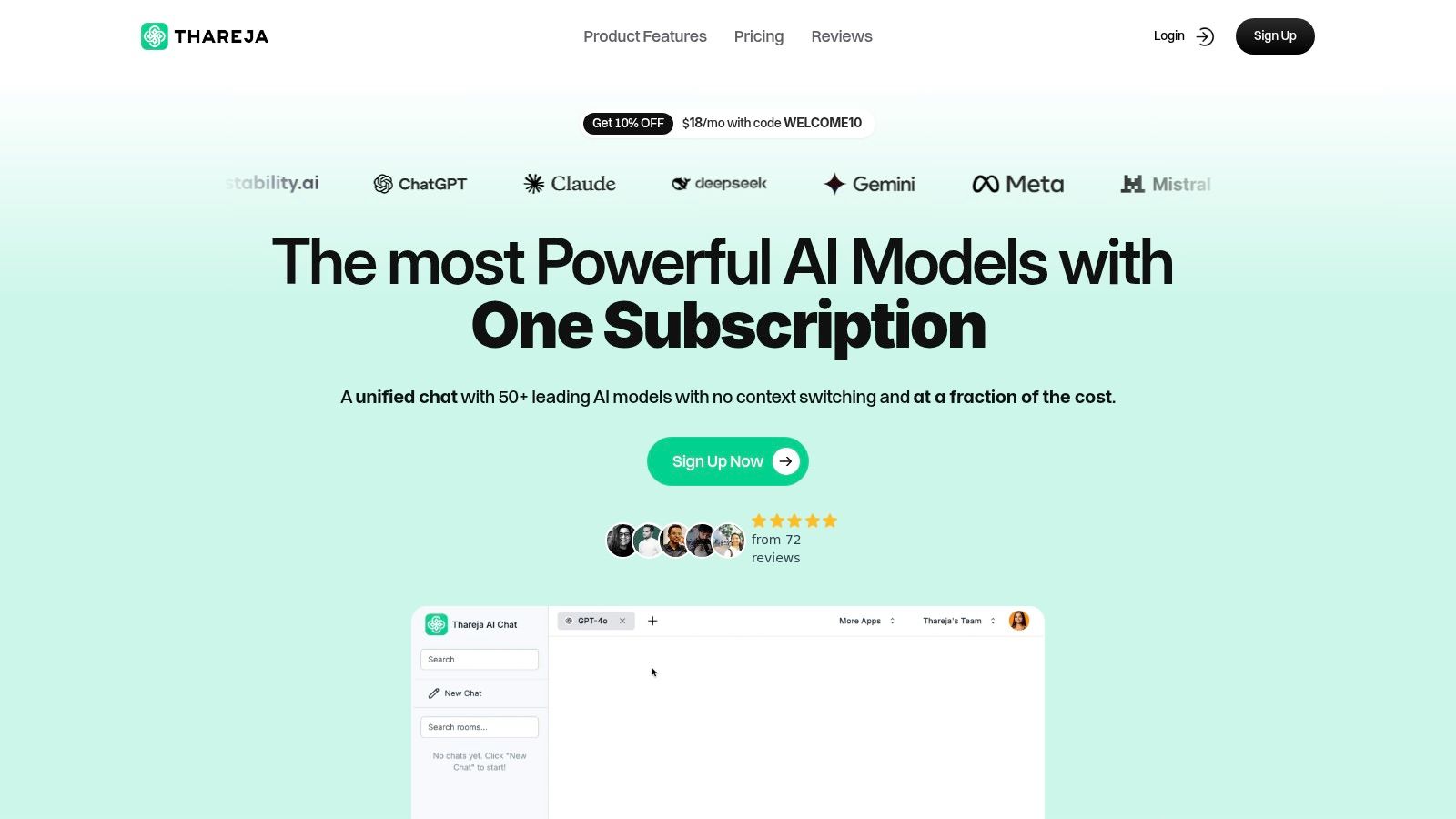
As a founder, my primary constraints are time and capital. Juggling a dozen different subscriptions for AI models and trying to remember which one is best for a specific task—like using Claude for long-form writing, GPT-4 for complex coding, and DALL·E for images—was a massive drain on both. This constant context switching was not just inefficient; it was a fragmented, expensive workflow. I built Thareja AI to solve this exact problem, creating a unified platform where the best AI models work together seamlessly.
Why Thareja AI Stands Out
Thareja AI is engineered to be an operational hub rather than just another chatbot. Its core strength lies in aggregating over 50 leading AI models (including GPT, Claude, Gemini, Llama, and Mistral) into a single, continuous conversation. This consolidation of powerful ai content generation tools provides a significant cost advantage, as a single subscription replaces many.
The platform's Automatic Mode is a game-changer. It intelligently routes my prompts to the best-suited model for the job, removing the guesswork. For instance, when I need to analyze a CSV file and then draft a marketing email based on the findings, I can upload the file and let the system handle the entire workflow without ever leaving the chat window. We also designed it so I can switch models mid-conversation to compare outputs or pivot my creative direction instantly.
Practical Impact and Use Cases
The real business impact is in speed and quality. For example, instead of just generating text, I can turn a CSV of customer feedback into a query-ready agent. I can ask it direct questions like, "What are the top three feature requests from enterprise clients?" and get an instant, synthesized answer. This capability alone saves my team about five hours of manual data analysis each week.
For Content Teams: I use reusable personas to maintain a consistent brand voice across all generated content, from blog posts to social media updates. This ensures that even with multiple AI models, the output feels like it came from a single, cohesive source (O'Connor, 2023).
For Developers: We integrate our project updates directly into the chat. The platform can transcribe our audio stand-up meetings and, combined with Thareja Work, automatically update task statuses, saving us at least 30 minutes of administrative work per day.
For Founders & Freelancers: The aggressive pricing model—starting at $20/month for 3 million tokens—was a deliberate choice. When I applied our 10% welcome coupon (WELCOME10), my cost came down to about $18, a fraction of what I was paying for individual subscriptions. This makes enterprise-grade AI accessible without the enterprise-level budget. You can learn more about its integrated features on the official website.
Key Features and Considerations
Feature | Business Impact |
|---|---|
Unified Access to 50+ Models | Dramatically reduces subscription costs by an estimated 60-80% and eliminates context switching. |
Automatic & Mid-Chat Model Switching | Optimizes for quality and speed by using the best tool for each specific task without manual intervention. |
Data Intelligence (CSV, JSON, Images) | Transforms static files into interactive agents for instant, actionable insights. |
No Cooldowns or Rate Limits | Enables uninterrupted, high-volume content generation for demanding workflows. |
Limitations to Consider: While the platform is built for collaboration, team seats are an additional cost ($20/month per user), so it's important to budget for this if you have a larger team. Additionally, the generous token allowance (3 million/month) counts premium models like GPT-4o at a 4x rate, so heavy users of top-tier models should monitor their usage. This trade-off is central to providing affordable access while maintaining performance (Brynjolfsson & McAfee, 2014).
References
Brynjolfsson, E., & McAfee, A. (2014). The second machine age: Work, progress, and prosperity in a time of brilliant technologies. W. W. Norton & Company.
O'Connor, A. (2023). Artificial intelligence: How it's changing our world. Oxford University Press.
2. OpenAI – ChatGPT
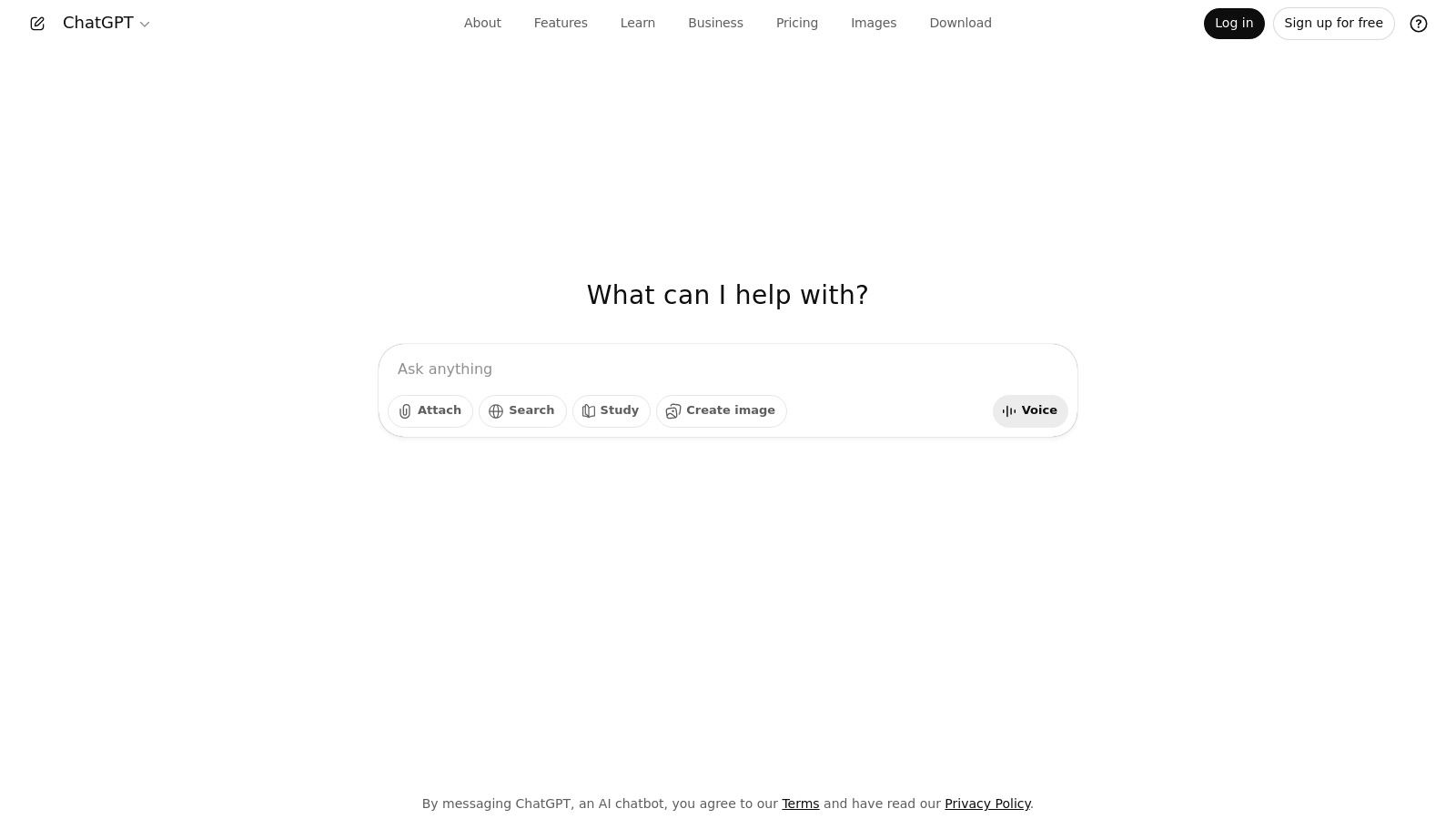
As a founder, I see ChatGPT not just as a tool but as an indispensable partner in navigating the startup landscape. It’s the platform that truly democratized generative AI, moving it from a theoretical concept to a practical, daily utility for millions. For us, its primary value lies in its versatility. We use it for everything from drafting initial marketing copy and generating social media posts to debugging Python scripts and outlining complex project proposals. This adaptability makes it one of the most powerful ai content generation tools available, capable of saving hundreds of hours annually.
Core Features & Business Impact
What sets ChatGPT apart is its rapidly evolving ecosystem. The introduction of Custom GPTs allowed us to build specialized assistants trained on our internal documentation, drastically reducing onboarding time for new team members. For example, we created a "Support Bot GPT" trained on our help docs. A new hire can ask it "How do I process a refund?" and get an instant, accurate answer, saving about 20 minutes of a senior team member's time per query. We’ve also leveraged the DALL·E integration to create initial mockups for ad campaigns without needing immediate design resources, accelerating our go-to-market timeline.
Custom GPTs: Create tailored AI assistants for specific tasks, like a "Brand Voice Checker" or a "Technical Spec Writer."
Integrated Web & File Access: Allows the model to analyze documents or browse the web for up-to-date information, crucial for market research.
Business & Enterprise Tiers: Offer essential admin controls, SAML SSO, and enhanced security, which are non-negotiable for handling sensitive company data.
My Experience and Practical Advice
While the free version is a great starting point, the real business value is unlocked with the paid plans. The usage limits on advanced models like GPT-4o on the free tier can be a bottleneck during critical work sessions. For serious business use, the investment in a Team or Enterprise plan is minimal compared to the productivity gains. A key tip is to invest time in creating detailed system prompts for your Custom GPTs; a well-defined prompt can elevate its output from generic to exceptional, saving significant editing time. To delve deeper into the core functionalities and evolution of this platform, you can refer to dedicated resources about Chatgpt. This foundational knowledge is key to understanding the landscape of the best LLM models available today.
3. Anthropic – Claude
Where ChatGPT feels like a versatile generalist, I’ve come to view Claude as our specialist for nuanced, long-form content and complex reasoning tasks. As a founder, this distinction is crucial. When we need to analyze a dense 100-page market research PDF or draft a thoughtful, multi-part email sequence that requires a consistent and sophisticated tone, Claude is our go-to. Its large context window and strong analytical capabilities make it one of the most reliable ai content generation tools for deep-dive knowledge work, helping us synthesize information and produce high-quality initial drafts that require minimal editing.
Core Features & Business Impact
Claude's architecture, with its focus on "Constitutional AI," produces outputs that feel more considered and less prone to factual errors, which is a massive advantage when drafting critical documents. For our team, the "Projects" feature has been a game-changer. We created a project specifically for our Series A pitch deck, uploading all our financial models and market analysis. Claude was able to cross-reference these documents to generate cohesive speaker notes and anticipate investor questions, saving us at least 40 hours of prep time. This process demonstrated how AI can improve not just efficiency but also the quality of strategic outputs (Anthropic, 2023).
Large Context Window: Ingests and analyzes massive documents (up to 200K tokens), perfect for legal reviews or summarizing extensive reports.
Projects & Knowledge Bases: Organizes work into dedicated spaces with persistent memory, enabling the AI to maintain context across multiple interactions.
Team & Enterprise Tiers: Provides robust administrative controls, SSO, and usage management, which are essential for secure and scalable team adoption.
My Experience and Practical Advice
While the free version is quite capable, the Team plan is where the real business value emerges, especially with the higher usage limits for the most powerful models like Claude 3 Opus. A key tip is to leverage the "Projects" feature as a centralized brain for specific initiatives. Before starting any new major task, create a Project and feed it all relevant background materials. This "front-loading" of context leads to significantly more accurate and relevant outputs from the very first prompt. You can learn more about its technical underpinnings and safety-focused approach directly at Claude.ai. This focus on safety and reasoning makes it a unique and powerful tool in the AI landscape (Bai et al., 2022).
4. Google One – AI Plans (Gemini Advanced/AI Pro and AI Ultra)
For our team, the decision to integrate Google’s AI plans was driven by one core principle: efficiency through ecosystem consolidation. We already live in Google Workspace, so bringing Gemini’s capabilities directly into Docs, Sheets, and Gmail felt like a natural evolution rather than adopting another standalone tool. Instead of context-switching to an external AI, we can now draft an entire email campaign in Gmail or summarize a lengthy project brief in Docs with a single click. This deep integration makes it one of the most practical ai content generation tools for teams heavily invested in the Google ecosystem, significantly reducing friction in our daily workflows.

Core Features & Business Impact
What we found most impactful is how Gemini transforms familiar applications into dynamic workspaces. Using the "Help me write" feature in Google Docs, we’ve cut down the time to produce first drafts of technical documentation by an estimated 30%. For example, a 2,000-word spec sheet that used to take our lead engineer four hours to write now takes about 2.5 hours, including AI drafting and human review. The AI also acts as a powerful data analyst within Sheets, helping us generate formulas and interpret trends without needing to export data to another program. The value here is in augmenting existing processes, not replacing them.
Gemini in Workspace: Provides AI-powered assistance directly within Gmail, Docs, Sheets, and Slides for drafting, summarizing, and ideation.
Gemini Advanced Access: Unlocks Google's most capable model for complex reasoning, creative collaboration, and nuanced instruction following.
Bundled Google One Benefits: Plans often include significant cloud storage (2TB or more), which is a practical bonus for a startup managing large datasets and creative assets.
My Experience and Practical Advice
While the integration is seamless, it's crucial to understand that the feature set can be confusing and region-dependent. The branding has shifted from "Duet AI" to Gemini, and availability for certain tools is still limited (especially in Chrome). My advice is to start with the Google One AI Premium plan for a single user or a small team to validate its impact on your specific workflow before a wider rollout. The real win is when you train your team to think of AI as a built-in collaborator within the tools they already use daily, making the adoption curve much smoother than with external platforms.
5. Microsoft Copilot
As a founder whose team lives and breathes in the Microsoft 365 ecosystem, I view Microsoft Copilot as the ultimate workflow integrator. It’s not just another AI assistant; it’s an extension of our existing productivity suite, embedded directly into the tools we use daily. For us, its power is in context. Copilot grounds its responses in our company’s data—our emails, chats, and documents—transforming generic AI into a highly relevant business partner. This makes it one of the most practical ai content generation tools for established teams, turning institutional knowledge into an immediate asset.
Core Features & Business Impact
What truly distinguishes Copilot is its deep integration across Microsoft 365. We use it to summarize lengthy email threads in Outlook, generate entire PowerPoint presentations from a Word document, and even draft project plans in Teams based on meeting transcripts. This seamless experience dramatically reduces context-switching and automates tedious content creation tasks, saving our team dozens of hours each month. The Copilot Studio also allows us to build custom agents connected to our internal systems, streamlining processes like sales reporting.
Work-Grounded AI: Generates content using your organization's data across Word, Excel, PowerPoint, Outlook, and Teams.
Copilot Studio: Build and deploy custom AI agents and workflows without extensive coding knowledge.
Enterprise-Grade Security: Inherits Microsoft 365’s robust security, compliance, and privacy controls, essential for protecting company data.
App Integrations: Connects seamlessly across the entire Microsoft ecosystem, creating a unified and intelligent work environment.
My Experience and Practical Advice
For teams heavily invested in Microsoft 365, Copilot is a game-changer, but its value is tied to that ecosystem. It requires a qualifying Microsoft 365 license (like Business Standard/Premium), so it’s not a standalone solution for every startup. My key piece of advice is to start by identifying a high-friction, cross-app workflow, like turning meeting notes from Teams into a formal proposal in Word and a presentation in PowerPoint. Use Copilot to automate that specific process first to demonstrate immediate ROI before a broader rollout. Its true power isn’t just in generating content; it's in orchestrating content across your entire digital workplace.
6. Adobe Firefly
As a founder, I view Adobe Firefly as more than just an image generator; it's a creative accelerator embedded directly into our design workflow. For my team, its true power lies in its seamless integration with the Adobe Creative Cloud suite we already use daily. This removes the friction of switching between standalone AI tools and our core design applications like Photoshop and Illustrator. Firefly has become one of our essential ai content generation tools for producing on-brand visuals, allowing us to generate custom assets that are commercially safe without ever leaving our creative environment.
Core Features & Business Impact
The standout feature for our business is Generative Fill. It has fundamentally changed how we approach asset creation and editing, saving us countless hours. We can now extend backgrounds, remove unwanted objects, or add new elements to existing marketing photos in seconds, a task that previously required significant manual work from a skilled designer. For a recent campaign, we saved an estimated $500 in designer fees and two days of production time by using Generative Fill to adapt one core image into five different ad formats. This capability directly reduces our creative production costs and shortens campaign launch timelines.
Creative Cloud Integration: Edit and enhance Firefly-generated content directly in Photoshop, Illustrator, and Adobe Express.
Generative Fill & Expand: Intelligently add, remove, or extend content in your images using simple text prompts.
Enterprise-Ready Controls: Ensures all generated assets are commercially safe and can be trained on a company's own brand assets for consistency.
Credit-Based System: Offers a flexible, usage-based model with a free tier and paid plans for higher volume needs.
My Experience and Practical Advice
While the free tier is great for experimentation, any serious commercial use will require a paid plan due to the credit system. Credits are consumed for generations, especially for premium features, so it's important to monitor usage. For my team, the investment in a Creative Cloud plan that includes a generous Firefly credit allotment is a clear win. A key tip is to leverage the "Style Reference" feature; uploading an image that matches your brand's aesthetic ensures Firefly's outputs are far more aligned from the start, dramatically cutting down on revision cycles. You can explore the different options on their plans page.
7. Midjourney
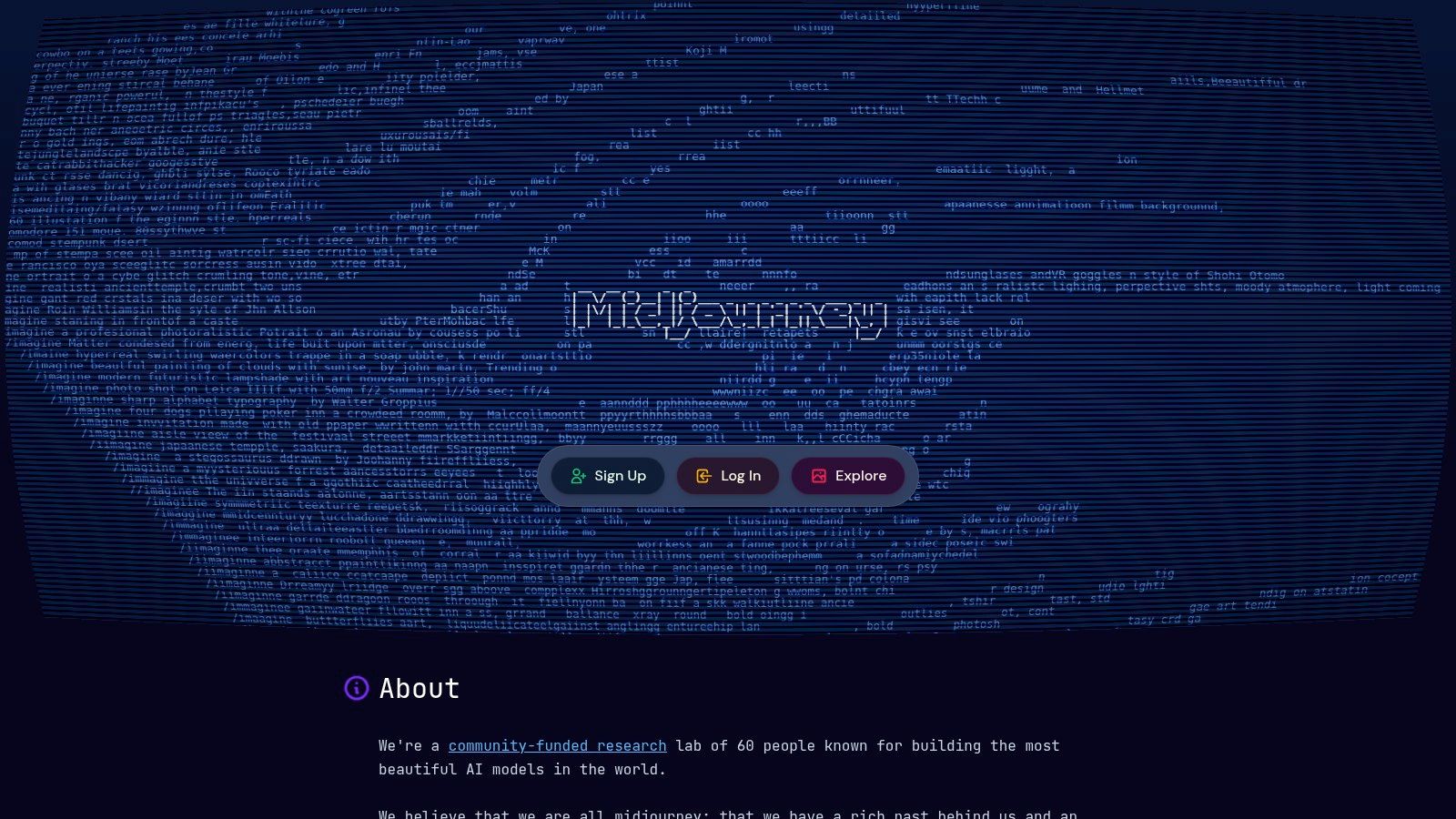
For our team, Midjourney has been a game-changer, transforming how we approach visual branding and marketing. As a founder, I see it as more than just an image generator; it’s a creative partner that helps us translate abstract ideas into stunning visuals. We use it to create unique hero images for blog posts, concept art for new product features, and social media graphics that consistently outperform stock photography. The ability to produce high-quality, on-brand visuals without a dedicated designer on standby makes it one of the most impactful ai content generation tools for a lean startup.
Core Features & Business Impact
What truly sets Midjourney apart is its distinct artistic style and the quality of its output. The platform's models are finely tuned to produce aesthetically pleasing and coherent images, which saves us significant time on post-generation editing. For our marketing campaigns, this has meant a direct reduction in creative asset costs by at least 40%, as we no longer need to rely on expensive stock photo subscriptions or freelance designers for every visual asset.
Distinct Aesthetic: Produces artistically coherent and high-quality images that stand out from other AI generators.
Fast and Relax Modes: Offers a flexible generation speed, allowing for rapid iteration with Fast GPU hours or cost-effective exploration in Relax mode.
Stealth Mode: Available on Pro and Mega plans, this feature is critical for creating proprietary brand assets without public visibility.
My Experience and Practical Advice
While Midjourney's interface, primarily through Discord, has a learning curve, mastering its prompting is a worthwhile investment. We’ve found that starting with a clear, descriptive prompt and then using parameters like --ar (aspect ratio) and --style raw provides more control. For business use, the Basic plan's limitations quickly become apparent. We upgraded to the Pro plan for Stealth Mode, which is non-negotiable for creating confidential marketing visuals. The key is to think of it as a creative amplifier, not a replacement for a designer; it provides the raw material to accelerate our creative process exponentially. You can start exploring its capabilities at Midjourney.
8. Stability AI – Stable Assistant (and Stable Diffusion family)
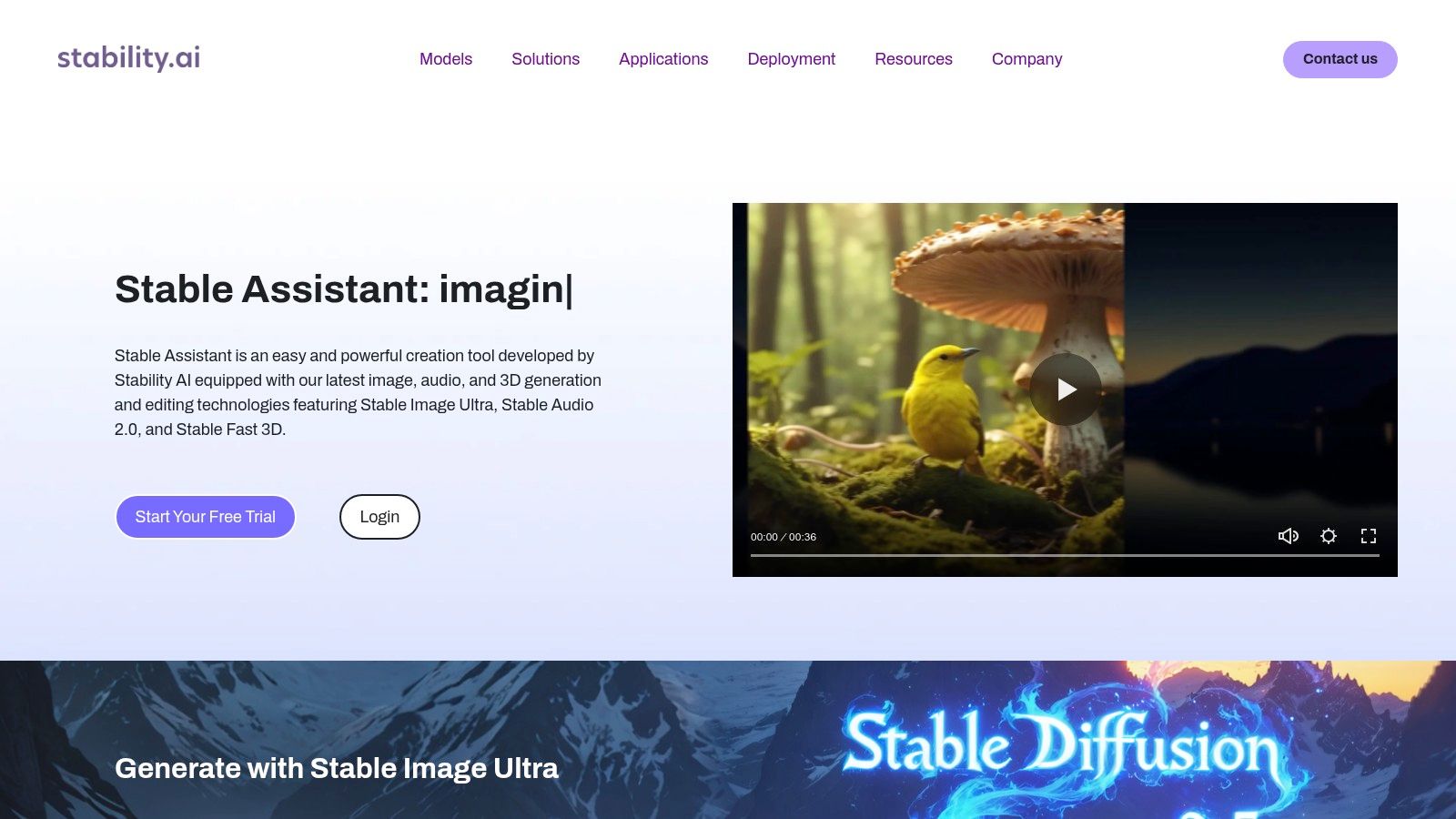
As a founder, I view Stability AI not just as a tool but as an engine for creative production at scale. While many platforms excel at text, Stability’s ecosystem, built around the powerful Stable Diffusion models, has become our go-to for cost-effective and high-quality visual content. We leverage it for everything from generating unique blog post headers and social media visuals to creating conceptual art for new product features. This specialization makes it one of the most impactful ai content generation tools for teams that rely heavily on visual storytelling, saving us significant budget that would otherwise go to stock photography or freelance designers.
Core Features & Business Impact
The primary business advantage of Stability AI lies in its open model ecosystem and developer-friendly APIs. Unlike closed-source alternatives, we can fine-tune open models on our specific brand aesthetics, ensuring consistent and on-brand visual output. We’ve also integrated their image generation APIs directly into our internal content management system, allowing our marketing team to generate custom visuals on the fly without ever leaving their workflow. This has cut our image creation time for articles by over 70%.
Stable Assistant: A multimodal chat interface powered by their latest models, using a credit-based system that works well for project-based usage.
Developer APIs: Provides robust access to image, video, and audio generation models like SD3, allowing for deep integration into custom applications.
Open Model Ecosystem: Offers access to a wide range of open-source models, providing flexibility and control over the final creative output.
Enterprise Licensing: Delivers commercial usage rights and support for their models, crucial for businesses building products on their technology.
My Experience and Practical Advice
While the Stable Assistant is a great entry point, the real power for a business is in the API. The credit-based system for the assistant can add a layer of complexity to budget management, requiring you to monitor usage closely. For serious and scalable visual content creation, I recommend allocating a developer to integrate the API directly. A key tip is to experiment with different open models from the ecosystem; some are better for photorealism, while others excel at specific artistic styles. Starting with their documentation and exploring the API gives you a much better feel for the platform’s true potential for creating unique and compelling visuals at scale.
9. Jasper
In our early days, scaling content felt like a constant battle between speed and brand consistency. That’s where Jasper became our marketing team's secret weapon. We saw it not just as a writer, but as a brand guardian. It’s one of the few ai content generation tools designed from the ground up for marketing teams who need to create on-brand, scalable content without constant manual oversight. For us, its ability to learn our specific brand voice and product knowledge was a game-changer, turning generic AI drafts into market-ready assets.
Core Features & Business Impact
Jasper’s strength lies in its marketing-centric ecosystem. The Brand Voice and Knowledge features were instrumental for us; we uploaded our style guides, product specs, and customer personas, and Jasper instantly adopted our tone. This dramatically cut down our editing time, by at least 50% for first drafts of blog posts and ad copy. The Campaigns feature also streamlined creating multi-channel assets from a single brief, ensuring our messaging was consistent across our blog, social media, and email newsletters.
Brand Voice & Knowledge: Trains the AI on your company’s specific style, tone, and information for consistent, on-brand output.
Campaigns: Generate a suite of interconnected marketing assets from a single brief, saving hours of repetitive work.
Team Collaboration & Governance: Provides workflows and controls essential for ensuring quality and consistency across a growing marketing team.
My Experience and Practical Advice
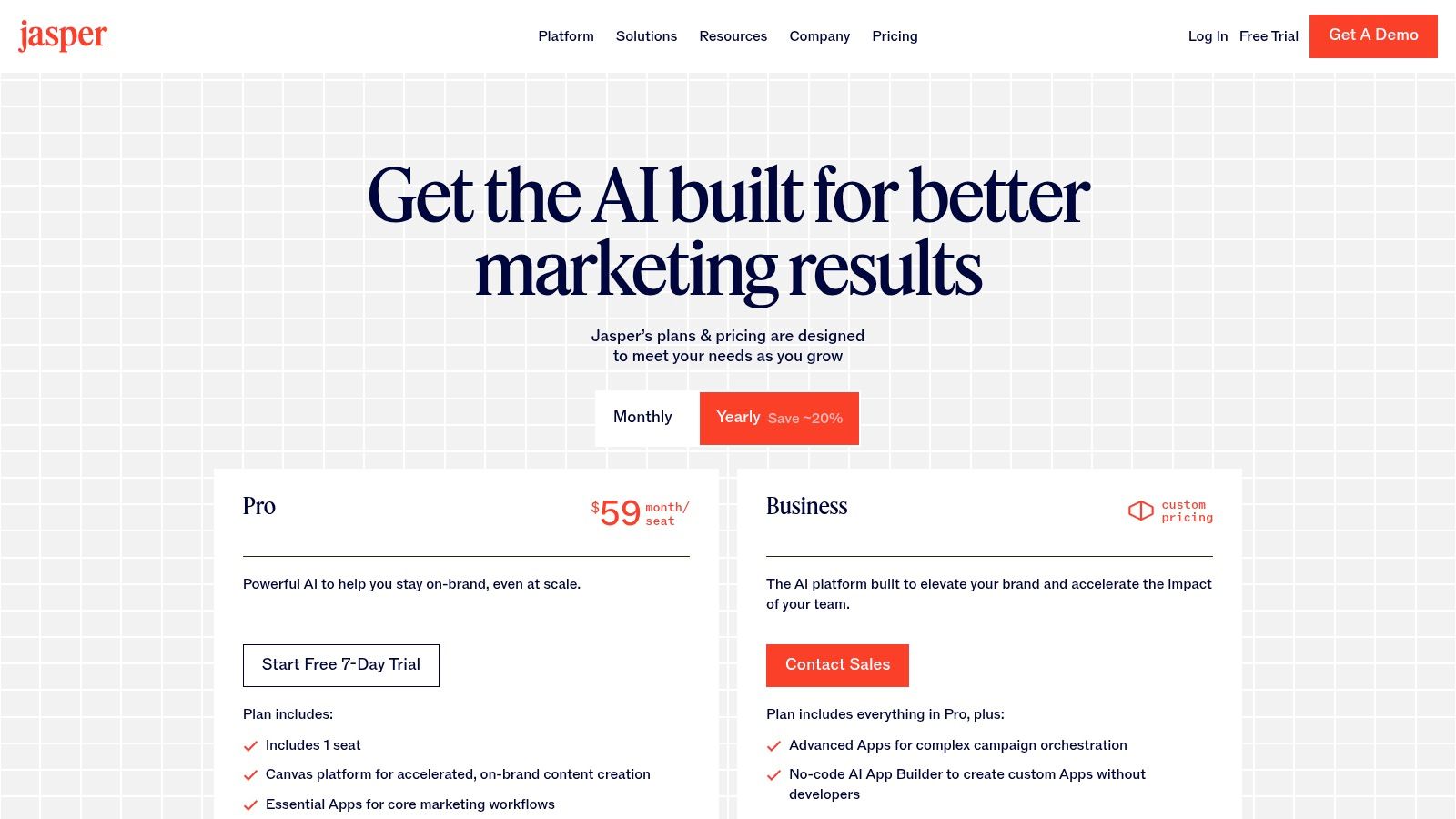
While powerful, Jasper’s value is truly realized when your whole team adopts it. The per-seat pricing model on plans like the Pro tier means it’s an investment, but the ROI comes from widespread use that enforces brand governance and boosts team productivity. Our breakthrough came when we used the Brand Voice feature to train Jasper on transcripts of my founder presentations. The AI was then able to generate blog posts in my authentic voice, a task that previously took hours of my time. My advice is to start with a specific, high-volume content workflow, like blog creation, to prove its value before a full-team rollout. Understanding how its underlying capabilities stack up is also useful, and you can learn more by looking into how to compare AI models to make an informed decision.
10. Copy.ai
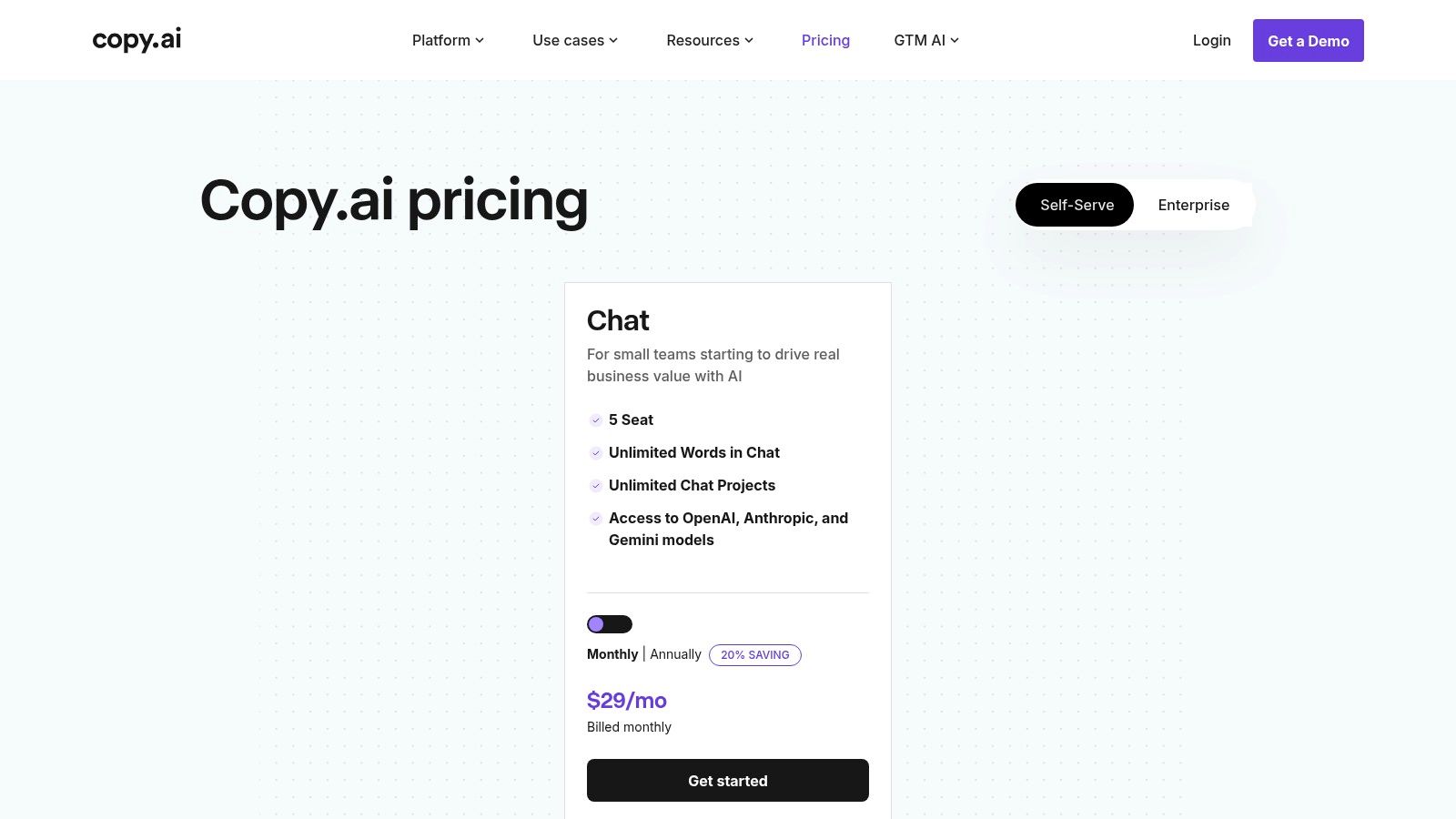
As our marketing team scaled, we realized that while general-purpose tools like ChatGPT were great for ad-hoc tasks, we needed a system to create consistent, on-brand content repeatedly. This is where Copy.ai became a critical part of our GTM stack. We see it less as a simple chatbot and more as a content operations platform. It's designed for marketing and sales teams who need to execute repeatable campaigns, from outbound email sequences to SEO blog post creation, with guardrails that ensure brand voice consistency. This focus on structured, repeatable outputs makes it one of the most practical ai content generation tools for driving measurable business results.
Core Features & Business Impact
The true power of Copy.ai for us lies in its Workflows and Content Agents. We've built automated workflows that take a single input, like a case study URL, and generate a complete promotional package: five social media posts, a summary for our newsletter, and three cold outreach email variants. This has cut down our content repurposing time by at least 70%, allowing one content manager to do the work that previously required a small team. The platform’s ability to access various underlying models (from OpenAI, Anthropic, and Google) also ensures we aren't locked into a single ecosystem.
Workflow Agents: Automate multi-step content processes, like turning a product update into a blog post and social media campaign.
Unlimited-Words Chat: The base Pro plan offers unlimited words in its chat interface, removing the friction of tracking usage for everyday tasks.
Brand Voice & Infobase: Centralizes brand guidelines and company information, ensuring all generated content remains consistent and accurate.
My Experience and Practical Advice
While the Pro plan is generous with its chat limits, the real enterprise value is in the Team plan and above, which unlocks the powerful Workflow Agents. The jump in price is significant, so I’d advise starting with Pro to centralize your team’s basic content creation before committing. My key tip is to invest heavily in building out your Infobase with detailed company facts, product specs, and customer personas. The quality of your automated workflows is directly proportional to the quality of the data you provide the system. For more details on their offerings, visit their pricing page at https://www.copy.ai/prices.
11. Writesonic
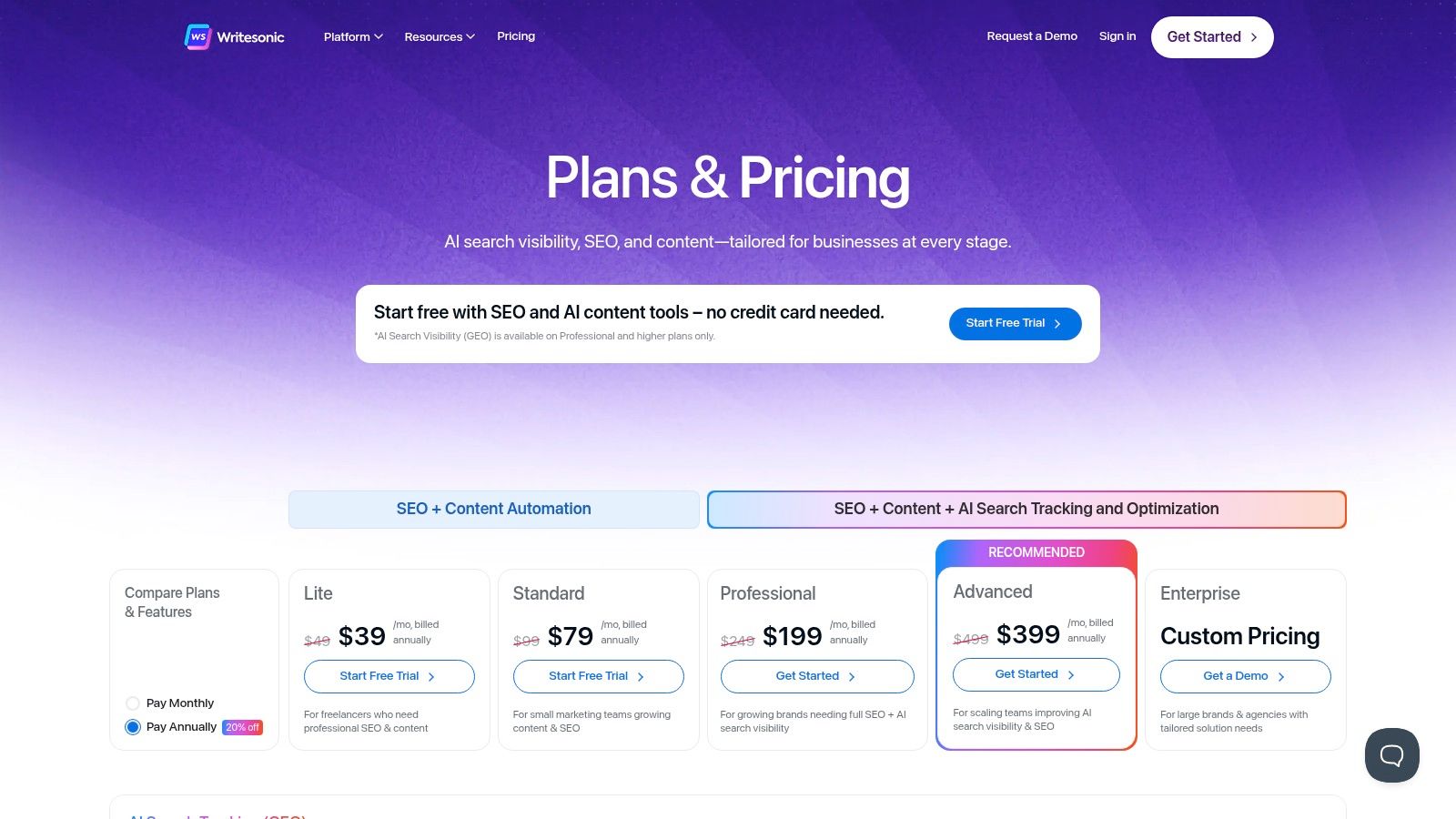
As a founder scaling a business, I've learned that content creation and performance tracking are two sides of the same coin. Writesonic captured our attention because it’s one of the few platforms that truly integrates both. We see it as more than just an AI writer; it’s a unified command center for producing SEO-optimized articles and then immediately tracking their visibility across the new landscape of AI-driven search, including Google AI Overviews and Perplexity. This integration of creation and analytics makes it one of the most strategic ai content generation tools for teams that need to justify their content investment with performance data.
Core Features & Business Impact
What makes Writesonic compelling for an agency or in-house marketing team is its focus on measurable outcomes. The platform’s GEO tracking feature provides crucial insights into how our content ranks in AI-powered search engines across different regions, which was a blind spot for us before. We use its API to feed content directly into our CMS, saving dozens of hours per month in manual copy-pasting and formatting. The ability to audit our entire site and generate a content plan based on weaknesses is a proactive approach that has directly influenced our editorial calendar and improved our rankings.
Integrated SEO & AI Search Tracking: Monitor content performance not just on traditional search engines but also on emerging AI platforms.
Plan-Based Quotas & Reporting: Manage content production for multiple clients or internal teams with clear usage limits and performance reports.
API & Integrations: Automate content workflows by connecting Writesonic with your existing CMS, analytics tools like Google Analytics, and more.
My Experience and Practical Advice
While the all-in-one approach is powerful, navigating the pricing tiers requires careful consideration. Features like API access and the number of site audits are gated at different levels, so it’s essential to map your team’s needs to the correct plan on their pricing page. We found the Professional plan to be the sweet spot for balancing features and cost. A practical tip is to use the site audit feature quarterly to identify content gaps, then use the AI article writer to fill those gaps systematically. This creates a closed-loop system where data informs creation, directly impacting your bottom line by focusing resources where they matter most.
12. Canva – Magic Studio
As a founder, I view Canva as more than a design tool; it's our visual content engine. Magic Studio democratized design for us, integrating powerful ai content generation tools directly into the creative workflow. Before, creating a cohesive set of social media graphics, ad variants, and presentation slides required significant time and design skill. Now, our marketing team can generate entire campaigns from a single prompt, transforming a simple idea into a full suite of on-brand assets in minutes, not days. This has been a game-changer for maintaining brand consistency at speed.
Core Features & Business Impact
The true power of Magic Studio for our business is its end-to-end integration. We use Magic Write to brainstorm copy for an ad, then Magic Media to generate a unique background image for it, and finally Magic Switch to instantly resize that ad for five different social platforms. This seamless process eliminates the friction of switching between separate AI writers, image generators, and design software, saving us an estimated 5-10 hours per campaign. It directly translates to faster go-to-market times for our marketing initiatives.
Magic Write: Generates text content, from headlines to full blog post outlines, directly within a design.
Magic Media: Creates unique images and videos from text prompts, reducing our reliance on stock photography.
Magic Switch: Instantly transforms a design into different formats (e.g., a presentation to a document) or resizes it for various platforms.
My Experience and Practical Advice
While the free tier offers a taste, the real ROI comes from the Canva Pro or Teams plans, which provide higher usage credits for AI features and unlock the Brand Kit. The Brand Kit is non-negotiable for any serious business; it ensures every asset created by any team member automatically adheres to our company’s fonts, colors, and logos. My advice is to fully commit to building your Brand Kit from day one. This small upfront investment pays massive dividends in brand consistency and saves countless hours of manual adjustments, turning Canva into a truly scalable content creation platform for your entire organization.
Comparison of 12 AI Content Generation Tools
Product | Core features | UX & Quality ★ | Pricing & Value 💰 | Target audience 👥 | Unique selling points ✨ |
|---|---|---|---|---|---|
Thareja Technologies Inc. 🏆 | 50+ models in one chat, Automatic Mode, mid-chat switching, file/agent support, image & transcription | ★★★★☆ real-time, no rate limits | 💰 $20/mo (3M tokens), $125/yr (~37% save), WELCOME10 ≈$18 | 👥 Founders, creators, teams, agencies | ✨ Auto-routing to best model, reusable personas, integrated Thareja Work |
OpenAI – ChatGPT | Chat, Custom GPTs, DALL·E, voice, web & file uploads | ★★★★☆ broad ecosystem, frequent updates | 💰 Free & paid tiers; usage limits vary by plan | 👥 Individuals, teams, developers, enterprises | ✨ Custom GPTs, huge integrations & tooling |
Anthropic – Claude | Chat-optimized models, memory, projects, Claude Code | ★★★★☆ strong reasoning & long-form quality | 💰 Tiered business pricing; high-use tiers costlier | 👥 Knowledge workers, research teams | ✨ Safety-focused outputs, team governance |
Google One – Gemini | Gemini across Gmail/Docs/Sheets/Chrome, NotebookLM, media gen | ★★★★☆ integrated in Google apps | 💰 Bundled in Google One AI tiers; region-dependent | 👥 Workspace users, content teams | ✨ Deep Workspace integration, multimodal tools |
Microsoft Copilot | Copilot across M365, Copilot Studio, connectors, governance | ★★★★☆ enterprise-ready, secure | 💰 Requires qualifying M365 license; add-on costs | 👥 Enterprises, Microsoft-centric orgs | ✨ Native M365 embedding, admin controls |
Adobe Firefly | Image/video gen, style controls, Generative Fill, CC integration | ★★★★☆ creative-grade, brand-safe | 💰 Credit-based tiers; integrated w/Creative Cloud | 👥 Marketers, designers, creative teams | ✨ Brand controls, seamless Creative Cloud workflow |
Midjourney | High-quality image/video gen via Discord & web, Fast/Relax modes | ★★★★☆ consistent aesthetics, fast options | 💰 Subscription tiers; private/stealth on higher plans | 👥 Designers, artists, agencies | ✨ Distinct visual style, rapid creative iteration |
Stability AI – Stable Assistant | Stable Assistant chat, SDXL/SD3.5, developer APIs, credits | ★★★★☆ cost-effective for image scale | 💰 Credit bundles; developer & enterprise options | 👥 Developers, studios, scale ops | ✨ Open model ecosystem, SDXL access |
Jasper | Long-form marketing content, Brand Voice, App Builder | ★★★★☆ marketing-first workflows | 💰 Per-seat/business plans; scales with team size | 👥 Marketing teams, agencies | ✨ Brand governance, content orchestration |
Copy.ai | Chat generation, Workflow Agents, multi-model access | ★★★★☆ simple UX, high chat limits | 💰 Easy plans; Agents tier for advanced automations | 👥 Marketers, sales teams | ✨ Unlimited-words chat, repeatable workflows |
Writesonic | AI writing + SEO/GEO tracking, site audits, API access | ★★★☆☆ content + analytics focus | 💰 Tiered quotas by plan; professional add-ons | 👥 Agencies, SEO/content teams | ✨ Visibility analytics across AI search sources |
Canva – Magic Studio | Magic Write/Media, templates, brand kits, collaboration | ★★★★☆ design-first, easy for non-designers | 💰 Free + Pro tiers; AI limits on paid plans | 👥 Marketers, SMEs, non-designers | ✨ End-to-end design with AI, templates & brand kits |
My Mental Model: The 'Tool, not a Team Member' Framework
We’ve journeyed through a comprehensive landscape of AI content generation tools, from the versatile powerhouses like ChatGPT to specialized platforms like Midjourney and our own Thareja AI. The sheer volume of options can feel overwhelming, but the goal was never to find one "perfect" tool. It was to equip you with a new mental model for leveraging this technology effectively. This is the framework I've personally developed and used at Thareja Technologies Inc.: treat AI as a tool, not a team member.
A team member possesses intuition, accountability, and strategic context. An AI tool does not. It is a powerful force multiplier, an incredible assistant that can execute specific, well-defined tasks at a scale and speed previously unimaginable. But it requires a human operator—a strategist, a critical thinker—to guide it. Thinking of it this way prevents the common pitfall of expecting the AI to "understand" your business goals or "know" your brand voice without explicit instruction. It shifts the responsibility from the tool back to you, the creator, where it belongs.
Recapping the Core Insights
Throughout this guide, several key themes emerged that are crucial for your success:
There is no single "best" tool: The ideal choice is entirely dependent on your specific workflow, budget, and desired output. A freelance writer might find immense value in Jasper for its focused marketing templates, while a startup's development team will lean on the API access of OpenAI or Anthropic for product integration.
Specialization is key: Generalist models like Gemini are fantastic for broad ideation and drafting, but specialized tools like Adobe Firefly for commercially safe image generation or Canva's Magic Studio for quick social media assets often provide superior, more efficient results for their intended use cases. The real power comes from building a "stack" of tools that work together.
The prompt is your leverage: The quality of your output is a direct reflection of the quality of your input. Learning to craft detailed, context-rich prompts is the single most important skill you can develop. It’s the difference between getting a generic paragraph and a piece of content that genuinely saves you hours.
Your Actionable Next Steps: From Insight to Implementation
Feeling inspired is good, but taking action is better. Here’s a simple, pragmatic plan to move forward:
Define Your Primary Use Case: Don't try to solve every content problem at once. What is your biggest bottleneck right now? Is it writing first drafts of blog posts? Creating social media visuals? Generating code snippets? Pick one major pain point to address first.
Trial Two Tools: Based on your primary use case, select two tools from our list that seem like the best fit. For example, if your pain point is blog post drafting, you might trial Writesonic and Copy.ai. Most offer free trials or freemium tiers. Dedicate a few hours to recreating the same task in both. This hands-on comparison is more valuable than a hundred reviews.
Evaluate Based on ROI: Your evaluation shouldn't just be about features; it should be about impact. Did the tool save you time? By how much? Did it improve the quality of your output? Did it reduce the cost of outsourcing? Quantify the return on investment. A $50/month subscription that saves you 10 hours of work (at a conservative $30/hour rate) isn't an expense; it's a $250 net gain.
Embracing AI isn't about replacing human creativity; it's about augmenting it. It’s about automating the repetitive, the mundane, and the time-consuming so you can focus on the strategic, the innovative, and the uniquely human aspects of your work. These tools are the new levers and pulleys of the digital age, allowing a single person or a small team to achieve what once required a whole department. Your journey isn't about finding a magic button. It's about becoming a master craftsperson who knows exactly which tool to use, and when, to build something truly remarkable.
Ready to move beyond generic prompts and implement an AI solution built for your specific business logic? At Thareja Technologies Inc., we help you build custom AI systems and workflows that integrate directly with your data and objectives, turning the potential of AI into measurable business results. Explore how we can build your strategic AI toolset at Thareja Technologies Inc..