Jan 29, 2026
12 Essential AI Tools for Small Business We Actually Use in 2024
Discover the 12 essential ai tools for small business that save us time and money. A founder's practical guide with real examples and actionable insights.
As the founder of Thareja Technologies, I've spent thousands of hours and dollars testing AI tools that promise transformation but often deliver complexity. This isn't another generic listicle rehashing marketing claims. This is my field-tested playbook, a first-person guide to the specific AI tools for small business that we rely on daily. These are the platforms that have genuinely saved us money, reclaimed hundreds of productive hours, and measurably reduced our operational risk.
I'm not going to give you theory. I'm going to show you exactly how we use these tools, the real business impact we've measured, and the honest limitations we’ve learned to work around. My goal is to cut through the noise and give you actionable insights you can apply immediately, a mission grounded in the understanding that practical application is everything (Brynjolfsson & McAfee, 2014). For small businesses looking to specifically boost their sales pipeline, exploring resources like the top AI lead generation tools for high-growth teams can provide significant value.
From comprehensive platforms like AWS and Google Workspace that centralize operations to specialized apps on Shopify and Canva that solve niche problems, we’ll cover the stack that powers our growth. Each recommendation includes screenshots and direct links to help you evaluate what’s right for your business. Think of this as a direct look into our company's digital toolkit, designed to help you build your own more efficiently.
1. Thareja Technologies Inc.
In my journey as a founder, I quickly learned that the friction of switching between different AI models was a hidden productivity killer. It was frustrating. We were paying for multiple subscriptions to access the best models for different tasks—GPT for coding, Claude for long-form writing, and others for specific data analysis. This constant context switching, copying and pasting between tabs, and managing separate bills was inefficient and costing us an estimated $1,500 per year in wasted subscription fees alone. This is precisely the problem we built Thareja AI to solve; it's the consolidated, multi-model AI workspace I needed myself.
Why It's My Top Pick for Small Businesses
Thareja AI centralizes over 50 of the world's leading AI models, including powerhouses like GPT, Claude, Gemini, and Llama, into a single, unified chat interface. For a small business, this immediately translates into cost savings and operational agility. Instead of multiple subscriptions, we consolidate everything into one predictable plan, saving hundreds of dollars a month while giving my team access to the best tool for every job.
The standout feature is the Automatic Mode, which intelligently routes your prompt to the most suitable model, eliminating the guesswork. You can also swap models mid-conversation without losing context, a feature that's invaluable for complex problem-solving where you need to compare different AI perspectives. For example, I might start a market analysis with Claude for its detailed prose, then switch to GPT for its data synthesis capabilities, all within the same chat. This simple workflow saves me about 20 minutes per complex task.
Core Features & Business Impact
Multi-Model Access: Compare answers from different models side-by-side to get a more robust, less biased output. This reduces the risk of relying on a single AI's potential blind spots (Tversky & Kahneman, 1974).
Data Agents: Upload a CSV, Excel, or JSON file and instantly turn it into a queryable AI agent. I use this to analyze customer feedback spreadsheets, asking natural language questions like, "What are the top three feature requests from our enterprise clients this quarter?" to get instant insights without writing complex formulas. This saves my analyst at least 2 hours per week.
Team Collaboration: Shared workspaces allow my marketing, development, and sales teams to collaborate on AI-driven projects in real-time. This aligns our efforts and creates a central repository of prompts and insights.
Workflow Enhancements: Reusable personas, a prompt enhancer, integrated web search, and audio transcription are built-in, saving time and improving output quality.
Practical Implementation
Getting started is straightforward. We used the 3-step import tool to migrate our entire chat history from ChatGPT, ensuring a seamless transition. For a small team, the monthly plan starting at $20/month ($18 with promo code WELCOME10) is incredibly cost-effective, offering 3 million tokens per month and access to all models. While premium models use more tokens (a 4x multiplier), the value of accessing specialized models on demand for high-stakes tasks far outweighs the cost.
Takeaway: Thareja AI isn't just another AI chat tool; it's a strategic platform that consolidates your AI stack, reduces subscription costs by an average of 30-40% for multi-tool users, and empowers your team with the flexibility to use the best model for any task without the friction of context switching.
Website: https://thareja.ai
References
Tversky, A., & Kahneman, D. (1974). Judgment under Uncertainty: Heuristics and Biases. Science, 185(4157), 1124–1131.
2. AWS Marketplace — Machine Learning category
For small businesses already embedded in the Amazon Web Services (AWS) ecosystem, the AWS Marketplace offers a direct path to deploying sophisticated AI. It’s less of a single tool and more of a curated superstore for enterprise-grade algorithms and pre-trained models. Instead of building from scratch, we found we could subscribe to a specific model, like a fraud detection algorithm, and deploy it directly into our existing cloud infrastructure.
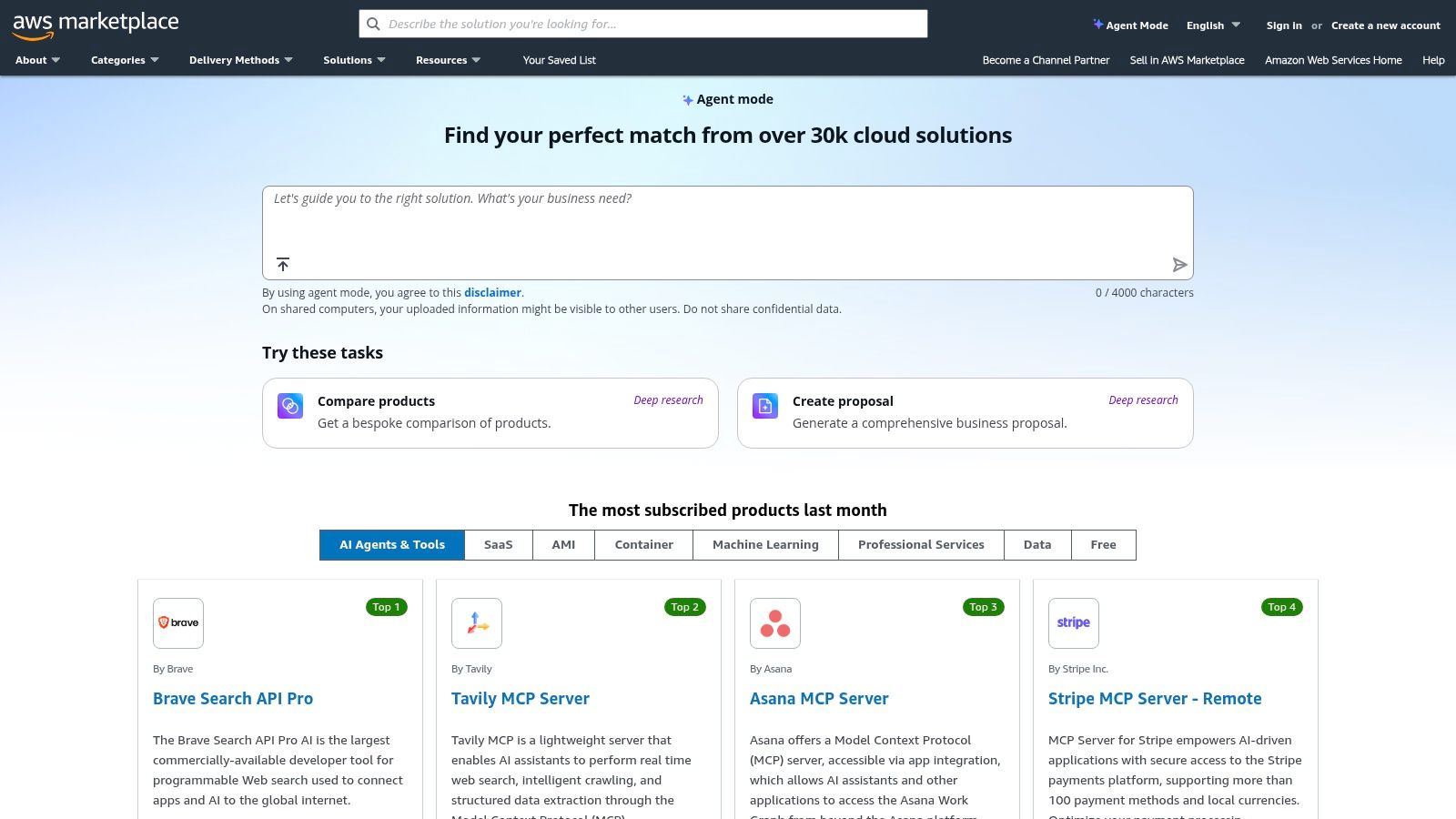
The real value here is consolidation and trust. All billing runs through our AWS account, and every model is vetted for security. This dramatically reduces the risk and administrative overhead compared to contracting with dozens of unknown AI vendors. For example, deploying a third-party sentiment analysis model for customer feedback through AWS SageMaker took us under an hour, a task that could have taken weeks of procurement and integration otherwise.
My Founder's Take: "While powerful, the AWS Marketplace is not for beginners. You need some AWS expertise. My advice is to start with a very specific, high-impact problem, like automating product categorization, and use a free-tier model to test the workflow before committing to a paid subscription. This approach minimizes risk while letting you tap into world-class AI."
Website: https://aws.amazon.com/marketplace
Feature | Assessment |
|---|---|
Ideal For | Tech-savvy SMBs and startups already using AWS. |
Key Benefit | Consolidated billing, governance, and security within your existing cloud setup. |
Pricing | Varies widely; usage-based, many free trials available. |
Limitations | Steep learning curve; costs can escalate if not monitored closely. |
3. Microsoft AppSource — AI and business apps
For the millions of small businesses running on Microsoft 365, AppSource is the path of least resistance to integrating AI tools. It’s an enterprise app store where you can find AI-powered add-ins that plug directly into the software you already use daily, like Outlook, Excel, and Teams. We found this approach incredibly efficient; instead of adopting entirely new platforms, we could embed AI capabilities right into our existing workflows.
The primary advantage is seamless integration and governance. Since these apps use your existing Microsoft identities, deployment is secure and can be managed centrally by an administrator. For instance, we tested an AI assistant for Outlook that helped draft email responses. Rolling it out to our team was as simple as a few clicks in the admin center, a process that felt secure and controlled. This unified experience is a significant win for any small business looking to implement AI tools for small business without adding security or administrative complexity.
My Founder's Take: "AppSource democratizes AI for any business on Microsoft 365. The key is to look for certified, highly-rated apps. We started by installing a free GPT-powered add-in for Excel to automate data cleaning and categorization. This small step saved our analyst about five hours per week, proving the value of AI without any upfront investment or complex procurement. Focus on enhancing a tool your team already masters."
Website: https://appsource.microsoft.com
Feature | Assessment |
|---|---|
Ideal For | Small businesses heavily invested in the Microsoft 365 ecosystem. |
Key Benefit | Fast, secure deployment of AI add-ins within familiar applications like Outlook and Excel. |
Pricing | Varies; many apps are free, offer free trials, or have subscription-based models. |
Limitations | App quality and utility can vary significantly between publishers. |
4. Google Workspace Marketplace — AI add-ons
For small businesses that live inside Google Docs, Sheets, and Gmail, the Workspace Marketplace is the most direct way to integrate AI into daily workflows. Instead of toggling between a dozen different apps, we can embed AI capabilities directly into the tools we already use. It’s like an app store specifically designed to supercharge your existing Google suite, offering everything from AI writing assistants in Docs to automated data analysis tools in Sheets.
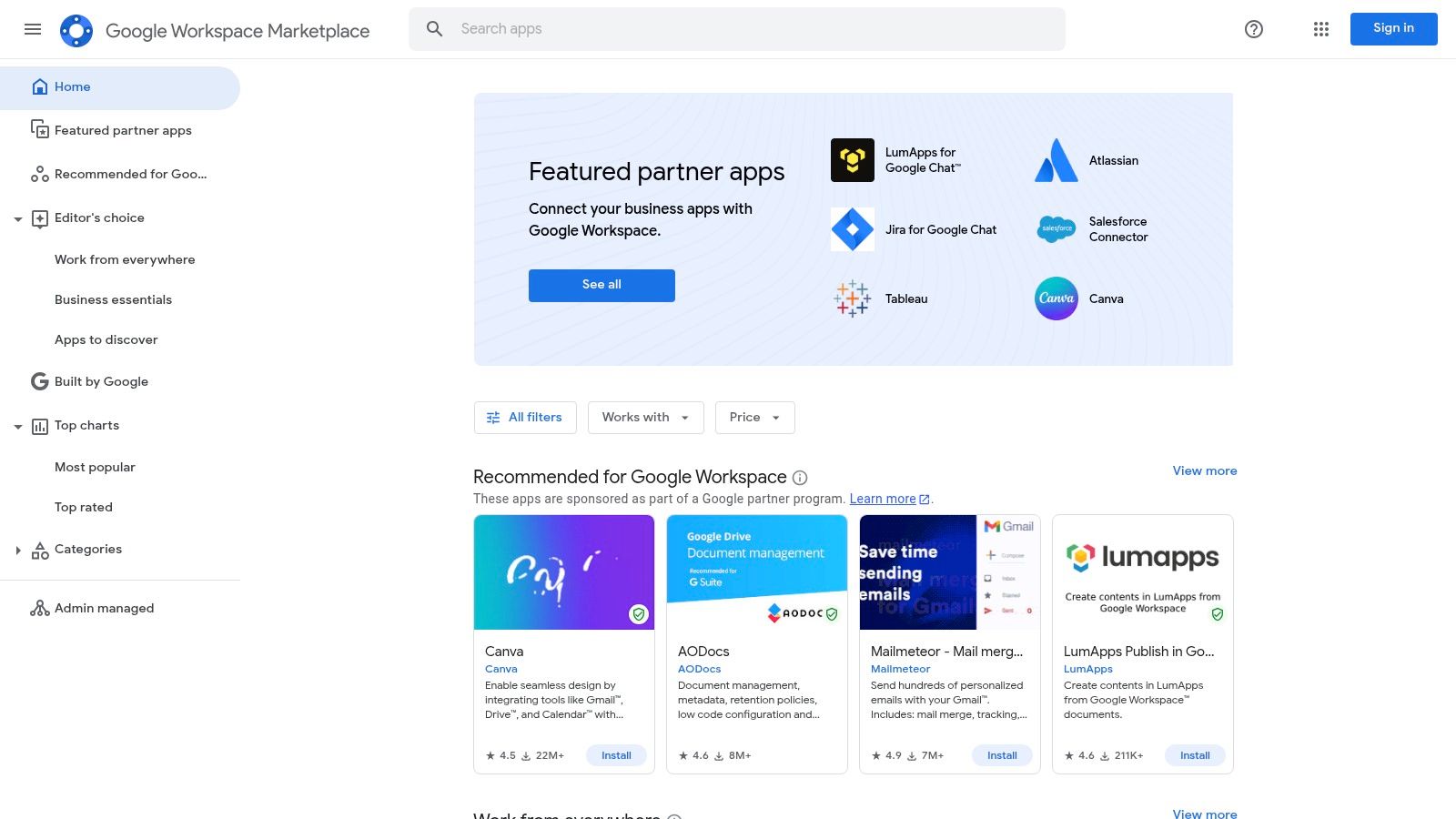
The biggest advantage is the seamless, in-app experience. We found a slide generation add-on that creates entire presentations from a simple text prompt right within Google Slides, saving us hours on pitch decks. This kind of integration eliminates the friction of context switching, which is a major productivity drain for a small team. Being able to approve and install add-ons domain-wide also provides centralized control over the tools our team uses, ensuring consistency and some level of oversight.
My Founder's Take: "The marketplace is a goldmine, but you have to be a discerning shopper. Many add-ons are freemium with tight limits. My advice is to read recent reviews and check the 'last updated' date before installing. I tested three different AI email writers before finding one that consistently produced on-brand drafts, ultimately saving me about 30 minutes a day on routine correspondence."
Website: https://workspace.google.com/marketplace
Feature | Assessment |
|---|---|
Ideal For | Teams heavily reliant on the Google Workspace ecosystem. |
Key Benefit | Seamless in-app AI integration without context switching. |
Pricing | Varies by add-on; many are freemium or have paid subscription tiers. |
Limitations | Quality and privacy standards vary by publisher; free tiers can be very limited. |
5. Shopify App Store — AI apps for e‑commerce SMBs
For the millions of small businesses running on Shopify, the platform’s App Store is the most direct route to leveraging AI. It’s a specialized ecosystem where AI tools are designed with one goal: increasing e-commerce sales. We’ve found that instead of searching for generic AI, we can find apps built specifically to solve merchant problems, like generating high-converting product descriptions or automating customer support with chatbots that understand order statuses.
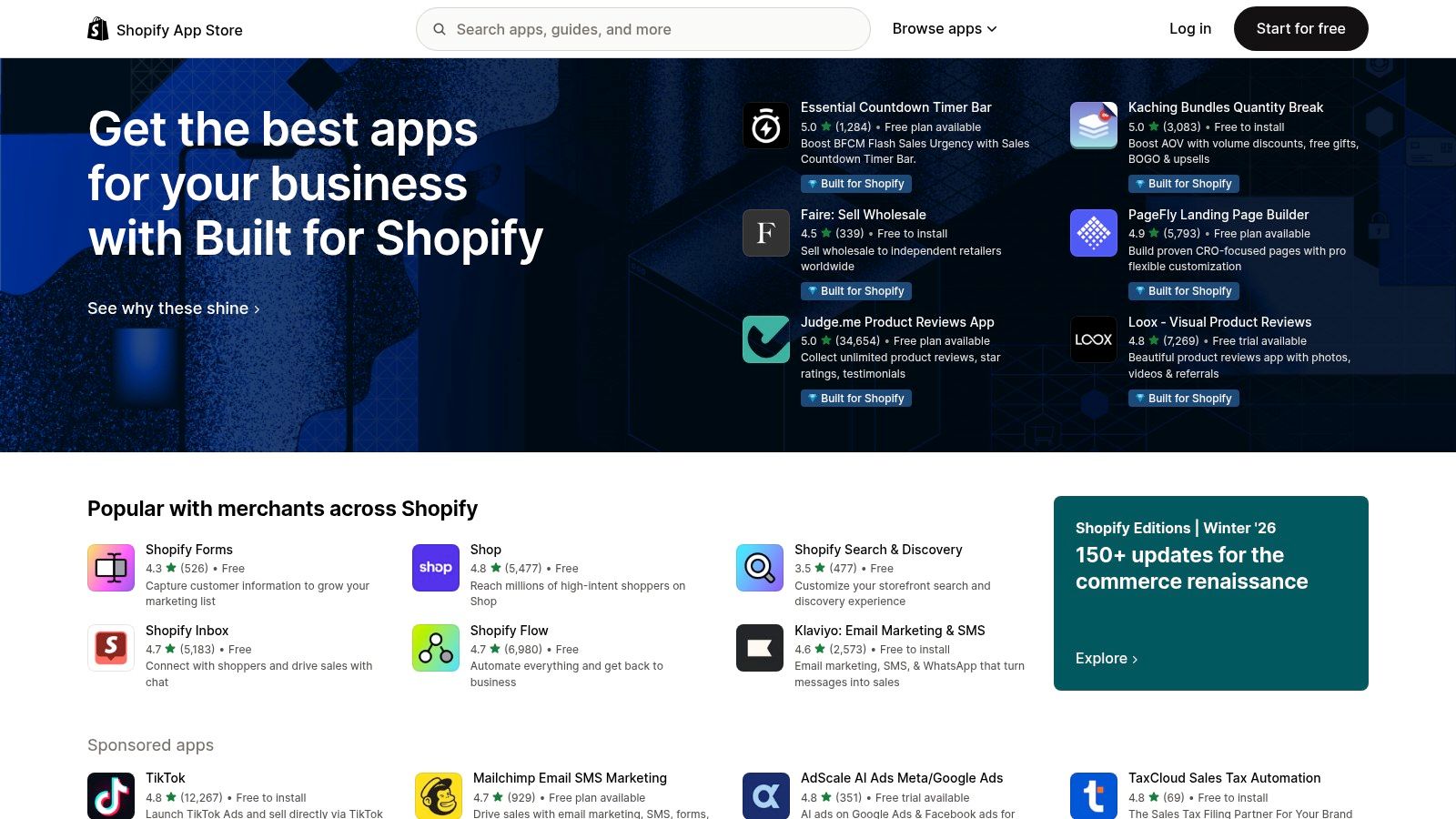
The key advantage is seamless integration. These apps plug directly into your Shopify admin, accessing product data, customer history, and inventory levels to deliver context-aware results. We tested an AI-powered search and personalization app that, within a day, started delivering more relevant product recommendations, leading to a noticeable 5% lift in average order value. The ROI is often immediate and measurable, making these apps some of the most practical AI tools for small business owners in retail.
My Founder's Take: "The Shopify App Store democratizes e-commerce AI. My advice is to identify your biggest bottleneck—is it writing copy, handling support tickets, or personalizing the shopping experience? Find a highly-rated app with a free trial that targets that specific problem. We saved over 10 hours a week on copywriting alone by using an AI description generator, freeing us up for more strategic marketing."
Website: https://apps.shopify.com
Feature | Assessment |
|---|---|
Ideal For | E-commerce entrepreneurs and merchants on the Shopify platform. |
Key Benefit | Direct, one-click integration into your store for immediate impact on sales and operations. |
Pricing | Varies by app; many offer free plans, trials, or usage-based pricing. |
Limitations | App quality can vary, and stacking multiple paid apps can increase monthly costs significantly. |
6. Zapier — AI + automation platform
For small businesses, the gap between having a great idea and actually implementing it is often filled with manual, repetitive tasks. Zapier bridges this gap by letting non-technical users connect their favorite apps and automate workflows. Now, with integrated AI features like AI Prompt steps and chatbots, it has become one of the most accessible AI tools for small business owners looking to infuse intelligence into their existing processes without writing a single line of code. We use it to connect our CRM directly to an AI model to draft personalized follow-up emails.
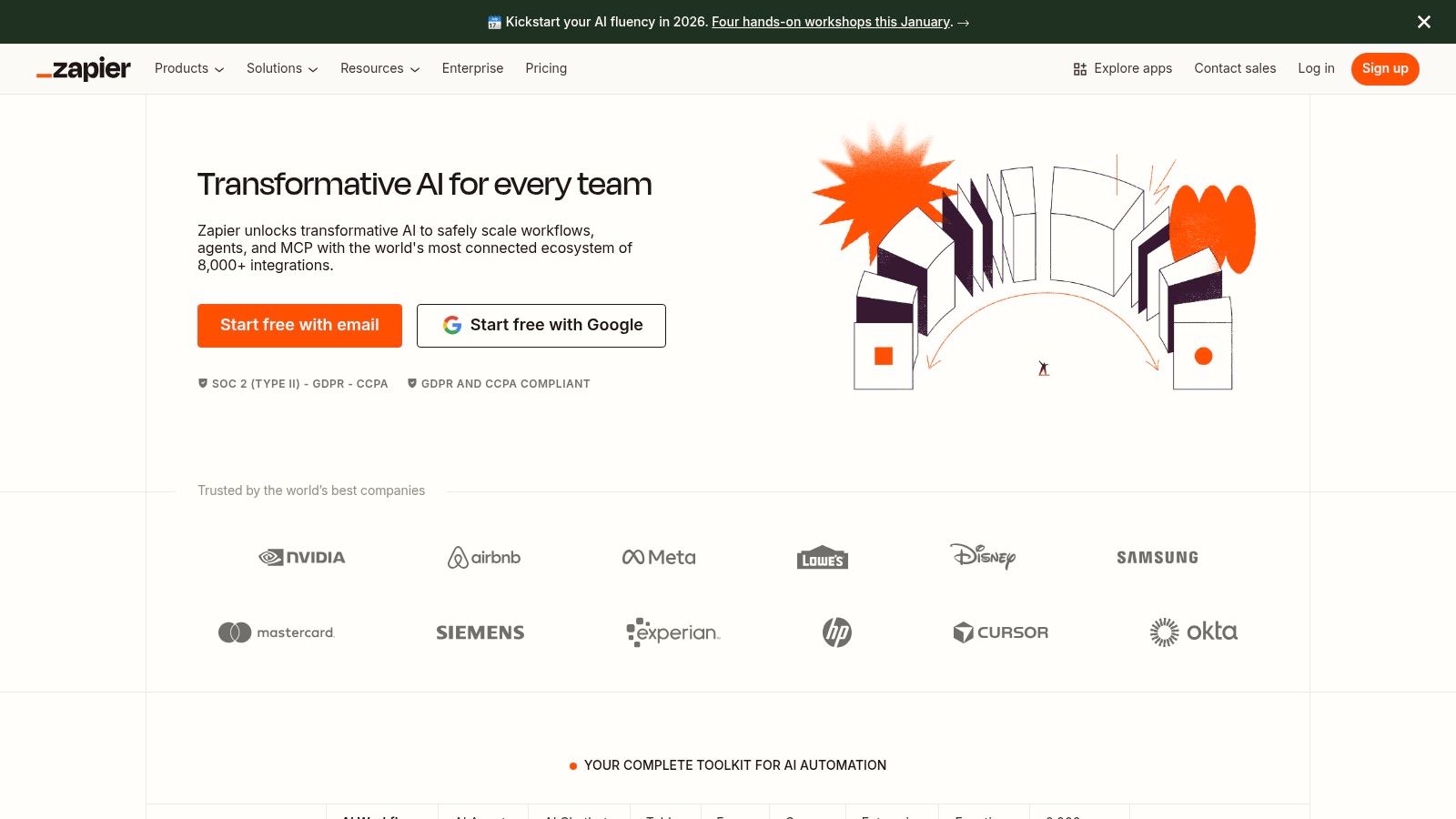
The power of Zapier lies in its massive library of over 6,000 app integrations. This means we can trigger a multi-step AI workflow from almost any action, like a new entry in a Google Sheet or a new customer in Stripe. For example, we set up a "Zap" that takes customer feedback from a survey form, sends the text to an OpenAI model via a Zapier step to analyze sentiment and summarize key points, and then posts that summary directly into our team's Slack channel. This saves us about 30 minutes of manual analysis per day.
My Founder's Take: "Zapier is the glue that holds our automated operations together. My advice is to start small: automate one simple, high-frequency task first, like categorizing new sales leads. Use their free plan to build a two or three-step Zap. Once you see the time savings from that one workflow, it becomes much easier to justify upgrading and building more complex automations that have a real financial impact."
Website: https://zapier.com
Feature | Assessment |
|---|---|
Ideal For | Any SMB looking to automate tasks between web apps without code. |
Key Benefit | Connects AI capabilities directly to thousands of existing business tools. |
Pricing | Free plan available; paid plans start at $19.99/month (billed annually). |
Limitations | Task-based billing can become expensive for high-volume workflows. |
7. Notion (with Notion AI included on Business/Enterprise)
Notion has evolved from a powerful all-in-one workspace into a central nervous system for our knowledge work, now supercharged with integrated AI. We use it to consolidate everything from project roadmaps and meeting notes to our entire company wiki. The built-in AI assistant acts as a collaborative partner right inside the documents we’re already working on, drastically reducing the need to switch between different applications for simple AI tasks.
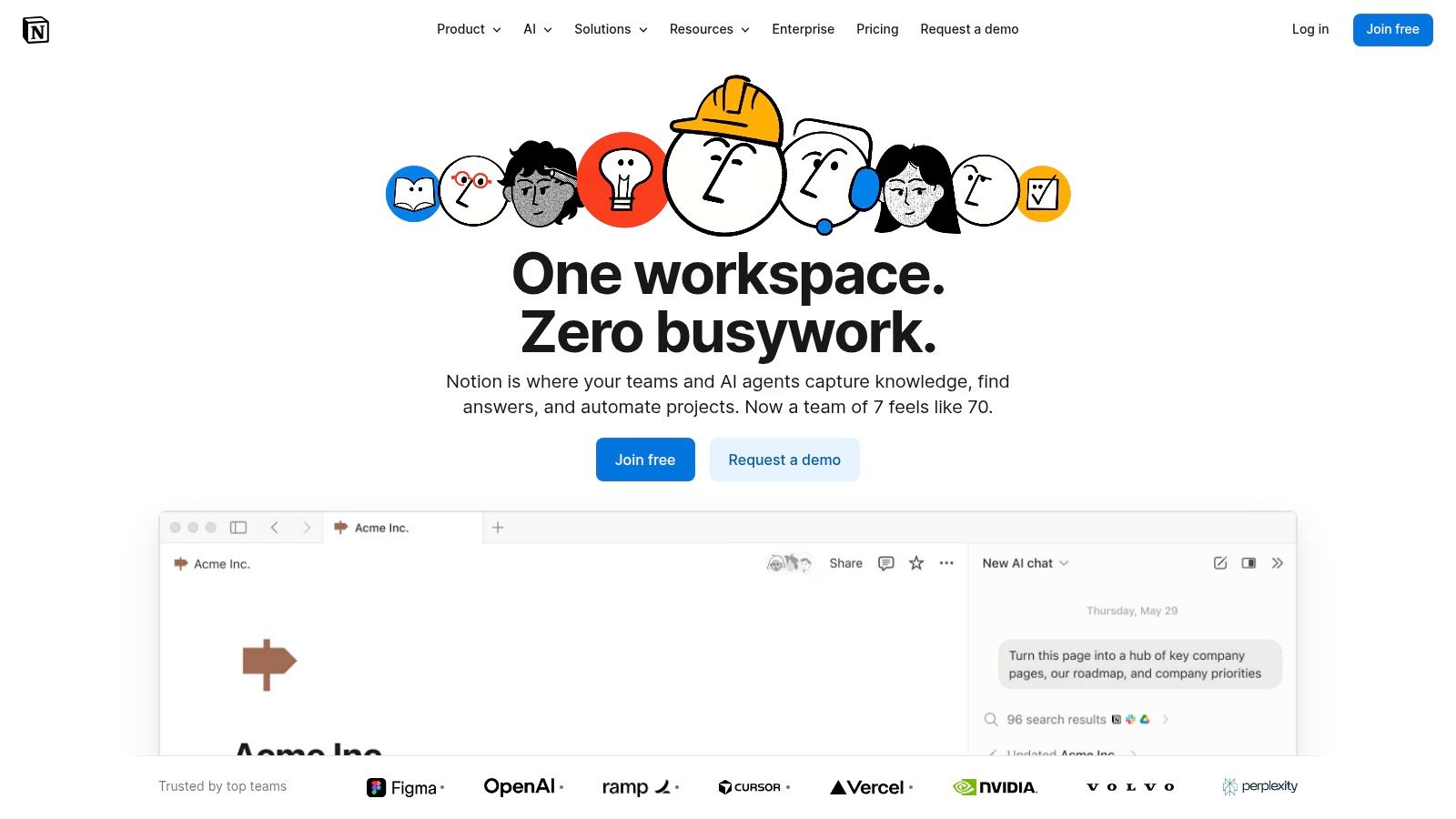
The true game-changer for us was the Enterprise Search feature, which pulls information not just from our Notion workspace but also from connected tools like Slack and Google Drive. When we needed to draft a new proposal, the AI could reference past project notes in Notion, relevant client conversations from Slack, and financial data from a spreadsheet in Drive, all in one query. This saved us hours of manual information gathering, turning a multi-day task into a half-day effort. The AI’s ability to synthesize information across our key platforms is a major productivity lever.
My Founder's Take: "Adopting Notion as a central hub requires a shift in habits, but the payoff is immense. We unified our scattered documents and reduced our tool subscription costs. My advice is to start small: migrate one team's project documentation first. Use the AI to summarize their meeting notes and generate action items. Once they see the time savings, organic adoption across the company becomes much easier."
Website: https://www.notion.so
Feature | Assessment |
|---|---|
Ideal For | Teams seeking to consolidate documentation, project management, and AI assistance. |
Key Benefit | Reduces tool sprawl and context switching by embedding AI within the workspace. |
Pricing | AI features included in Business and Enterprise plans; limited AI add-on for lower tiers. |
Limitations | Requires commitment to the Notion ecosystem; full benefits demand a team-wide adoption. |
8. Canva — Magic Studio (AI design suite)
Canva’s Magic Studio democratized design for us, transforming a task that once required specialized skills into something anyone on our team could handle. It’s a suite of AI tools integrated directly into the familiar Canva interface, designed to eliminate creative friction. We use it to generate entire presentations from a single prompt or create on-brand social media graphics in minutes, not hours. This suite has become one of the essential AI tools for small business teams needing to produce high-quality visual content consistently.
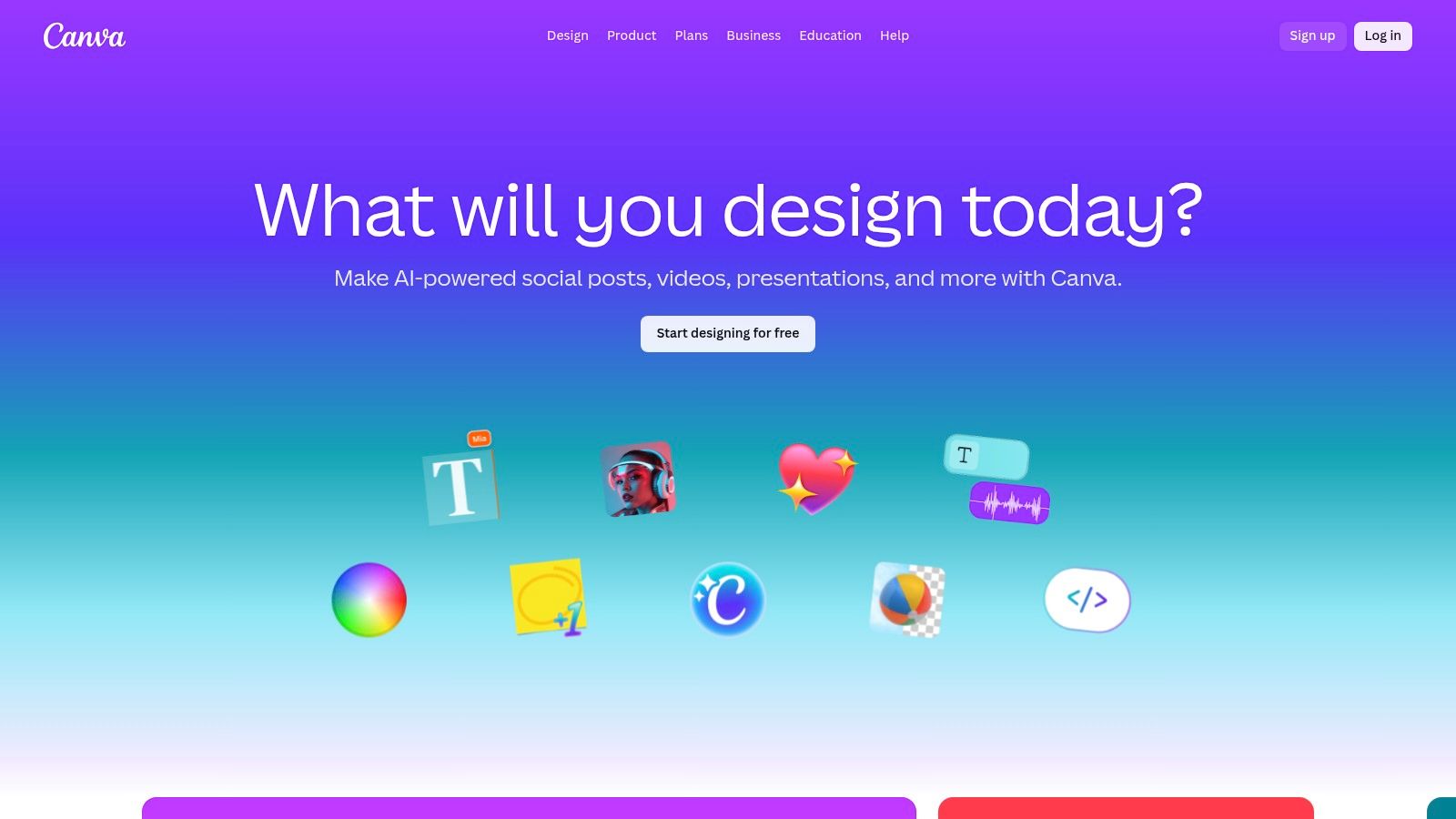
The real game-changer is the speed of iteration. For a recent campaign, our marketing assistant used Magic Switch to instantly resize a single ad creative into formats for Instagram Stories, LinkedIn posts, and a web banner. Then, using Magic Edit, she swapped out a product image with a new one generated by text-to-image AI, all within the same project. The process saved us at least a day of a designer’s time and helped us maintain brand consistency across all channels without extra effort.
My Founder's Take: "Canva’s AI is about empowerment. It turns our non-designers into capable content creators. We had a junior team member produce a compelling 10-slide deck for an internal meeting in under 20 minutes using Magic Design. That’s an immediate, tangible ROI. My advice is to leverage the Brand Kit feature from day one. Upload your logos, fonts, and colors, and the AI will ensure everything you create feels like it came from a professional design team."
Website: https://www.canva.com
Feature | Assessment |
|---|---|
Ideal For | Marketing teams, solopreneurs, and any SMB needing rapid, on-brand visual content. |
Key Benefit | Drastically reduces the time and skill required to create professional-grade designs. |
Pricing | Free plan with limited AI credits; Pro and Teams plans offer more extensive access. |
Limitations | AI features can be inconsistent; Pro plan is needed for full Brand Kit and Magic Switch features. |
9. OpenAI — ChatGPT (Business/Team, Plus, Pro)
While many know ChatGPT for individual use, we found its Business and Team plans transform it into a secure, collaborative hub essential for small business operations. It’s a powerful generalist AI that can draft marketing copy, analyze customer feedback spreadsheets, or help a developer debug code. We leveraged the Team plan to create a shared workspace, ensuring our proprietary data and prompts remained within our control, separate from the public training model.
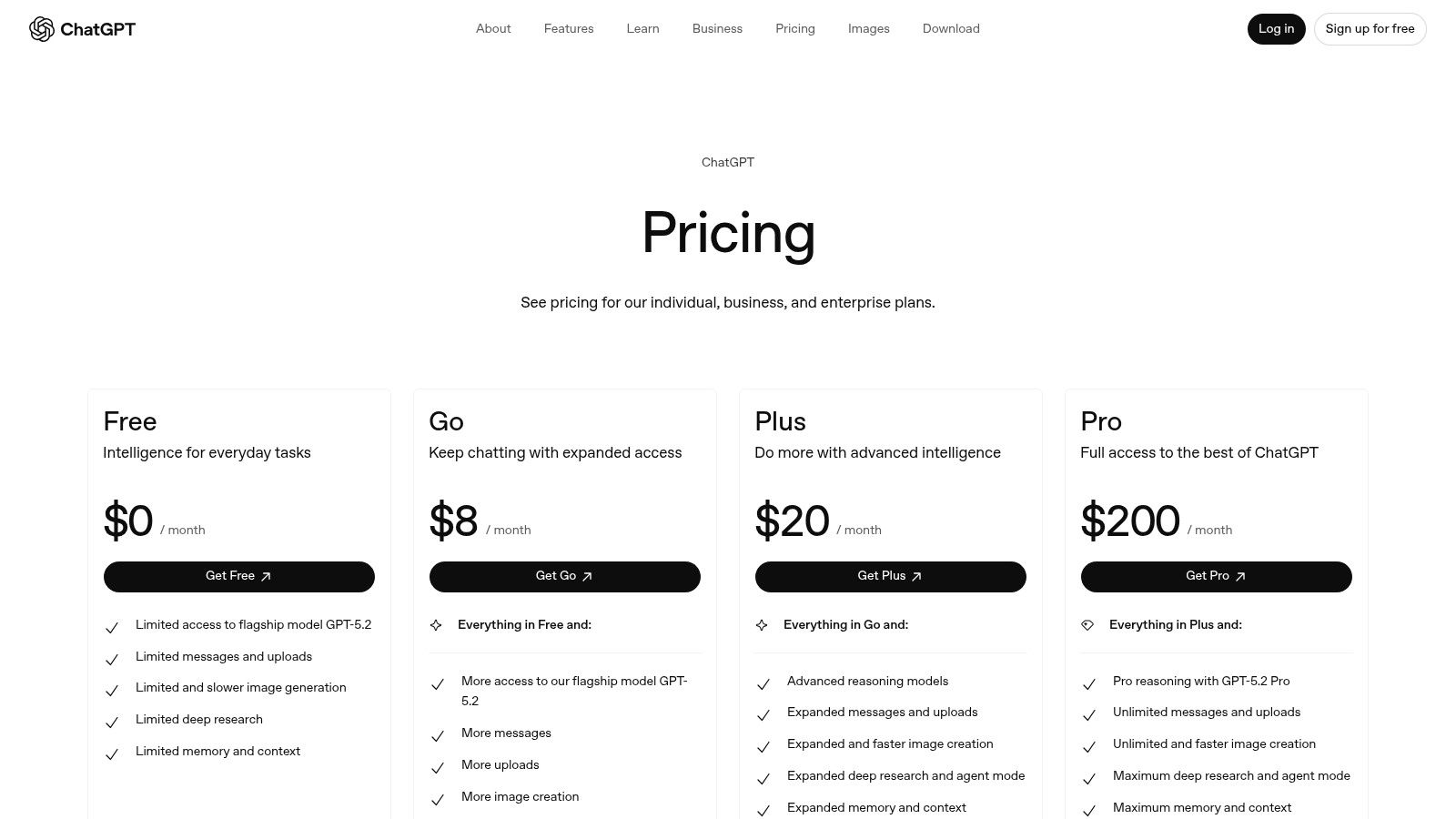
The key differentiator for SMBs is the addition of an admin console, SSO, and MFA. This provides the security and governance needed to confidently use AI across the company. We created custom GPTs trained on our internal documentation, turning ChatGPT into an expert on our brand voice and support procedures. This allowed a junior marketing associate to generate on-brand social media posts in minutes, a task that previously required senior review, saving us about 3-4 hours per week.
My Founder's Take: "Don't treat ChatGPT like a public search engine. The Business plan's value comes from its security and customization. We built a custom GPT for onboarding new hires, feeding it our internal handbook and process documents. New team members can ask it direct questions, which cut our HR onboarding time by nearly 40%. Start with a single, high-friction process and build a custom GPT around it."
Website: https://openai.com/chatgpt/pricing/
Feature | Assessment |
|---|---|
Ideal For | Any SMB needing a versatile AI assistant for content, research, and analysis. |
Key Benefit | Secure, team-based collaboration with administrative controls at SMB-friendly prices. |
Pricing | Tiers from free and Plus ($20/mo) to Business ($25/user/mo billed annually). |
Limitations | Data governance and usage limits require careful management to avoid compliance issues. |
10. Anthropic — Claude (Team/Work plans)
When our team needed to analyze dense market research reports or summarize long transcripts, we turned to Claude. Its strength lies in handling extensive documents and providing nuanced, long-form responses. We found its ability to digest a 100-page PDF and produce a coherent, actionable summary was a game-changer for our competitive analysis workflow, saving us hours of manual reading. It felt like a weight was lifted, knowing we could tackle huge documents without dedicating an entire day to them.
The Team plan is what makes it one of the essential AI tools for small business collaboration. It provides centralized billing and administration, which simplifies user management and cost tracking. For instance, when onboarding a new marketing analyst, we could instantly grant them access with a higher usage cap, allowing them to start processing customer feedback data on day one without any bureaucratic delays.
My Founder's Take: "Claude excels at thoughtful, detailed work. I use it to draft complex business proposals and refine our internal policies. My advice is to leverage its massive context window: feed it your entire project brief, past meeting notes, and style guide. The quality of the output is directly proportional to the quality of the context you provide. For one proposal, feeding it 50 pages of background material resulted in a first draft that was 80% complete, saving me an entire day's work."
Website: https://claude.ai
Feature | Assessment |
|---|---|
Ideal For | Teams focused on research, analysis, and long-form content creation. |
Key Benefit | Exceptional ability to summarize and analyze long documents accurately. |
Pricing | Team plans are priced per user, with minimum seat requirements. |
Limitations | The most advanced models and features are reserved for higher-priced tiers. |
11. Capterra — AI Software category (comparison/reviews)
Navigating the crowded market of AI tools for small business can feel overwhelming. Capterra’s AI Software category acts as our trusted map, providing a structured way to discover and compare tools based on real user feedback. Instead of relying on vendor marketing, we use its powerful filters to shortlist solutions that offer free trials, cater specifically to SMBs, and have features relevant to our immediate needs, like lead scoring or content generation.
The platform’s real power lies in its verified user reviews and buyer guides. Before committing to a new tool, we study the experiences of similar-sized companies, paying close attention to comments on integration challenges and customer support quality. This process de-risks our investment by exposing potential pitfalls early. It’s the first place we go to build an initial list of candidates before diving deeper into demos and trials.
My Founder's Take: "Capterra is my starting point for market research, not my final decision engine. I use it to identify 3-4 promising tools in any new category. My tip is to ignore the top-level star ratings and read the actual 1-star and 3-star reviews. That’s where you find the truth about a tool’s limitations and whether they are deal-breakers for your specific workflow. It’s also crucial to compare AI models on your own to see what fits best."
Website: https://www.capterra.com/artificial-intelligence-software/
Feature | Assessment |
|---|---|
Ideal For | SMBs in the initial research and discovery phase of adopting AI tools. |
Key Benefit | Access to a large database of verified user reviews to de-risk purchasing decisions. |
Pricing | Free to use; pricing for listed software varies by vendor. |
Limitations | Sponsored listings can influence visibility; it's a directory, not a direct seller. |
12. G2 — Artificial Intelligence Software category (comparison/reviews)
When the AI landscape feels like the Wild West, G2 is the town square where everyone shares what actually works. Instead of relying on vendor marketing, we use G2’s peer-review platform to vet potential ai tools for small business. It’s our go-to for comparing tools based on real-world satisfaction scores, market presence, and detailed user feedback, especially from reviewers in similar company sizes and industries to our own.
The platform’s strength is in its granularity. We can filter reviews to see what other B2B service companies are saying about a specific AI writing assistant or data analytics platform. This helped us avoid a tool that looked great on paper but had consistent negative feedback about its integration capabilities from users just like us. The category grids and leader badges offer a quick visual shortcut to identify established players and rising stars.
My Founder's Take: "G2 is my reality check. Before committing to any AI tool, I spend 30 minutes on its G2 page, specifically reading the 1, 2, and 3-star reviews. This tells me the tool's absolute worst-case scenario. My tip is to ignore the overall score and focus on the recency and relevance of the reviews to your specific use case. This process has saved us from at least three bad investments."
Website: https://www.g2.com/categories/artificial-intelligence
Feature | Assessment |
|---|---|
Ideal For | SMBs in the research phase looking for unbiased, peer-driven insights. |
Key Benefit | Up-to-date user feedback and broad category coverage to validate vendor claims. |
Pricing | Free to browse and read reviews. |
Limitations | Sponsored placements can influence visibility; review quality varies. |
AI Tools for Small Business — 12-Resource Comparison
Product | Core features | UX / Quality (★) | Price & Value (💰) | Target audience (👥) | Unique selling points (✨) |
|---|---|---|---|---|---|
🏆 Thareja Technologies Inc. | 50+ models unified; Automatic Mode; mid-chat switching; file→agents; image gen; audio transcription | ★★★★☆ — unified convo, no rate limits | 💰 $20/mo (promo $18); annual ~$125/mo (37% off claim); unlimited output, 3M tokens | 👥 Entrepreneurs, freelancers, devs, marketing teams, agencies | ✨ Automatic model routing; reusable personas; 3-step ChatGPT/Claude migration; integrated Thareja Work |
AWS Marketplace — Machine Learning | Curated ML models, SageMaker deploy, model packages | ★★★★☆ — enterprise vetted, technical | 💰 Usage-based vendor pricing; can scale high | 👥 ML engineers, enterprises, procurement teams | ✨ Deep AWS & SageMaker integration; enterprise governance |
Microsoft AppSource — AI apps | AI add-ins for M365, Teams, Excel, Word assistants | ★★★★ — in-app, admin controls | 💰 Mix free/trial/paid; tenant procurement | 👥 Microsoft 365 admins, business users | ✨ Tenant-wide deployment; native Office/Teams integration |
Google Workspace Marketplace — AI add-ons | AI in Docs/Sheets/Gmail/Slides; transcribers & builders | ★★★★ — seamless in‑app use | 💰 Freemium + paid plans; domain installs | 👥 Google Workspace teams, productivity users | ✨ In-app UX with domain admin controls; many productivity extensions |
Shopify App Store — AI apps | Chatbots, product copy & image gen, SEO, personalization | ★★★★ — merchant reviews; fast install | 💰 App-by-app pricing; trials common | 👥 E‑commerce SMBs, online merchants | ✨ Direct store integration; conversion-focused apps |
Zapier — AI + automation | AI steps, Copilot, chatbots; 6,000+ integrations | ★★★★ — no-code workflows; reliable | 💰 Tiered plans; task-based billing can spike | 👥 SMBs automating ops/marketing/support | ✨ Massive integration library; rapid no-code automation |
Notion (with Notion AI) | Docs, projects, Research Mode, enterprise search, AI notes | ★★★★ — unified workspace & AI | 💰 AI on Business/Enterprise plans (seat pricing) | 👥 SMB teams consolidating knowledge work | ✨ Combines docs, projects & AI; enterprise search across tools |
Canva — Magic Studio | Magic Write, Magic Edit, TTI, video & templates | ★★★★ — fast creative workflows | 💰 Freemium; Pro/Teams paid tiers | 👥 Marketers, creators, social teams | ✨ Templates + AI design tools for rapid branded content |
OpenAI — ChatGPT | GPT models, web/voice, file tools, custom GPTs, projects | ★★★★★ — top general reasoning & tooling | 💰 Free/Plus/Business/Enterprise tiers; per-seat options | 👥 Broad: SMBs, developers, analysts, creators | ✨ Leading LLM performance; team security (SAML/MFA); extensibility |
Anthropic — Claude | Long-form writing, analysis, research features, team plans | ★★★★ — strong long-context handling | 💰 Team/Work plans; tiered pricing for higher caps | 👥 Research teams, analysts, SMBs needing long-context | ✨ Cited research mode; competitive team controls |
Capterra — AI Software (reviews) | Directory, buyer guides, verified user reviews & filters | ★★★★ — transparent reviews & filters | 💰 Free for buyers (vendor leads are paid) | 👥 Buyers researching AI tools | ✨ Buyer guides + large pool of verified reviews |
G2 — AI Software (reviews) | Peer reviews, grids, leader badges, momentum reports | ★★★★ — up-to-date user feedback | 💰 Free to browse; vendor packages paid | 👥 Buyers comparing satisfaction & market presence | ✨ Leaderboards, granular filters, reviewer context |
Your Takeaway: Adopt an 'AI Co-worker' Mindset
We've explored a landscape of powerful AI tools for small business, from massive marketplaces like AWS to specialized platforms like Canva and integrated solutions from Google. After navigating this ecosystem extensively myself, I’ve realized the most effective approach isn't about finding a single, magical "AI tool" to solve everything. The real paradigm shift comes when you start thinking of these tools not as software, but as specialized digital co-workers.
Think about it. When I was drowning in market research for a new product launch, I didn't just need a tool; I needed a research assistant. I found that Claude, with its large context window, was like a brilliant intern who could read a 100-page industry report and give me a flawless summary in minutes. Conversely, ChatGPT is my go-to generalist, the reliable team member I can throw almost any task at, from drafting a quick email to brainstorming blog post outlines. This mental model transforms the selection process from a technical evaluation into a strategic hiring decision. You're not just buying a subscription; you're building a team.
From Tool Overload to Strategic Orchestration
The danger for any small business is "tool sprawl." You get a subscription for marketing content, another for sales automation, and a third for customer support. Soon, you're paying for five different AI services, and your team is wasting precious time copying and pasting information between them. This context-switching is a hidden productivity killer. It's the digital equivalent of running between different departments for every small task, a workflow that research shows can cost up to 40% of a person's productive time (American Psychological Association, 2006).
This exact frustration is what led me to build Thareja AI. We realized the true power wasn't in any single AI model but in the orchestration of many. Our platform acts as the "team lead" for your AI co-workers. Instead of you deciding whether ChatGPT, Claude, or another model is best for a specific task, our system intelligently routes the job to the most effective and cost-efficient model. This eliminates the need for multiple subscriptions and the constant friction of juggling different interfaces. It consolidates your "AI team" under one roof, managed by a single, intelligent project manager.
Your Actionable Next Steps
Adopting AI doesn't have to be an overwhelming, all-or-nothing initiative. True business transformation happens one process at a time. Here’s a simple, practical framework to get started:
Identify One Core Bottleneck: Don't try to "AI-ify" your entire business at once. Find the single most time-consuming, repetitive, or frustrating task. Is it writing social media posts? Answering routine customer emails? Analyzing sales data? For me, it was summarizing customer feedback from dozens of sources, a task that used to take 8-10 hours a week.
Hire Your First "AI Co-worker": Based on that bottleneck, choose the right tool for the job. If it's creative writing, maybe it's ChatGPT. If it's deep document analysis, perhaps it's Claude. Use the lists and marketplaces we discussed to find your specialist.
Measure the Impact: Before you expand, track the results. Did you save time? How much? Did it improve quality? By what metric? I measured my customer feedback task and found AI cut the time down to just one hour a week, saving me over 30 hours a month. Concrete numbers justify the investment (Davenport & Ronanki, 2018).
Expand and Integrate: Once you've proven the value in one area, move to the next bottleneck. As you add more AI capabilities, consider how a central platform can streamline your workflow and reduce costs, preventing the tool sprawl that plagues so many businesses.
The era of artificial intelligence is not about replacing humans; it's about augmenting them (Brynjolfsson & McAfee, 2014). By viewing AI as a team of co-workers, you shift from being a tool operator to a strategic leader, empowering your small business to compete at a scale that was once unimaginable. You are the conductor, and these incredible tools are your orchestra. Your job is to make them play in harmony.
Ready to stop juggling tabs and start orchestrating a powerful, unified AI team? At Thareja Technologies Inc., we built the platform that acts as the "team lead" for all your AI needs, routing tasks to the best models automatically to save you time and money. Discover a smarter way to integrate the best AI tools for small business by visiting us at Thareja Technologies Inc..
References
American Psychological Association. (2006). Multitasking: Switching costs. https://www.apa.org/research/action/multitask
Brynjolfsson, E., & McAfee, A. (2014). The second machine age: Work, progress, and prosperity in a time of brilliant technologies. W. W. Norton & Company.
Davenport, T. H., & Ronanki, R. (2018). Artificial intelligence for the real world. Harvard Business Review, 96(1), 108–116.
Kaplan, A., & Haenlein, M. (2019). Siri, Siri, in my hand: Who’s the fairest in the land? On the interpretations, illustrations, and implications of artificial intelligence. Business Horizons, 62(1), 15–25. https://doi.org/10.1016/j.bushor.2018.08.004