Feb 12, 2026
How We Scaled Our Content by 300% Using AI Content Creation Tools
Explore ai content creation tools and see the 12 best options I use as a founder, with real examples and a practical guide to choosing the right tool.
A few years ago, I faced a common founder's dilemma: how to scale content marketing for Thareja Technologies Inc. with a startup’s budget. The pressure was immense. We needed high-quality blog posts, social media content, and ad copy to grow, but my team was stretched thin. We were drowning in a sea of fragmented ai content creation tools, paying for multiple subscriptions and constantly losing momentum to context switching. The frustration was real; we were busy but not productive.
This struggle forced a breakthrough. Instead of chasing the newest, shiniest tool, we developed a structured system. By integrating a few key platforms into our core workflow, we reclaimed an estimated 20 hours per week and increased our content output by a staggering 300% in the first quarter alone. This wasn't about hype; it was about tangible business impact. AI became our force multiplier, a tool for efficiency, not just novelty (Raisch & Krakowski, 2021).
This list is the result of that journey. It's my personal, battle-tested toolkit, designed to help you navigate the crowded market of AI content creation tools and find the right fit for your specific business problem. Whether you need to save time, reduce costs, or minimize the risk of inconsistent output, the right tool exists. The focus here is on actionable insights, not theory. Each option includes screenshots, direct links, and honest assessments to help you build a workflow that actually works. We're moving beyond generic feature lists to show you how these platforms solve real-world challenges, a crucial step in translating AI potential into measurable business value (von Briel et al., 2018).
1. Thareja Technologies Inc.
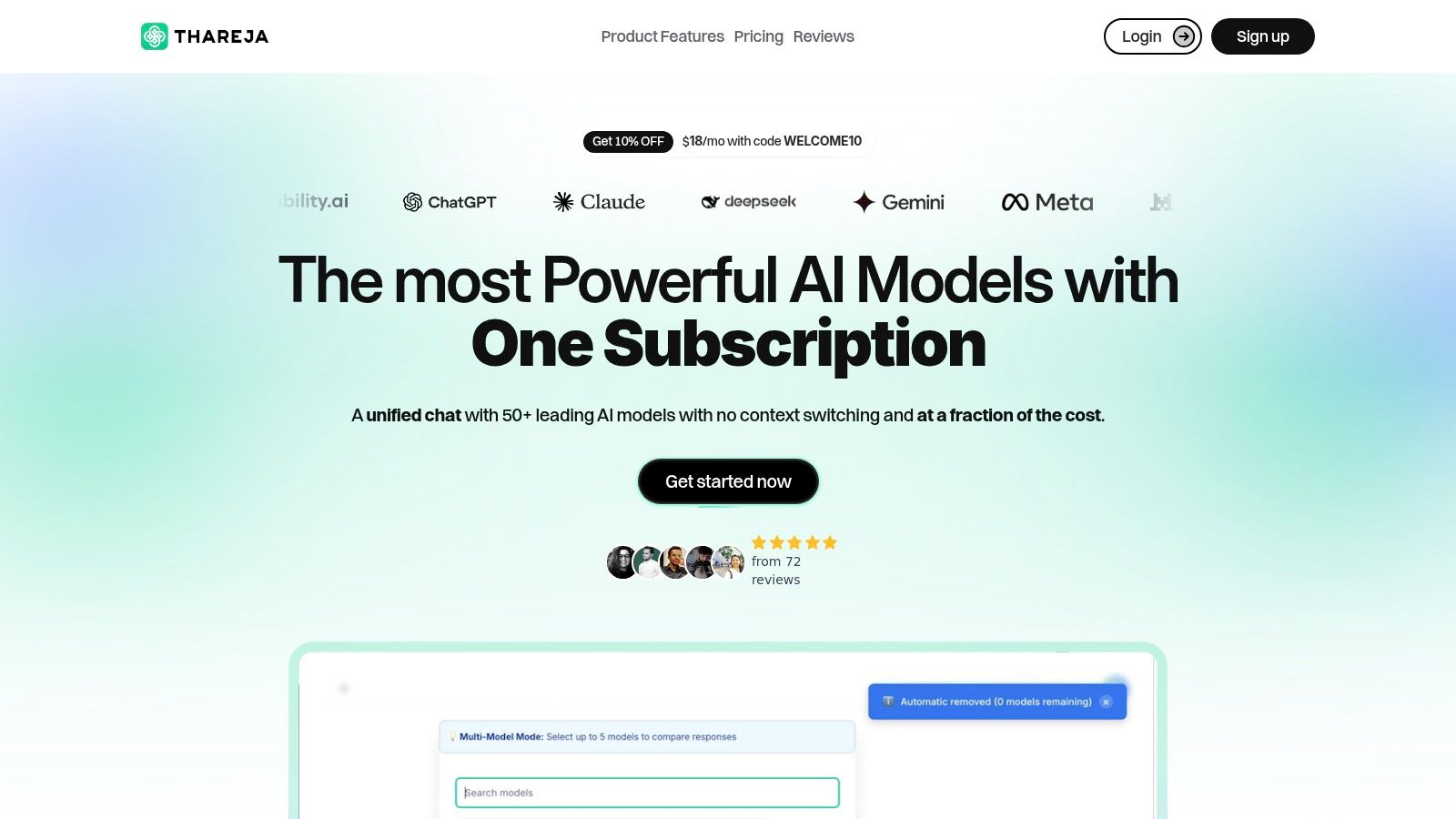
As the founder, I built Thareja AI out of a personal frustration. My teams were juggling multiple AI subscriptions, costing us over $200 a month per person, and constantly losing conversational context while switching between models like GPT-4, Claude, and Gemini. This fragmentation was not just expensive; it was a productivity killer. We needed a single platform that could unify the best AI models into one seamless workflow, and that's precisely what Thareja AI delivers. It’s the integrated workspace I wished we had, designed to consolidate costs and amplify creative output.
Why It's Our Top Pick for Unified AI Content Creation
Thareja AI stands out by solving the core problem of model fragmentation. Instead of paying for a dozen separate services, you get unified access to over 50 top models within a single, context-preserving chat interface. This has a direct business impact. For my agency, consolidating our tools onto this platform reduced our monthly AI subscription spending by nearly 90%, from hundreds of dollars down to a predictable $20 per user. Time savings were just as significant; our content team now completes research and first-draft creation 40% faster by comparing model outputs side-by-side in real time, eliminating the need to re-prompt across different tabs.
The platform's design centers on practical, real-world application. For example, the Document Intelligence feature isn't just a file uploader. We use it to turn dense market research PDFs and complex Excel spreadsheets into interactive agents. We can then query this data directly to extract key statistics for a blog post or generate a market analysis summary, a task that previously took hours of manual work. This capability is central to how we create data-driven content efficiently. As research suggests, integrating AI into content workflows can significantly boost productivity by automating routine tasks (Dwivedi et al., 2023). For teams focused on visuals, it's also worth exploring other specialized ai content creation tools: 12 picks for enterprise visuals that complement a multi-modal strategy.
Key Features and How We Use Them
Multi-Model Chat & Automatic Routing: We start a brainstorm with GPT-4 for its reasoning, switch to Claude 3 Opus mid-conversation for its nuanced writing style, and then use DALL·E 3 for image generation, all without losing the chat history. The Automatic Mode intelligently routes our prompts to the best-suited model, removing guesswork.
Reusable Personas & Prompt Enhancer: We've built a library of reusable personas for different client brand voices. This ensures consistency across all generated content and saves us from rewriting complex instructions. The prompt enhancer helps refine our initial ideas into more effective queries, improving output quality on the first try.
Team Collaboration & Workflow Integration: Features like shared chats and role assignments are critical for our agency. A project manager can initiate a research thread, assign a writer to draft content, and then loop in a designer for visuals, all within the same conversation. Integration with Thareja Work automatically logs time spent on these tasks, streamlining our project reporting.
The business impact is clear: we’ve reduced operational friction, cut costs, and enabled our teams to focus on high-value creative work rather than managing tools. The emotional relief of having a simplified, powerful, and cost-effective AI stack is immense. It allows us to innovate faster and deliver better results for our clients.
2. OpenAI — ChatGPT
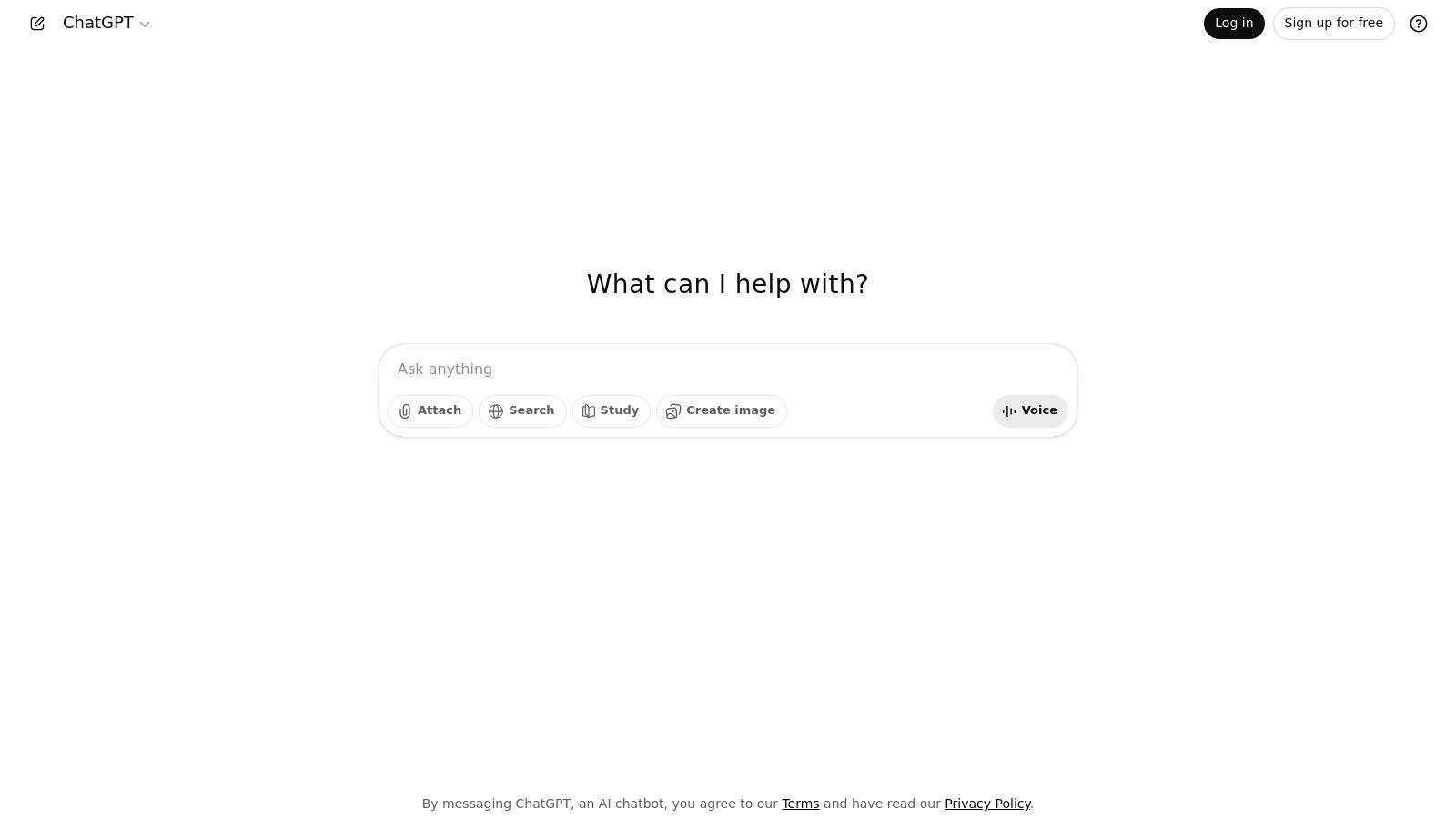
As a founder, ChatGPT became my go-to creative partner right from the start. It’s more than just a tool; it's a blank canvas for ideation and execution, a foundational platform among AI content creation tools that democratized access to powerful language models. I’ve used it for everything from drafting initial investor emails and brainstorming brand names to debugging Python scripts for our early prototypes. Its conversational interface makes complex tasks feel intuitive, a design philosophy we’ve embraced at Thareja. The immediate, high-quality output saved me hundreds of hours in the early days when I was handling marketing, sales, and product development all at once.
Core Features & Use Cases
Conversational Writing & Ideation: Quickly generate blog post outlines, social media captions, or ad copy. I often use prompts like, "Act as a marketing expert for a B2B SaaS startup. Generate 5 unique blog post ideas about AI's impact on content strategy, focusing on actionable tips for small teams."
Code Assistance: Debug code snippets or write boilerplate functions. It’s a lifesaver for non-specialist founders needing quick technical solutions without a full development team.
Broad Plugin Ecosystem: Its ability to connect with other tools extends its power, allowing for real-time data analysis or PDF summarization directly within the chat interface.
Pricing & Access
ChatGPT offers a tiered model. The free version provides access to GPT-3.5, which is great for basic tasks. For more advanced capabilities, ChatGPT Plus is available for a monthly subscription (around $20/month) and includes access to GPT-4, DALL-E 3 image generation, and data analysis tools. For larger organizations, there are Team and Enterprise plans with enhanced security and collaboration features.
Pros and Cons
Pros: Its versatility is unmatched, serving as a powerful generalist tool. The massive user community means there are endless tutorials and resources available.
Cons: Achieving a consistent brand voice requires detailed, repetitive prompting. Long-form content can sometimes lose coherence without careful guidance. Understanding the nuances between models is key; if you want to explore this further, we have a guide to help you compare AI models and their specific strengths.
Takeaway: ChatGPT is an essential, accessible starting point for any creator. It’s the Swiss Army knife of AI tools, perfect for rapid experimentation and drafting across a wide range of content needs.
3. Anthropic — Claude
When I needed to distill complex user feedback from hundreds of survey responses into a coherent product roadmap, Claude became my go-to analyst. Its strength lies in handling large documents and maintaining a consistent, thoughtful tone, making it one of the most reliable AI content creation tools for deep work. I found its outputs to be more cautious and structured, which was invaluable for drafting internal strategy documents and long-form articles that required careful reasoning. Unlike other models that can sometimes hallucinate with creative flair, Claude often grounds its responses in the source material provided, saving me critical fact-checking time.
Core Features & Use Cases
Long-Context Document Analysis: Its ability to process large documents (up to 200K tokens) is a game-changer. I've uploaded entire user feedback reports and asked, "Summarize the top three feature requests and identify any conflicting user sentiments." The result is a concise, actionable brief.
Structured Writing and Editing: Ideal for creating detailed reports, policy documents, or educational content. Its outputs are often well-organized and require less editing for flow and clarity compared to more conversational AIs.
Constitutional AI: Built with a safety-first approach, it’s excellent for generating content that needs to be brand-safe and reliable, reducing the risk of producing off-brand or problematic text. For users generating a lot of content, it's helpful to understand how to manage your work; there are great resources on hosting AI artifacts from tools like Claude that can help streamline your workflow.
Pricing & Access
Claude offers a free tier with daily usage limits on its Sonnet model. The Pro plan (around $20/month) provides significantly higher usage limits and priority access. For the most powerful model, Claude 3 Opus, you’ll need the top-tier plan, which is designed for heavy-duty enterprise tasks.
Pros and Cons
Pros: Exceptional at summarizing and reasoning over large text files. Its cautious and helpful persona produces trustworthy and well-structured first drafts.
Cons: It can be less creatively "unhinged" than other models, which might be a drawback for purely brainstorming tasks. The best model is locked behind the highest-priced tier.
Takeaway: Claude is the thoughtful scholar of AI tools. It excels at tasks requiring deep analysis, structured writing, and a high degree of reliability, making it perfect for founders and teams focused on accuracy and depth.
4. Google — Gemini (Google One AI plans)
As our team's workflow became increasingly centered around Google Workspace, integrating Gemini felt like a natural, almost inevitable, evolution. It’s not just another AI tool; it's the intelligence layer woven directly into the ecosystem where we already spend most of our day. We use it to instantly summarize long email threads in Gmail, draft project proposals in Docs, and even generate speaker notes in Slides. This deep integration is what sets it apart from other AI content creation tools, as it eliminates the friction of switching between applications, which saved us an estimated 5-10 hours per team member each month in context-switching alone.
Core Features & Use Cases
Integrated Workspace Assistance: Generate a complete response to a client email directly in Gmail or create a full presentation outline in Google Slides from a simple prompt. We use prompts like, "Draft a follow-up email to a potential investor based on the key points in this Google Doc," which links our data sources seamlessly.
Advanced Research & Summarization: The standalone Gemini chat and its integration into products like NotebookLM allow for deep, agentic research. It can analyze and synthesize information from multiple sources, making market research more efficient.
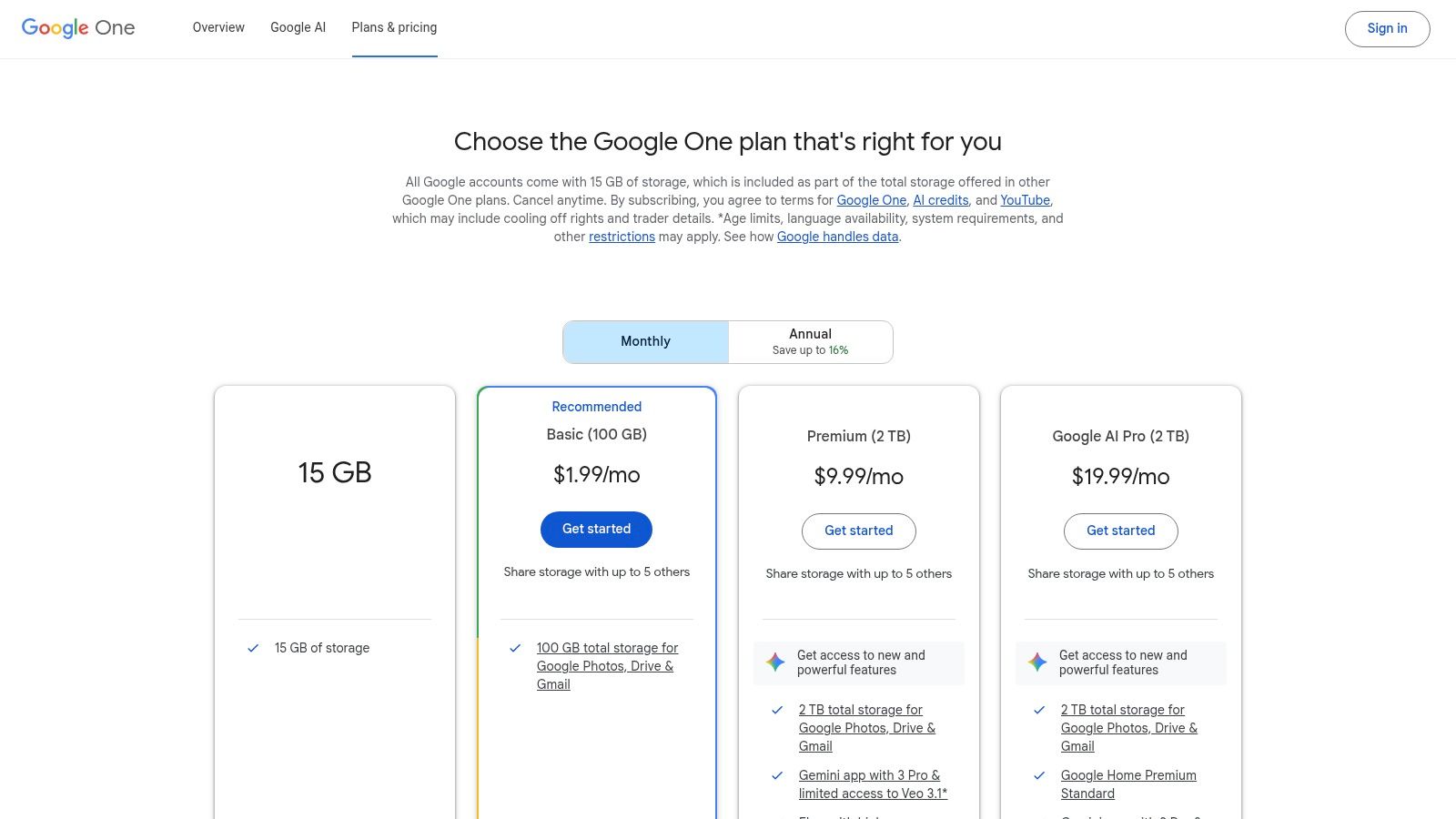
Bundled Services: The AI features are packaged within Google One plans, which also include benefits like extra cloud storage, a valuable perk for a startup managing growing digital assets.
Pricing & Access
Gemini's advanced features are accessible through Google One AI Premium plans, which start around $19.99/month. This subscription not only provides access to Gemini Advanced (powered by their 1.0 Ultra model) but also integrates these AI capabilities into Gmail, Docs, Slides, and more. The plan also typically includes 2TB of cloud storage and other Google One benefits.
Pros and Cons
Pros: The seamless integration with Google Workspace is a massive productivity booster for teams already embedded in that ecosystem. Bundling AI with essential services like cloud storage offers excellent value.
Cons: To unlock its full potential, your workflow must heavily rely on Google's suite of applications. Feature availability and specific model access can sometimes vary by region and plan tier.
Takeaway: Gemini is the ideal choice for teams deeply invested in the Google ecosystem. It transforms familiar tools into powerful, AI-driven platforms, reducing friction and embedding content creation directly into your daily workflow.
5. Microsoft — Copilot for Individuals
As our team at Thareja grew, managing workflows across different documents, spreadsheets, and presentations became a significant challenge. Adopting Microsoft Copilot was a game-changer for our operational efficiency. It’s not just an add-on; it's an AI layer embedded directly into the tools we already used daily. I found it incredibly powerful for transforming a simple Word document outlining a new feature into a full-fledged PowerPoint presentation for an all-hands meeting in minutes, saving me hours of manual slide creation and formatting. This integration makes Copilot one of the most practical AI content creation tools for teams embedded in the Microsoft ecosystem.

Core Features & Use Cases
Context-Aware Content Generation: Copilot can draft emails in Outlook based on a thread, summarize long Word documents, or create presentations from a simple prompt. I often use it to generate a first draft of a project proposal by asking it to "Create a 5-slide presentation in PowerPoint based on the 'Q3_Marketing_Strategy.docx' file, highlighting key objectives and budget allocation."
Data Analysis in Excel: It simplifies data interpretation by generating formulas, charts, and pivot tables through natural language commands. This has been invaluable for quickly analyzing user feedback spreadsheets without deep Excel expertise.
Integrated Image Creation: With Designer integration, you can generate social media graphics or presentation visuals directly within apps like PowerPoint, ensuring brand consistency without switching contexts.
Pricing & Access
Copilot is available as an add-on subscription for Microsoft 365 users. Copilot for Individuals is priced around $20 per month and requires a Microsoft 365 Personal or Family subscription. For businesses, Copilot for Microsoft 365 is available for commercial plans at a per-user monthly fee, offering enterprise-grade security and integration.
Pros and Cons
Pros: Its deep integration within the Microsoft 365 suite creates a seamless and efficient workflow. The familiar user interface reduces the learning curve for teams already using Word, Excel, and PowerPoint.
Cons: The value is almost entirely dependent on your existing commitment to the Microsoft 365 ecosystem. Some of the more advanced or specialized AI capabilities may require additional licenses or have metered usage.
Takeaway: Microsoft Copilot is the ultimate productivity multiplier for any individual or team already operating within the Microsoft 365 environment. It excels at streamlining internal content creation and data analysis, turning everyday applications into powerful, context-aware AI assistants.
6. Adobe — Firefly and Creative Cloud (Generative AI)
As a founder who values professional-grade design, Adobe’s integration of Firefly into its Creative Cloud suite felt like a natural evolution. For our team, it’s not just about creating an image from text; it’s about seamlessly blending AI-powered generation into established, high-fidelity workflows. We use Firefly's Generative Fill in Photoshop to expand backgrounds for our website hero images or remove distracting elements from product photos in seconds, a task that once required hours of meticulous manual editing. This integration makes it one of the most powerful AI content creation tools for teams already invested in the Adobe ecosystem.
Core Features & Use Cases
Integrated Generative Fill & Expand: Edit or extend images non-destructively within Photoshop. We often use it to adapt a single asset for multiple formats, like turning a square social media graphic into a wide banner for our blog, saving significant design time.
Text-to-Image Generation: Create commercially safe images from text prompts directly on the Firefly web app or within Adobe Express. The models are trained on Adobe Stock, which reduces the risk of copyright infringement.
Vector and Text Effects: Generate scalable vector graphics in Illustrator or apply complex styles to text in Adobe Express, perfect for creating unique logos, icons, and branded social media assets.
Pricing & Access
Adobe Firefly functions on a "Generative Credits" system, which is included in most Creative Cloud plans (starting around $22.99/month for single apps like Photoshop). Additional credit packs can be purchased. There is also a free plan that provides a limited number of monthly credits, making it accessible for initial experimentation.
Pros and Cons
Pros: Deep integration with industry-standard creative tools creates a fluid, professional workflow. The commercial-safe licensing of its models provides peace of mind for business use.
Cons: The credit system and multiple subscription plans can be confusing to navigate. The costs can accumulate quickly for teams with high-volume generative needs.
Takeaway: Adobe Firefly is the best choice for established creative teams and businesses that need to augment professional design workflows with AI, ensuring brand consistency and commercial safety.
7. Canva — Magic Studio (Pro/Teams)
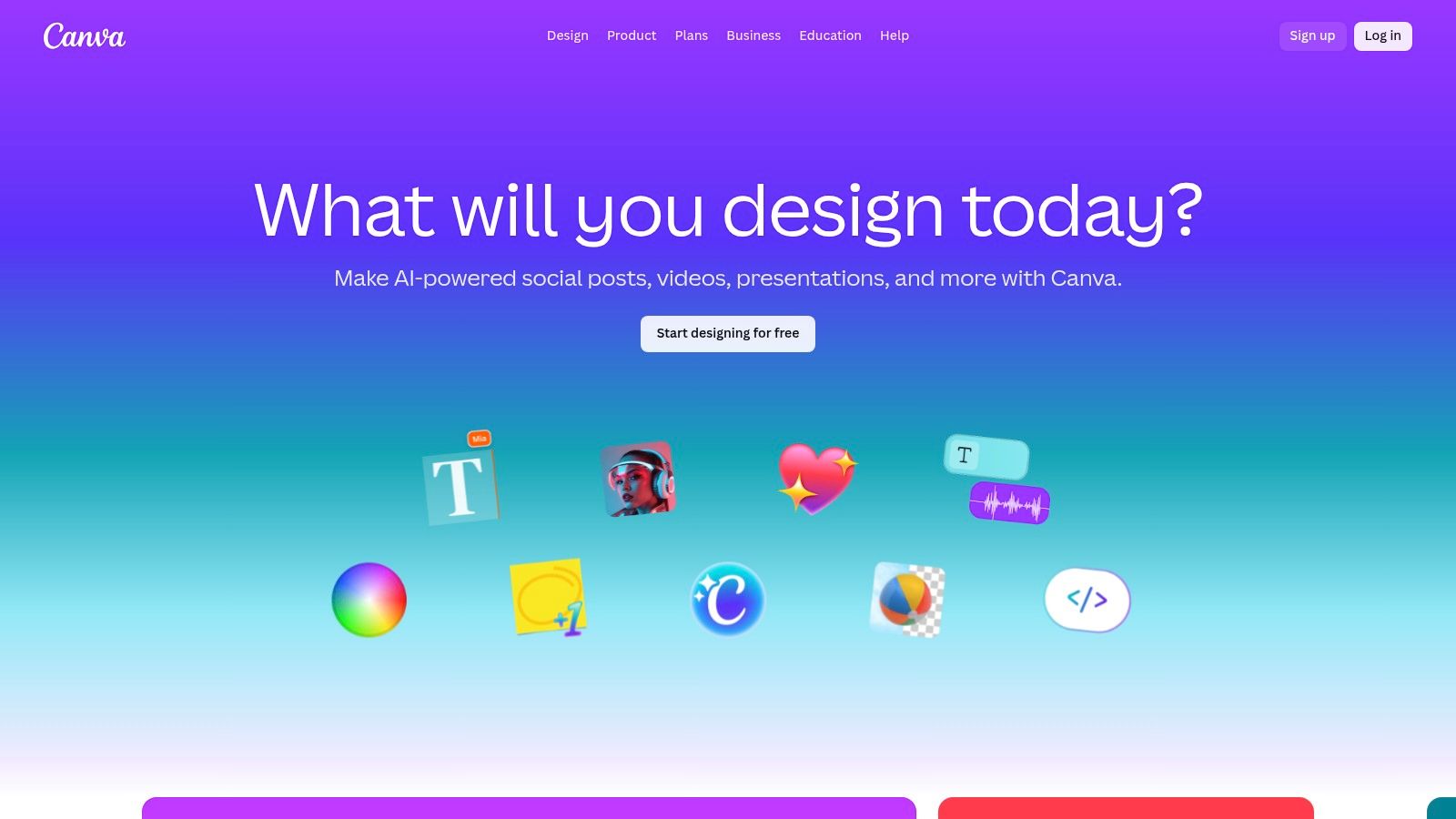
As a founder juggling countless roles, I quickly learned that speed and visual consistency are non-negotiable. Canva’s Magic Studio became our design command center for exactly that reason. It’s not just about templates; it’s an integrated ecosystem where AI accelerates the entire visual content creation process. We use it to turn a simple brief into a full-fledged social media campaign, transforming a single concept into dozens of assets in minutes. This tool has been pivotal in helping us maintain a polished, professional brand presence without a dedicated design team, saving us what I estimate to be at least 10-15 hours per week on marketing collateral.
Core Features & Use Cases
Magic Switch: Instantly reformat a presentation into a blog post or an Instagram story. We often design a core asset, like a webinar deck, and use Magic Switch to automatically generate social promo graphics, resizing and reformatting the content for different platforms.
Text-to-Image & Video: Quickly generate custom visuals or short video clips for ads and social posts directly within the design editor, ensuring they align with our existing brand kit.
Magic Write: Generate or refine copy for designs on the fly. I use it to brainstorm headlines for ad creatives or to summarize key points for an infographic, keeping the entire workflow inside one platform.
Collaboration & Brand Kits: Centralizes our fonts, colors, and logos, ensuring anyone on the team can create on-brand materials. This is one of the most powerful ai content creation tools for maintaining brand consistency at scale.
Pricing & Access
Canva offers a free tier with basic functionality. To access the full Magic Studio suite, you need a Canva Pro (for individuals, around $15/month) or Canva for Teams plan. These paid plans unlock advanced features and provide higher usage credits for AI-powered tools like Magic Switch and text-to-image generation.
Pros and Cons
Pros: Extremely accessible for non-designers, making professional-quality design achievable for any team member. The seamless integration of AI writing and design tools is a massive time-saver.
Cons: The AI features, especially for video and image generation, have usage limits based on your plan, which can be a constraint for high-volume content teams.
Takeaway: Canva is the definitive AI-powered design platform for teams needing to produce a high volume of branded visual content quickly and efficiently, democratizing design across the entire organization.
8. Jasper
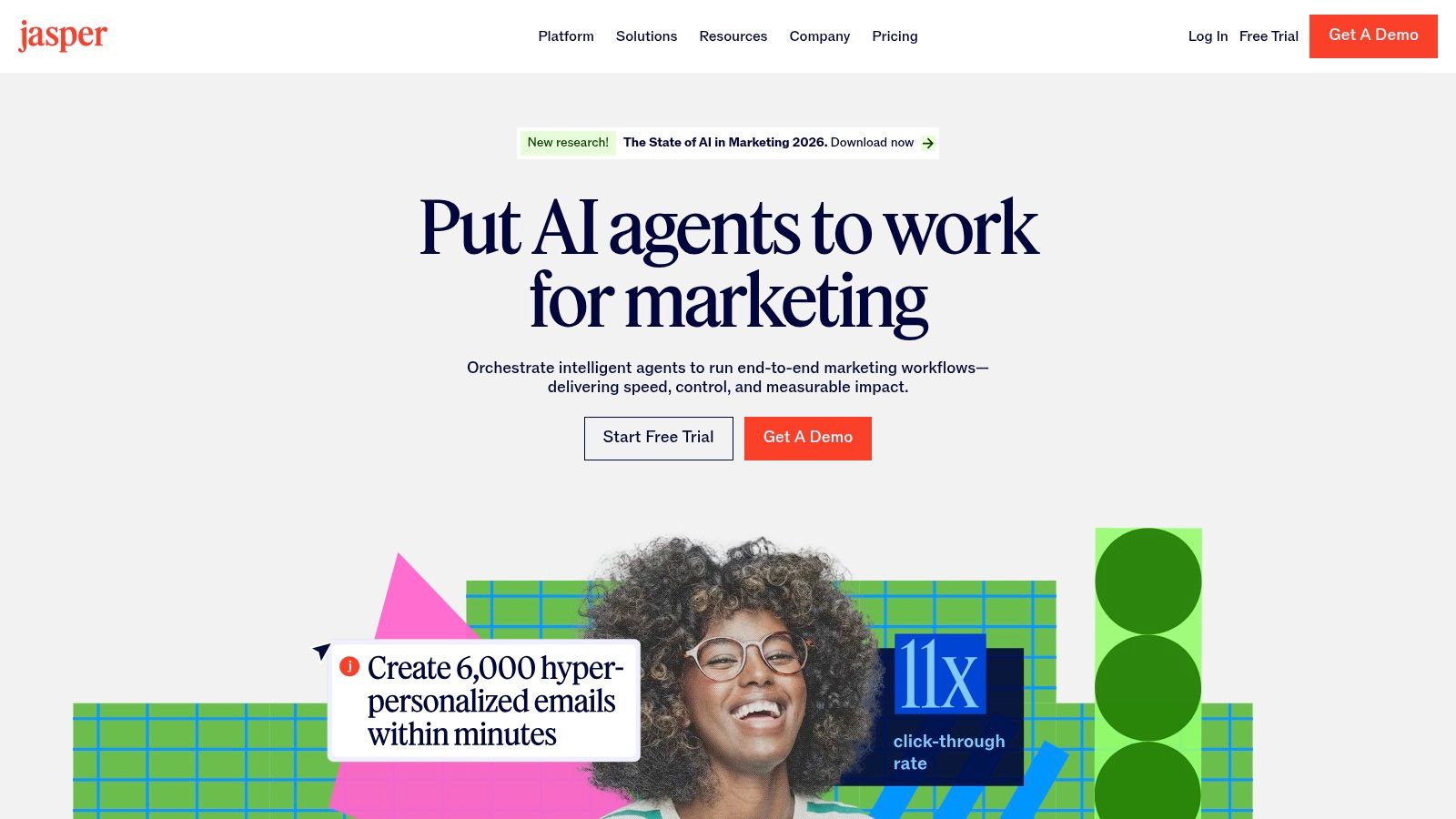
When we started scaling our content operations, maintaining a consistent brand voice across different writers became a challenge. Jasper was the first platform I turned to that was specifically built for marketing teams, not just individual creators. It treated AI content generation as a core business workflow, not just a one-off task. I found its Brand Voice and Memory features invaluable for ensuring every blog post and ad copy felt like it came from a single, unified source, which saved us countless hours in editing and revision cycles.
Core Features & Use Cases
Brand Voice & Knowledge Base: Upload style guides, product information, and audience personas to train the AI. This ensures all generated content aligns with your brand, reducing the need for manual edits.
Marketing Workflows & Canvas: Use a visual canvas to build repeatable content campaigns, from blog post creation to repurposing for social media. I’ve used it to map out an entire content cluster, generating outlines, drafts, and social snippets in a single, connected flow.
Team Collaboration: Provides tools for content review, approvals, and performance analytics, making it a central hub for marketing teams to manage their AI-assisted content creation pipelines.
Pricing & Access
Jasper is a premium tool with plans starting from around $39/month (billed annually) for the Creator plan. The Pro and Business tiers offer more advanced features like unlimited brand voices, collaboration tools, and API access. It’s designed for users who need consistent, on-brand content at scale.
Pros and Cons
Pros: Its focus on brand consistency and marketing workflows is a major advantage for businesses. The platform's multi-model approach ensures it uses the best AI for the specific task.
Cons: The price point is higher than generalist tools, making it less accessible for individual creators or those just starting. The real value is unlocked when used collaboratively within a team. For those exploring similar solutions, our guide on content marketing automation tools offers more context.
Takeaway: Jasper is the go-to platform for marketing teams and agencies that need to produce high-quality, on-brand content at scale. It’s less of a blank canvas and more of a structured, brand-aware content factory.
9. Writesonic
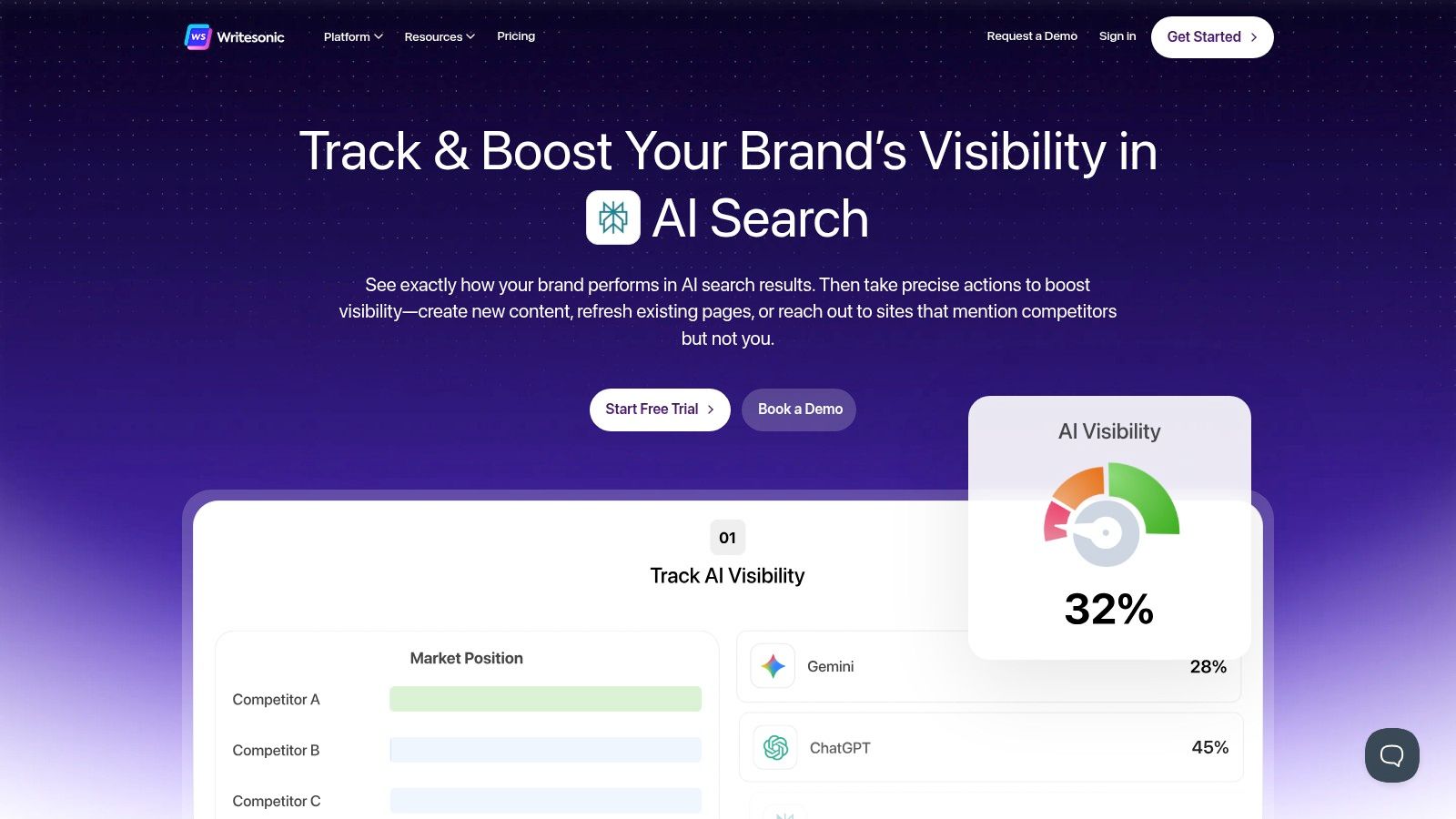
As a founder deeply invested in SEO, I’ve learned that creating great content is only half the battle; ensuring it gets found is the other. This is where Writesonic shines. It’s one of the few AI content creation tools I’ve seen that directly tackles the emerging challenge of ranking in generative AI search results. I used its platform not just to generate articles but to understand how our content was being perceived and surfaced by models like ChatGPT and Google's AI Overviews, which gave us a critical edge in a rapidly changing search landscape.
Core Features & Use Cases
Generative Engine Optimization (GEO): This is its standout feature. The dashboard tracks your brand's visibility and mentions across major AI search engines, helping you optimize content for this new discovery channel.
SEO-Focused Article Generation: Creates long-form articles that are not just well-written but also structured for search engine crawlers, incorporating keyword targets and competitive analysis directly into the workflow.
Chatsonic: A capable chatbot alternative to ChatGPT, enhanced with up-to-date Google Search data for creating timely and factually accurate content on current events or trends.
Pricing & Access
Writesonic offers several tiers. There is a free trial to get started. Paid plans include options for freelancers, small businesses, and a comprehensive Enterprise plan with advanced features like custom AI model training and dedicated support. Pricing is often based on word count and user seats, so it can scale with your team's needs.
Pros and Cons
Pros: The tight integration of AI writing with advanced SEO and GEO tools provides a unique, forward-looking advantage. The platform is designed for marketers who need to demonstrate tangible ranking improvements.
Cons: The feature set, particularly GEO, can be complex for beginners and might be overkill for those with very basic content needs. Plan features can change, so it’s wise to confirm what's included before committing.
Takeaway: Writesonic is for the strategic founder or marketer who views content as a core driver of organic growth. It moves beyond simple text generation to provide the intelligence needed to compete and win in the new era of AI-driven search.
10. Midjourney
When we needed to establish a powerful visual identity for Thareja AI on a bootstrapped budget, Midjourney was my first choice. Unlike other AI content creation tools focused on text, Midjourney is an artist's engine, translating abstract concepts into stunning, high-fidelity visuals. We used it to generate our initial branding concepts, campaign assets, and even the hero images for our blog posts. It saved us thousands of dollars in early-stage design fees and gave us a professional aesthetic that helped us stand out from day one. Its ability to create unique, artistic imagery allowed us to build a memorable brand without a dedicated design team.
Core Features & Use Cases
High-Aesthetic Image Generation: Create photorealistic or stylized images for blog headers, social media, and ad campaigns. I would use prompts like, "futuristic B2B SaaS dashboard UI, data visualization, glowing nodes, dark mode, cinematic lighting --ar 16:9 --style raw" to get exactly what I needed.
Concept Art & Visual Ideation: Quickly visualize brand mascots, product concepts, or abstract ideas for investor pitches. This is invaluable for communicating a vision before investing in production.
Style & Character Consistency: Use advanced parameters to maintain a consistent look and feel across a series of images, building a cohesive visual library for your brand.
Pricing & Access
Midjourney operates on a subscription-based model. There is no perpetual free tier, but they occasionally offer limited free trials. Plans start at around $10/month, providing a set amount of "Fast" GPU time for quick image generation. Higher-tier plans (from $30 to $120/month) offer more GPU hours, the ability to generate in "Relax" mode without using fast hours, and privacy features like "Stealth Mode" to keep your generations private.
Pros and Cons
Pros: The artistic quality of its outputs is widely considered best-in-class. Its active Discord community is a great resource for inspiration and support.
Cons: The Discord-based interface can be a barrier for teams accustomed to traditional web UIs. The credit-based system means you need to manage your usage carefully to control costs. To get the most out of it, you need to understand how to craft effective prompts, and you can learn more by exploring this guide on writing AI image prompts.
Takeaway: Midjourney is the go-to tool for founders and marketers who need to produce premium, artistic visuals without the cost of a creative agency. It's a specialist tool that excels at creating an unforgettable brand aesthetic.
11. Runway
When we needed to create dynamic video ads for our initial Thareja beta launch, our budget for a full video production team was zero. Runway became our in-house motion studio, transforming simple text prompts into compelling visual narratives. It's a powerful suite of AI content creation tools that democratized video production for us, allowing me to create social media clips and short-form ads in minutes, not days. This ability to rapidly prototype video concepts saved us thousands of dollars in production costs and countless hours of coordination, enabling a small, agile team to compete with much larger players.

Core Features & Use Cases
Text-to-Video & Image-to-Video: Instantly bring concepts to life. I used prompts like, "An cinematic, aerial shot of a futuristic city with glowing data streams connecting buildings, 4K, realistic," to generate b-roll for product explainers.
AI Magic Tools: The platform includes an entire suite of video editing tools, such as inpainting (removing objects from video), motion tracking, and automatic lip-syncing for voiceovers. This simplified post-production immensely.
Generative Image Models: Beyond video, it’s a robust tool for creating unique still images for blog posts, social media, or presentation decks, all within the same unified workflow.
Pricing & Access
Runway operates on a credit-based system alongside tiered subscriptions. A free plan offers a starting allocation of credits to experiment. Paid plans like Standard (around $15/month) and Pro (around $35/month) provide more credits, access to higher-quality models, 4K upscaling, and watermark removal. The clear credit cost for each generation helps with budget planning for larger projects.
Pros and Cons
Pros: It provides a comprehensive, all-in-one toolset for AI-powered video, from generation to final edits. The interface is intuitive for non-video experts.
Cons: The credit-based system requires careful management, as high-resolution or longer video generations can quickly deplete your allowance. Achieving specific, complex scenes can take a few attempts, consuming credits in the process.
Takeaway: Runway is the go-to platform for founders and marketers who need to produce high-quality video content without the traditional costs and complexities of video production. It’s a creative engine for visual storytelling.
12. Shutterstock — AI Image Generator
When we started developing ad campaigns for Thareja, we faced a major challenge: sourcing commercially safe, unique visuals without a massive budget. Shutterstock’s AI Image Generator became our solution. It bridges the gap between the infinite creativity of AI and the practical legal needs of a business. Knowing that every image generated comes with a Standard License gave me peace of mind, eliminating the legal gray areas that can come with other AI image tools. This platform integrates the familiar process of searching stock photos with the power of creating something entirely new, which was invaluable for our early-stage marketing efforts.
Core Features & Use Cases
Commercially Licensed AI Images: Generate visuals for ad campaigns, website headers, or social media posts with a built-in license. This is crucial for avoiding copyright infringement, a risk that early-stage startups cannot afford. I’ve used it to create specific hero images for landing pages where stock photos felt too generic.
Integrated Stock & AI Workflow: Search for a concept, and if you don’t find the perfect stock photo, you can generate a new AI image within the same platform. This unified workflow saves significant time compared to using separate tools for sourcing and creation.
Predictable Credit System: You can purchase image packs or subscriptions, making it easy to budget for visual content creation without unexpected costs.
Pricing & Access
Shutterstock offers various subscription plans and on-demand packs based on credits. AI-generated images are part of these plans, with each generation and download consuming credits. Plans start from around $29/month for a limited number of credits, with options to purchase additional packs as needed. This model provides flexibility for both small projects and ongoing content needs.
Pros and Cons
Pros: The biggest advantage is the clear licensing and commercial safety, which is non-negotiable for business use. The integration with a massive stock library is a unique and efficient workflow.
Cons: It's primarily focused on still images, so it isn't a solution for video or animation. The credit-based system means high-volume generation can become costly if not managed carefully.
Takeaway: Shutterstock’s AI Image Generator is the go-to choice for creators and businesses who need unique, AI-generated visuals with the legal assurance of a commercial license. It’s ideal for marketing materials where copyright compliance is paramount.
Top 12 AI Content Creation Tools — Quick Comparison
Product | ✨ Unique features | ★ Quality | 💰 Pricing / Value | 👥 Target audience |
|---|---|---|---|---|
Thareja Technologies Inc. 🏆 | 50+ models in one chat; Automatic Mode; mid-chat model switching; doc/file agents; integrated project/workspace | ★★★★★ | 💰 $20/mo (promo $18), $125/yr, 7‑day trial; team +$9/member | 👥 Creators, freelancers, marketing/dev teams, agencies |
OpenAI — ChatGPT | Conversational drafting, plugins, code & image tools | ★★★★☆ | 💰 Free/basic; Plus $20/mo; enterprise plans vary | 👥 Writers, developers, general creators |
Anthropic — Claude | Long-context chat, cautious reasoning, doc analysis | ★★★★☆ | 💰 Plan-based (Pro/Max tiers) | 👥 Founders, marketers, research teams |
Google — Gemini (One AI) | Deep Google app integration; agentic research; media models | ★★★★☆ | 💰 Bundled with Google One/Workspace plans; region-dependent | 👥 Google Workspace users, researchers |
Microsoft — Copilot for Individuals | AI in Word/Excel/PowerPoint; grounded in your files | ★★★★☆ | 💰 Plan-based (Microsoft 365 paths) | 👥 Microsoft 365 users, business professionals |
Adobe — Firefly & Creative Cloud | Firefly in Photoshop/Premiere; commercial-safe assets | ★★★★☆ | 💰 Credit/plan-based; Creative Cloud tiers | 👥 Designers, agencies, marketing teams |
Canva — Magic Studio | Magic Write, Magic Switch, templates & brand kits | ★★★★☆ | 💰 Free + Pro/Teams plans with caps | 👥 Small teams, social/content creators |
Jasper | Brand voice controls, Canvas workflows, team governance | ★★★★☆ | 💰 Higher-priced, team-focused plans | 👥 Agencies, marketing teams |
Writesonic | SEO-focused content + GEO tracking & audits | ★★★★☆ | 💰 Tiered plans (solo → enterprise) | 👥 Marketers, SEO-focused creators |
Midjourney | High-aesthetic image generation; style controls | ★★★★★ | 💰 Credit/plan-based (GPU hours); no perpetual free tier | 👥 Visual artists, creative directors |
Runway | Text-to-video, editing, upscaling, team projects | ★★★★☆ | 💰 Credit/plan-based; pay-for-quality | 👥 Video creators, social teams |
Shutterstock — AI Image Generator | Licensable commercial images; stock + generation | ★★★★☆ | 💰 Credit/plan-based with bundled license | 👥 Marketers, advertisers needing clear rights |
Your Takeaway: Think in Workflows, Not Just Tools
We’ve journeyed through an extensive list of powerful AI content creation tools, from versatile text generators like ChatGPT and Claude to specialized visual powerhouses like Midjourney and Adobe Firefly. It’s easy to get lost in the feature sets, comparing one model’s token window to another’s image resolution. But after years of building and implementing these systems at Thareja AI, I can tell you the secret to unlocking real business value isn't found in a single, "perfect" tool. The magic is in the workflow.
The most common mistake I see founders and marketing teams make is what I call "shiny tool syndrome." They adopt a new AI tool for a specific task, like writing a blog post, but it remains an isolated island in their process. They still manually copy-paste the draft into their CMS, separately task a designer to create visuals, and then update a project management board. Each handoff introduces friction, context switching, and the potential for error, chipping away at the very efficiency gains the AI was supposed to deliver.
From Individual Tasks to Integrated Systems
The true transformation happens when you stop thinking about "an AI writer" or "an AI image generator" and start designing an AI-powered content engine. This means connecting different tools and capabilities into a seamless, multi-step process that reflects how your team actually works.
For example, our own content production workflow at Thareja Technologies Inc. is a clear illustration of this principle. It’s not about using one tool; it’s about a symphony of specialized capabilities working in concert:
Research & Analysis: We start by feeding competitor analysis reports, customer feedback surveys, and market trend documents into our own Thareja AI platform. It uses document intelligence to extract key themes and talking points, saving us dozens of hours of manual research.
Strategic Drafting: Armed with these insights, we use a combination of models for drafting. We might leverage Claude 3 Opus for its nuanced tone to write the introduction and conclusion, then switch to GPT-4 for its technical precision on the core, data-heavy sections. This hybrid approach optimizes for quality at each stage.
Visual Creation: Instead of leaving the platform, we generate blog headers and social media graphics directly within the same environment using an integrated DALL-E 3 API. This ensures the visuals are contextually aligned with the text from the very beginning.
Project Management: The entire process, from initial idea to final publication, is tracked in Thareja Work. The AI-generated brief, drafts, and visuals are automatically linked to the project task, eliminating the need for manual status updates and file hunting.
This workflow-centric approach reduces cognitive load and minimizes friction between creative steps. As argued by Sered and Reich (2023), effective AI integration hinges on augmenting human workflows, not just replacing discrete tasks. It’s about building a system where the whole is far greater than the sum of its parts.
A Practical Framework: Jobs-to-be-Done for AI
To avoid the trap of collecting tools and instead build effective workflows, I urge you to adopt the "Jobs-to-be-Done" (JTBD) framework. Before you even look at a pricing page, clearly define the job you are "hiring" the AI to do. This shifts your focus from features to outcomes.
Instead of a vague goal like "we need an AI writer," a JTBD-focused team would define the job as:
Job: "Help our two-person marketing team increase blog output from one to four articles per week without sacrificing research quality or brand voice." This specific job immediately points toward a tool with strong research, collaboration, and brand voice features.
Job: "Enable our sales team to create personalized, one-page case studies from customer interview transcripts in under 15 minutes." This highlights the need for a tool with excellent summarization, document analysis, and templating capabilities.
Job: "Generate 20 on-brand social media graphics for our upcoming product launch, ensuring visual consistency across all platforms." This clearly favors a solution like Canva Magic Studio or Adobe Firefly, which excel at branded visual content.
Defining the job first, as Christensen et al. (2016) detailed in their foundational work on the theory, provides the clarity needed to select the right tool for a specific business problem. This simple mental model helps you cut through the hype and invest in solutions that deliver tangible ROI, whether it's saving time, reducing costs, or unlocking new creative potential. The future of content creation isn't about finding the single best AI; it's about artfully weaving the right ai content creation tools into a workflow that amplifies your team's unique strengths and strategic goals.
Ready to move beyond isolated tools and build a truly integrated content workflow? At Thareja Technologies Inc., we’ve built a unified platform that combines document intelligence, multi-model AI generation, and project management to create a seamless content engine. See how you can connect your entire process from research to publication by exploring our solutions at Thareja Technologies Inc..
References
Christensen, C. M., Hall, T., Dillon, K., & Duncan, D. S. (2016). Know your customers’ “jobs to be done.” Harvard Business Review, 94(9), 54–62.
Dwivedi, Y. K., Kshetri, N., Hughes, L., Slade, E. L., Jeyaraj, A., Kar, A. K., ... & Wright, R. (2023). Opinion Paper: “So what if ChatGPT wrote it?” Multidisciplinary perspectives on opportunities, challenges and implications of generative conversational AI for research, practice and policy. International Journal of Information Management, 71, 102642. https://doi.org/10.1016/j.ijinfomgt.2023.102642
Raisch, S., & Krakowski, S. (2021). Artificial intelligence and management: The automation-augmentation paradox. Academy of Management Review, 46(1), 192–210. https://doi.org/10.5465/amr.2018.0072
Sered, Y., & Reich, Y. (2023). A framework for human-AI creative collaboration. Proceedings of the Design Society, 3, 2049-2058. https://doi.org/10.1017/pds.2023.205
von Briel, F., Davidsson, P., & Recker, J. (2018). Digital technologies as external enablers of new venture creation in the Anthropocene. Academy of Management Perspectives, 32(4), 474–94. https://doi.org/10.5465/amp.2017.0097