Jan 24, 2026
Mastering the AI Image Prompt: My Workflow for Faster, Better Visuals
Discover how an ai image prompt can unlock stunning visuals. Learn a founder-tested workflow to craft prompts that save time, cut costs, and boost results.
Think of an AI image prompt as less of a command and more of a conversation with a creative partner. It’s the detailed brief I give an AI model, guiding it from a vague idea to a precise, stunning visual. It’s the secret I learned to move from unpredictable, often bizarre results to consistently creating reliable visual assets that drive our business.
Moving Beyond Trial and Error with AI Image Prompts
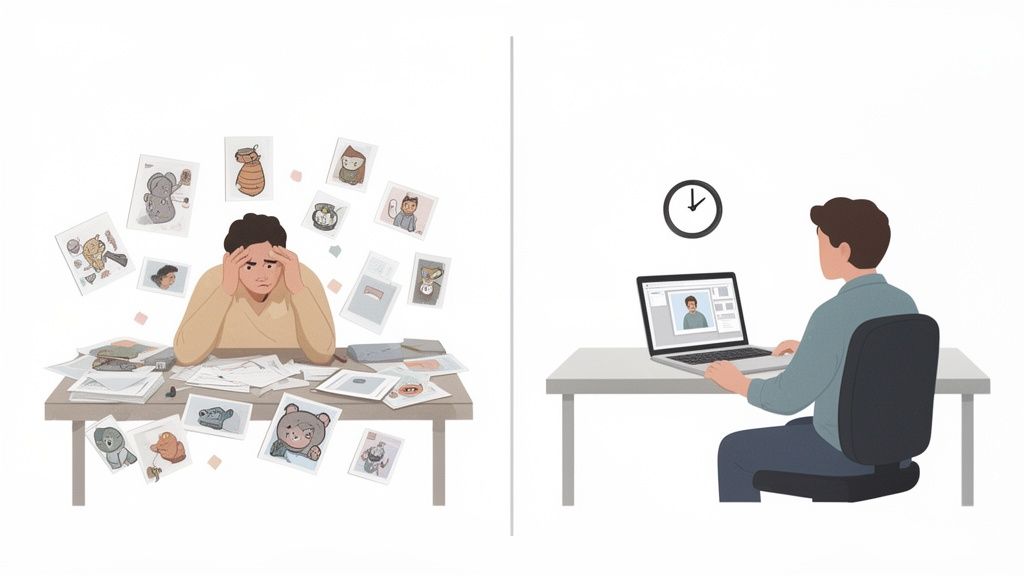
I remember the early days of generative AI like it was yesterday. It felt magical, but honestly, it was frustrating. My team and I at Thareja AI had this crystal-clear vision for a marketing campaign, but the AI kept spitting out one unusable image after another. That wasn't just a creative headache; it was a real hit to our bottom line, wasting hours we couldn't afford to lose.
From Frustration to a Reliable Creative Engine
We were burning hours—and our patience—regenerating images that just didn't connect with our audience. This roadblock forced us to get serious and build a system. We had to move from random guessing games to a structured, repeatable approach.
It turns out, a thoughtfully constructed AI image prompt is the bedrock of a predictable creative workflow. When you consider that writing a blog post with custom visuals can take over 7 hours, you realize how critical it is to get the images right the first time. Mastering our prompting process helped us slash that creative time by more than half, a direct saving of at least 3-4 hours per article.
What started as a bottleneck quickly became a huge advantage for us. We learned that the quality of our input directly controls the quality of our output—a universal truth across AI. This same intentional approach is just as vital in other fields; for example, seeing what's possible with interior design with AI shows how a detailed vision can bring a space to life, just as a great prompt brings an image to life.
The Real Business Impact of a Great Prompt
By treating every prompt like a mini project brief, we saw incredible gains in efficiency. A task that once took dozens of frustrating attempts now delivers a near-perfect result in just one or two shots. For any creator or business, this skill is non-negotiable if you want to produce consistent, high-quality visual content without the massive costs of traditional methods.
This was never just about saving a few minutes here and there. For us, it meant reallocating hundreds of hours and thousands of dollars—money that would have gone to stock photo sites or freelance designers—right back into growing the business. I estimate we save over $2,000 a month on visual content creation alone.
This guide is built on the hard-won lessons from that journey. It's about turning the unpredictable nature of AI into a dependable creative engine. A well-crafted prompt isn't just about getting a cool picture; it's a strategic tool for saving money, minimizing risk, and putting your creative output into overdrive.
The Anatomy of a High-Impact AI Image Prompt
After burning countless hours on frustrating trial-and-error, we knew we needed a better way. We had to find a repeatable formula—a reliable structure for any AI image prompt that could give us predictable, high-quality results every single time. It was never about finding a magic word, but about building a creative equation.
What we landed on is a framework built on four core pillars that work in harmony: Subject, Style, Composition, and Mood.
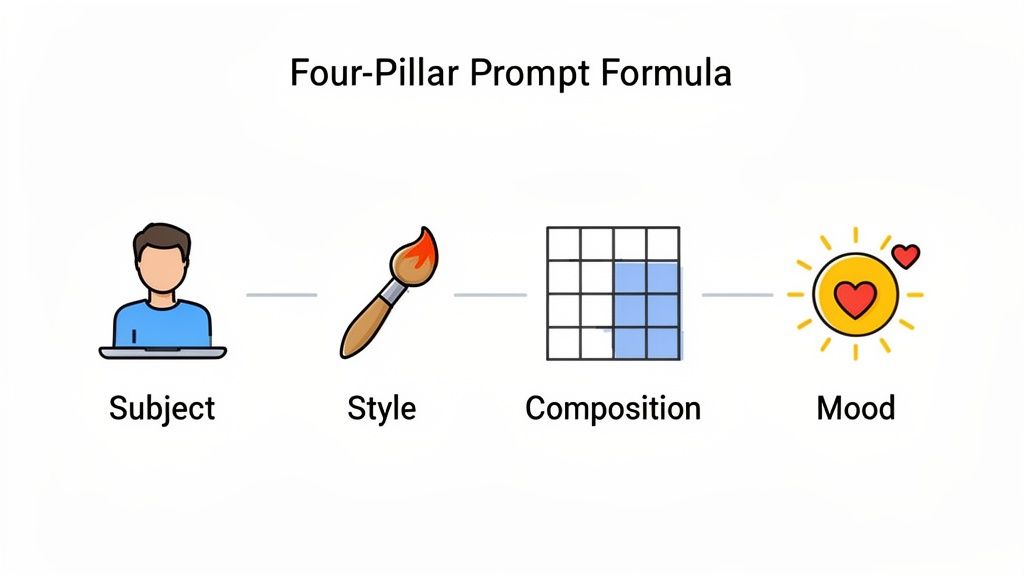
This method takes you from gambling on a vague idea to handing the AI a precise blueprint. I'll walk you through how each element builds on the last, using examples straight from our own projects. This isn't just theory; it’s the exact process that saved our startup a ton of time and money.
The Four Pillars of a Great Prompt
Tossing a prompt like a laptop on a desk into an AI generator is a total shot in the dark. You might get a cartoon, a photograph, or something completely bizarre. Each of these four pillars adds a critical layer of detail, slashing the guesswork and putting you back in control.
The Subject: This is your "what." It's the absolute core of your image. Don't just say "car"—get specific. Try "a vintage red convertible sports car."
The Style: This is your "how," the artistic flavor. Are you picturing something "photorealistic," "minimalist vector art," or maybe a classic "oil painting"? This gives the AI crucial aesthetic direction.
The Composition: Think of this as your virtual camera. Where is it? Use terms like "wide-angle shot," "close-up macro photo," or "from a low angle" to frame your subject perfectly.
The Mood: This is all about the "feel." It's the emotional soul of the image. Descriptors like "serene and peaceful," "dramatic and moody," or "vibrant and energetic" guide everything from lighting to color.
Let's break this down into a more structured view.
The Four Pillars of a High-Impact AI Image Prompt
Component | What It Defines | Simple Example | Detailed Example |
|---|---|---|---|
Subject | The main focus of the image (the "what") | a city | A futuristic cyberpunk city at night |
Style | The artistic look and feel (the "how") | digital art | hyperrealistic digital art, intricate details |
Composition | The camera's perspective and framing | shot of the street | dynamic low-angle shot from a rain-slicked street |
Mood | The emotional tone and atmosphere (the "feel") | dark | neon-drenched, moody, mysterious atmosphere |
This framework isn't just about making prettier pictures; it’s about business impact. A vague prompt used to take us maybe 15 attempts and half an hour to get something usable. A well-structured prompt following this formula? We consistently nail it in 1-3 attempts, in just a few minutes.
For us, that efficiency isn't just a time-saver; it’s capital we can pour back into growth. A systematic approach like this becomes even more vital as you start working with more advanced tools and need to understand how the best LLM models interpret creative instructions differently.
A great AI image prompt isn’t about length; it's about clarity. It translates your abstract creative vision into a concrete set of instructions that a machine can execute flawlessly.
From Vague Idea to Precise Execution
Let's see this in action. We recently needed a hero image for a blog post about the future of remote work.
Our first, vague attempt was just: a laptop on a desk
Then, we applied the four-pillar framework: a sleek silver laptop on a minimalist wooden desk (Subject), clean and modern aesthetic (Style), professional office setting with a window in the background (Composition), soft morning light creating a calm and focused atmosphere (Mood).
The first prompt is a gamble. The second is a clear directive. It’s the difference between hoping for a good result and engineering one. As you move beyond basic outputs, you'll want to explore tools that offer even more precise control. For instance, the GPT Image 1.5 AI Generator is fantastic for intricate tasks like integrating text and logos smoothly into your images.
Adopting this four-pillar mental model completely transformed our workflow. It’s a simple but incredibly powerful way to ensure your vision is what actually ends up on the screen, saving you from the costly and frustrating cycle of endless regeneration.
Taking Your Prompts to the Next Level: Precision Control
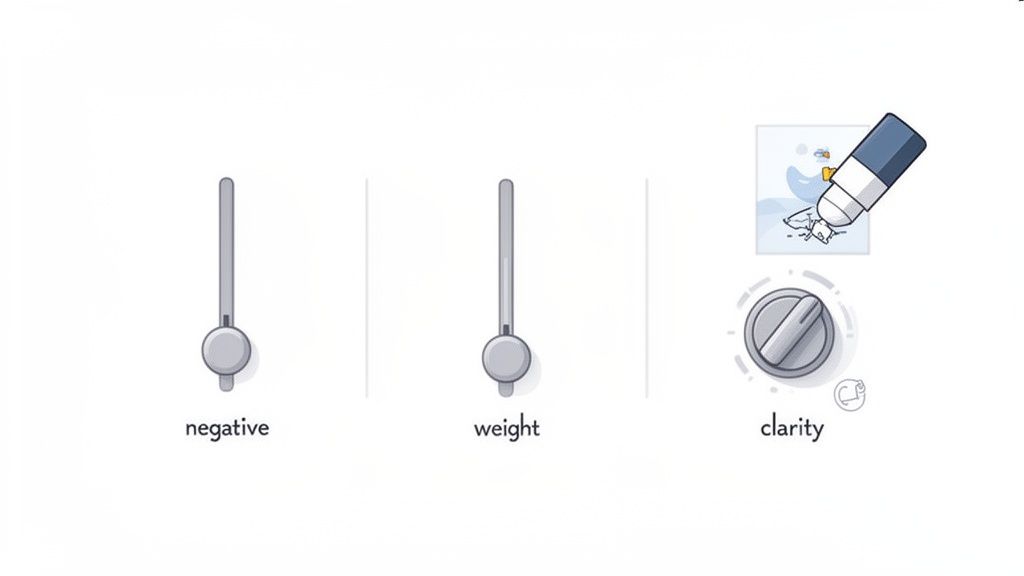
Getting the hang of the four main parts of an AI image prompt will give you solid, consistent results. But the real artistry—the stuff that takes an image from good to breathtaking—comes from learning the more advanced controls. These are the fine-tuning tools that give you surgical precision, turning a decent visual into a polished, professional asset. It’s what separates a first draft from a final, client-ready masterpiece.
When we first started building Thareja AI, we were amazed by the quality we could get right out of the gate. The problem was the tiny imperfections that were eating up our time. A product mockup would look fantastic, but there’d be garbled, nonsensical text on the screen. A character design would be perfect… except for the extra finger on one hand.
Those small flaws meant someone from my team had to jump into Photoshop and manually clean everything up. That's when we realized that mastering these advanced techniques wasn't just a nice-to-have; it was essential to our workflow.
Using Negative Prompts to Banish Flaws
One of the most powerful tools I have is the negative prompt. It’s a beautifully simple command, often written as --no, that tells the AI exactly what I don’t want in the final image. Think of it as putting up a velvet rope, keeping all the unwanted elements from ever crashing your party.
I'll never forget a project where we needed a crisp, professional shot of a smartphone showing our app. The AI just kept adding distracting logos and blurry text to the screen. Instead of generating image after image, hoping for a lucky break, we just added a simple instruction:
Our first try:
a smartphone on a clean white background, displaying a modern app interfaceThe winning prompt:
a smartphone on a clean white background, displaying a modern app interface --no text, logos, watermarks
That one small change made all the difference. The result was a clean, polished image we could drop right onto our website. We actually ran the numbers and found this single technique saved our marketing team about 5 hours of manual Photoshop work every single week. That's 20 hours a month we got back to focus on creative strategy instead of tedious cleanup.
Applying Weighting to Make Key Details Pop
While negative prompts tell the AI what to leave out, parameter weighting tells it what to focus on. It’s your way of increasing the "importance" of a specific element in your ai image prompt. With many models, you can use parentheses and a number—something like (brand logo:1.3)—to give that element 30% more emphasis.
This is absolutely crucial for any kind of commercial work. If we're creating a mockup for a client's new product, their brand logo has to be perfect. By adding weight to it, we’re basically forcing the AI to prioritize rendering it accurately over, say, the texture of the table it's sitting on.
This ability to create such specific visuals is why prompt engineering has become such a valuable skill. It's a known fact that custom visuals outperform stock photos by 42% in engagement, which is fueling the massive growth in the AI image generation market—a sector projected to grow at 17.4% annually through 2030. You can dive deeper into these AI image trends and their business impact.
These advanced controls are more than just cool features; they are genuine levers for business efficiency. They slash manual rework, shorten revision cycles, and ultimately help you get your final product out into the world faster.
Getting good at this requires a small but important shift in mindset. You're no longer just describing a scene. You're actively directing the AI, anticipating where it might stumble, and reinforcing your most critical creative choices. This is the level of control that separates a casual user from a professional who can deliver predictable, high-quality results every single time.
Why a Multi-Model AI Strategy Is a Game-Changer
One of the biggest traps I see people fall into is picking one AI model and trying to force it to do everything. It just doesn't work that way. Every single model, whether it’s DALL-E 3 or Stable Diffusion, has its own unique creative fingerprint—a built-in bias toward a certain style or aesthetic.
Relying on a single model is like telling a master painter they can only use the color blue. It’s a creative straitjacket you don't need to wear. This very realization is why we built the Thareja AI platform to let you tap into over 50 different models from one place. The goal isn't to find the single "best" model, but to have a complete creative arsenal so you can pick the right one for the job.
Discovering Creative Goldmines You Didn't Expect
A few months back, my team was in a rut trying to come up with a fresh logo concept. The pressure was on, and everything we were generating felt stale. Instead of getting stuck tweaking one prompt on one model, we took our core ai image prompt and ran it across three different models at the same time.
The results were night and day.
Model A gave us a clean, corporate, and honestly, forgettable design.
Model B went way too abstract and artistic—cool, but totally impractical for a logo.
Model C, though, produced this wild geometric shape that sparked an entirely new direction. It was an idea we never would have thought of on our own.
This one move instantly blew our creative options wide open and took all the risk out of the brainstorming session. We went from spending hours wrestling with one model to having three distinct, viable starting points in a matter of minutes. The impact was huge: we cut our concept development time for that project by an estimated 60%.
Your Greatest Asset Is Model Diversity
This multi-model approach is only going to become more critical. Gartner predicts that by 2025, generative AI will be responsible for 10% of all data produced—a massive leap from less than 1% today. And with 92% of Fortune 500 companies already using these tools, standing out is everything. If you're curious, you can dive deeper into these global AI trends and what they mean for creators.
Using multiple models isn't about running more experiments; it's about running smarter ones. It protects you from the creative echo chamber of a single AI, ensuring your visuals are fresh, diverse, and perfectly aligned with your vision.
Think of yourself as a creative director with a team of specialized artists. You wouldn't ask a watercolorist to sculpt a statue. In the same way, learning the unique strengths and quirks of different AI models lets you delegate your creative tasks with incredible precision. If you want to get good at this, learning how to compare AI models effectively is the first step to getting brilliant results every time.
Our Workflow for Refining and Troubleshooting Prompts
Even a perfectly structured ai image prompt can sometimes deliver a flawed result. When that happens, random guessing is a colossal waste of time and energy. We’ve all been there—that sinking feeling when the AI just doesn't get it, no matter how many times you regenerate. This is where having a systematic process becomes your greatest asset.
At Thareja AI, we developed an internal troubleshooting workflow that I call ‘Iterative Simplification.’ It’s a simple but powerful method for turning a failed generation into a valuable lesson that sharpens all our future prompts. The core idea is to deconstruct the problem to find the exact point of failure.
Pinpointing the Problem With Iterative Simplification
Instead of adding more complexity and hoping for the best, we do the opposite. We strip the prompt down to its absolute core—just the subject—to confirm the model understands the fundamental request. From there, we methodically reintroduce elements one by one to see precisely where things go sideways.
Start with the Subject: First, can the AI even generate the main element correctly? Get that baseline.
Add the Style: Next, see if the artistic direction is causing the confusion.
Introduce Composition: Then, check if the framing or camera angle is the real issue.
Finally, Add Mood and Lighting: Isolate whether atmospheric elements are the problem.
This approach transforms frustration into a clear, diagnostic process. You stop guessing and start methodically identifying what's tripping up the AI.
A Real-World Troubleshooting Example
I remember creating an infographic where the AI kept mangling the text elements. It understood the layout and style perfectly, but the words were just gibberish. Frustrating, right?
Instead of rewriting the entire prompt, we isolated the text command. We ran a new, incredibly simple prompt: simple text that says 'Growth Metrics' in a bold, sans-serif font.
By testing just that one component, we discovered a better phrasing that the model could execute flawlessly. We then slotted that winning phrase back into our original, complex prompt, and it worked like a charm. This simple test saved us at least an hour of trial and error.
This iterative process is crucial, especially as enterprise adoption of AI image prompting surges. Organizations are cutting manual editing time by up to 75% by integrating smart prompting into their workflows. You can learn more about how enterprises are adopting generative AI.
The flowchart below visualizes our process for using multiple AI models to test and refine a single prompt, which helps us multiply our creative options and solve problems faster.
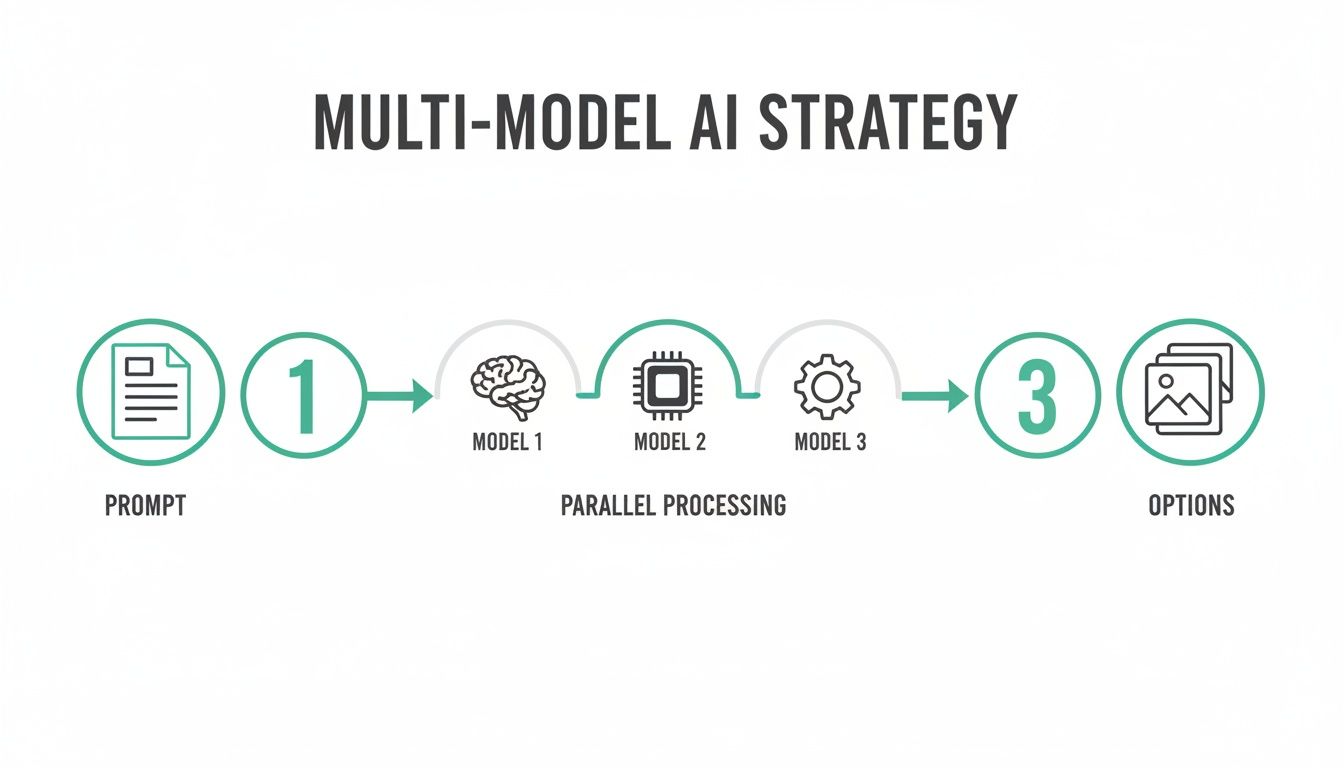
Running a prompt through different models simultaneously gives you a diverse set of outputs to choose from. It also reveals which models struggle with which concepts, which is incredibly useful data for future work.
The Mental Model: When a prompt fails, don't add more words. Subtract them. Simplify down to the core components and rebuild step-by-step to find the exact point of confusion. This turns every error into a lesson.
Here’s my last, and maybe most important, piece of advice. It’s all about a mental shift.
Stop thinking of your AI image prompt as a simple command or a line of code. Instead, start treating it like you're briefing a creative director. This is how I approach it every day. I'm not just typing words; I'm articulating a vision, guiding a (silicon) team, and directing the creation of a final asset on platforms like Thareja AI.
Think about it: when you give a project brief to a human designer, you're specific. You're intentional. You provide context. Bring that same level of clarity to your prompting, and I guarantee your results will leap forward in quality. This isn't just about making prettier pictures; it’s a genuine strategic advantage. You're honing your ability to communicate complex ideas with precision—a skill that pays dividends far beyond image generation.
Adopting this mindset has genuinely elevated our team's work. We've become better communicators and more strategic thinkers across the board. The simple act of translating a fuzzy, abstract idea into a concrete, machine-readable brief forces a kind of clarity that sharpens the entire project, from start to finish.
The Big Idea: Mastering the AI image prompt isn't about memorizing a bunch of keywords. It's about learning to translate the nuance of human creativity into a language the machine can execute flawlessly. Think like a director, not a coder.
Ultimately, this is what it's all about—using AI to amplify our own skills, not just to automate a task. It’s about collaboration, not replacement.
Common Questions About Crafting AI Image Prompts
Even with a great system in place, you're bound to run into questions. After building Thareja AI and helping thousands of users get the most out of it, I've noticed a few questions that pop up again and again.
These are the answers and practical insights that have saved my team and our community countless hours of frustration.
How Long Should a Prompt Be?
There’s no magic number, but I’ve found the sweet spot is usually between 15 and 50 words.
That’s enough room to get specific about the subject, style, and composition without overwhelming the AI with conflicting ideas. A prompt like “a futuristic car” is just too vague. On the flip side, a 100-word paragraph often confuses the model, leading to muddy results (Hassin et al., 2023).
My advice? Always start with your core subject, then thoughtfully layer on the details.
What's the Biggest Mistake People Make?
The single most common mistake I see is being too vague. Words like "make it cool" or "add more pop" are totally meaningless to an AI. They're human concepts. You end up with generic, uninspired images every time.
The real skill is learning to translate that feeling you have into concrete, descriptive language the AI can understand.
Instead of 'amazing,' try describing what amazing looks like to you:
cinematic lighting
hyperrealistic detail
8k resolution
vibrant color palette
That kind of specificity is what turns a random shot in the dark into a predictable, repeatable success. Research consistently shows that detailed, structured prompts dramatically improve the quality of AI-generated images (Pavlichenko & Ustalov, 2023).
Should I Use the Same Prompt on Different AI Models?
You can definitely start with the same core idea, but you'll almost always need to tweak it for each model. It's like speaking different dialects of the same language.
Midjourney, for instance, loves artistic, evocative phrases. DALL-E 3, on the other hand, performs best with literal, highly detailed sentences (Marcus et al., 2022).
I recommend creating a strong base prompt and then customizing it with keywords you know work well for a specific model. For a deeper dive into this, you might find our other articles on the Thareja AI blog helpful.
The core takeaway is that prompt engineering is an iterative process. Small, deliberate adjustments based on a model’s unique behavior will always yield better results than using a one-size-fits-all approach (Oppenlaender, 2022).
At Thareja Technologies Inc., we built an all-in-one platform to eliminate this complexity. Instead of jumping between models, you can test your prompts across 50+ AIs in a single conversation, instantly comparing results to find the perfect visual. Unify your creative workflow with Thareja AI.