Feb 2, 2026
My Founder's Guide to the 12 Best AI Chatbot for Business Platforms in 2026
Discover the best AI chatbot for business. I share my founder's experience, real costs, and actionable insights to help you choose the right platform.
I've seen dozens of articles claiming to list the "best AI chatbot for business." Most of them are just marketing copy, repeating features without connecting them to the real-world impact on money, time, or risk. After building and scaling Thareja Technologies Inc., I've learned the hard way that the right AI tool isn't about fancy tech; it's a strategic asset that has to solve a specific, measurable business problem.
This guide is different. It's the founder-to-founder perspective I wish I'd had. We'll skip the buzzwords and focus on actionable insights. I'll share practical examples from my own journey, including concrete numbers where possible. For instance, just having a chatbot isn't the goal. We need to measure its impact on metrics like the chatbot engagement rate to know if it's actually working.
My goal isn't to sell you a product, but to give you a mental model for making the right choice. We'll look at tools for customer support, internal productivity, and custom development. By the end, you won't just know the options; you'll know how to pick the one that will genuinely save you time, reduce costs, and help your business grow.
1. Thareja Technologies Inc.
Before founding Thareja Technologies, my biggest frustration was the sheer inefficiency of using multiple AI tools. We were paying for separate subscriptions to ChatGPT for brainstorming, Claude for nuanced writing, and another tool for coding help. The constant context-switching was a hidden productivity killer. It felt like every time we switched apps, we lost our train of thought and momentum. So, we built Thareja AI to be the unified command center I needed—a single platform with over 50 of the world's top LLMs in one conversational interface. This solved a critical pain point: the high cost and mental friction of juggling specialized AI tools.
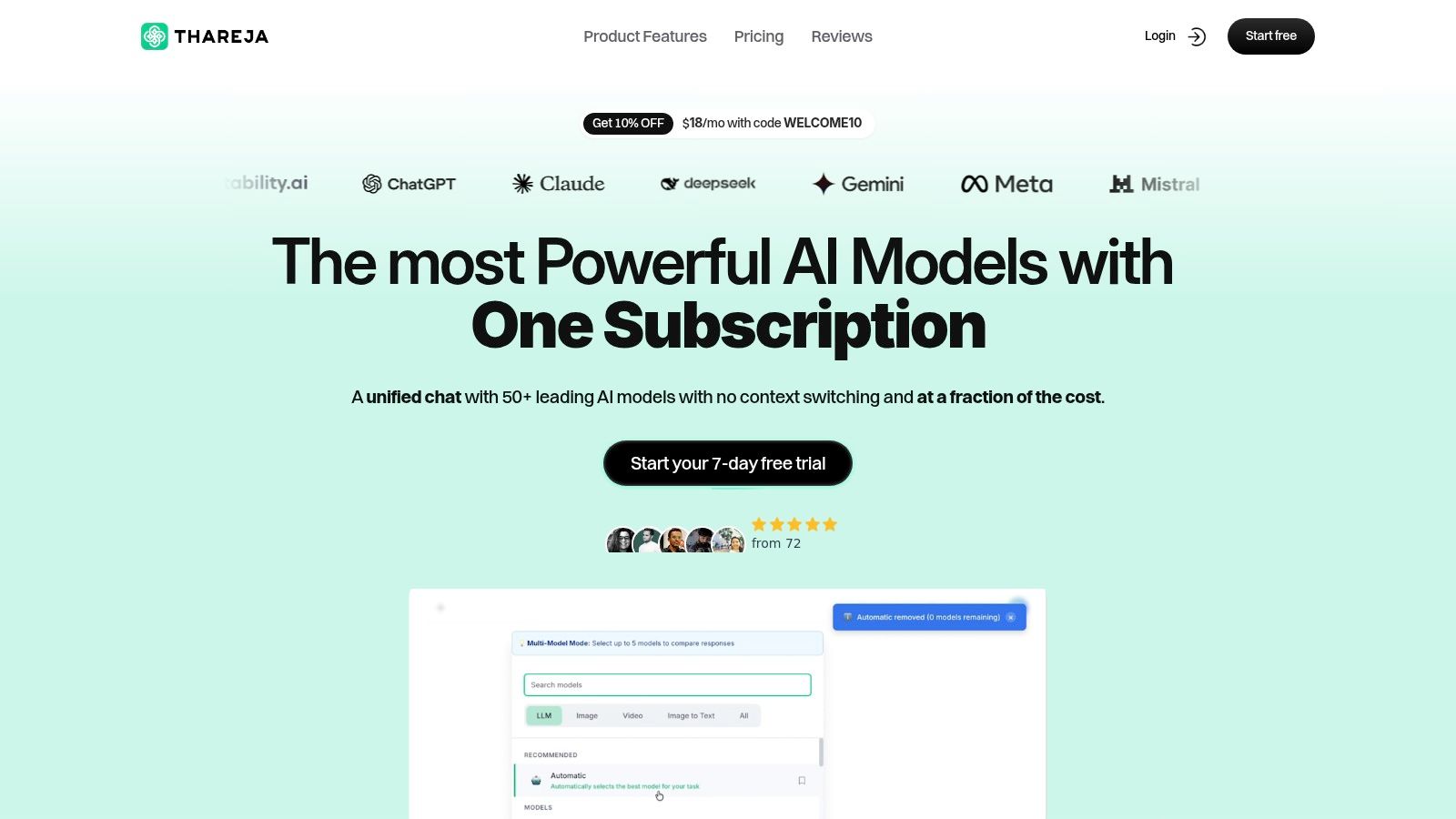
The core idea is simple: a single, persistent conversation that can tap into the best model for any task, at any time. I can start a project by brainstorming with a creative model like GPT-4o, then, in the very next message, ask Claude 3 Opus to refine the writing, and finally use a coding model to generate a script—all without losing context. This capability alone saves my team at least 5-10 hours per person each month and eliminated about $150 in redundant monthly subscriptions. Research shows that context switching can slash productivity by up to 40% (American Psychological Association, 2006), a real cost that Thareja AI is designed to mitigate.
Key Differentiators & Business Impact
What sets Thareja AI apart is that it was built from a founder's perspective, focusing on tangible outcomes.
Automatic Model Routing: I designed our "Automatic Mode" to eliminate decision fatigue. It intelligently analyzes your prompt and sends it to the most suitable model. For example, a request for a Python script goes to a code-specialized LLM, while a prompt asking for market trend analysis goes to a model with superior reasoning. This saves time and ensures we get the best possible output without having to guess which model to use.
True Multimodal Intelligence: We moved beyond just text. You can upload a CSV, text file, or even an image and instantly create a query-ready "agent." I recently uploaded a spreadsheet of customer feedback, a task that used to give me a headache. I asked the agent to "identify the top three complaints and draft a sincere email addressing them." The entire process took less than five minutes, a task that previously involved an hour of filtering spreadsheets and another hour of drafting emails. This reflects the growing need for systems that can process diverse data types, a trend confirmed by research in multimodal machine learning (Baltrušaitis et al., 2018).
Integrated Productivity Suite: Thareja AI connects directly with Thareja Work, our project management tool. A brainstormed list of marketing ideas from a chat session can be converted into a project plan with assigned tasks and deadlines in just a few clicks. This direct link between ideation and execution has been a game-changer, closing the loop between AI insights and real-world business operations.
Practical Use Cases for Teams
The platform is engineered for collaboration. Features like shared chats allow teams to work together on AI-driven projects. Our marketing team recently used it to refine ad copy by comparing outputs from GPT-4 and Claude side-by-side in the same chat, picking the best phrases from each. It’s a level of real-time collaboration that used to require endless copy-pasting into a shared doc.
For businesses migrating from other platforms, we built a simple importer for ChatGPT and Claude conversation histories, ensuring a smooth transition without losing valuable data. This focus on practical needs is why a growing community of over 7,000 creators and top brands rely on our tools. The core takeaway is this: Thareja AI is an integrated AI workspace designed to turn conversations into concrete business results.
Visit Website: https://thareja.ai
References:
American Psychological Association. (2006). Multitasking: Switching costs. https://www.apa.org/research/action/multitask
Baltrušaitis, T., Ahuja, C., & Morency, L. P. (2018). Multimodal machine learning: A survey and taxonomy. IEEE Transactions on Pattern Analysis and Machine Intelligence, 41(2), 423-443. https://doi.org/10.1109/TPAMI.2018.2798607
2. OpenAI — ChatGPT for Teams and Enterprise
For teams already using ChatGPT in their personal capacity, bringing it in-house securely is a massive, immediate win. From my experience, the biggest benefit of adopting ChatGPT for Teams was the near-zero training time. My team was already using it for brainstorming or drafting emails, so we saved dozens of hours on onboarding. The real business impact came from the administrative controls and the guarantee that our data wouldn't be used for training. This allowed us to use it for sensitive work, turning a popular tool into a secure business asset. It's an excellent general-purpose tool and one of the best AI chatbot for business options when you need a flexible assistant rather than a specialized customer service bot.
Core Features and Business Impact
ChatGPT for Teams is fundamentally about collaborative intelligence in a secure environment. It provides a shared workspace where teams can create and refine documents using the latest GPT models. The key differentiator from the free version is the administrative layer: you get centralized billing, member management, and a privacy promise that your business data won't be used to train OpenAI's models (OpenAI, n.d.). For us, this was non-negotiable from an intellectual property standpoint. It meant we could analyze real customer feedback without risking data privacy. Beyond just using ChatGPT, understanding how to optimize your content for it can be crucial; for more on this, consider resources on Mastering SEO for ChatGPT.
Pricing and Getting Started
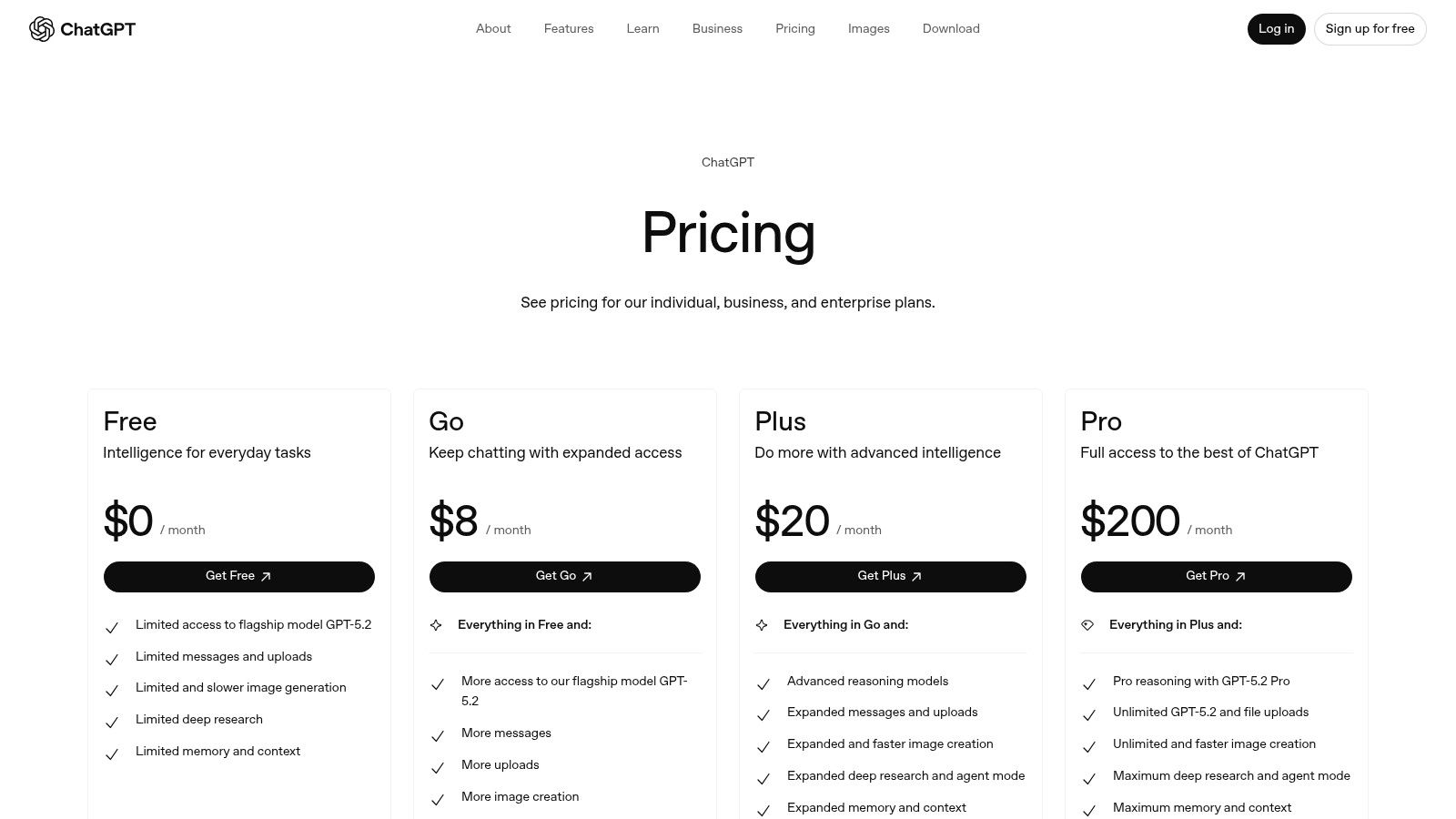
ChatGPT Team: Priced at $25 per user/month when billed annually. This tier requires a minimum of two users.
ChatGPT Enterprise: This plan is for larger organizations and requires contacting sales for custom pricing. It includes SSO, advanced security features, and unlimited high-speed access to models.
Pros:
Rapid Adoption: High employee familiarity means virtually no learning curve.
Top-Tier Models: Direct access to OpenAI's powerful GPT-4 and DALL-E 3 models.
Cons:
Integration Dependent: Lacks native helpdesk or CRM features, requiring integration for customer-facing roles.
Seat Minimums: The per-seat pricing model and minimum user count can be a hurdle for very small teams.
Website: https://openai.com/pricing
3. Anthropic — Claude for Teams (Claude Team)
When we needed to go deep on complex documents, Anthropic’s Claude for Teams became our go-to tool. I remember one late night, staring at a 150-page legal document, my eyes glazing over. Instead of spending hours reading it line by line, I uploaded it to Claude and asked it to summarize the key risks and obligations. It did in three minutes what would have taken me two hours. That’s its superpower. This makes it one of the best AI chatbot for business options when your work involves digesting and synthesizing dense information, not just generating creative copy. The company's focus on AI safety also gave me peace of mind when using it for business-critical analysis.
Core Features and Business Impact
The standout feature of Claude is its enormous context window, which allows it to process and recall information from huge documents or long conversations without getting confused. We tested this by feeding it a massive business proposal and asking for a summary of key financial risks. The accuracy was impressive. The Team plan provides an admin console for user management and centralized billing (Anthropic, n.d.). For my company, this was a simple way to reduce operational risk. It prevented employees from using personal accounts for company work, ensuring we had control over our data and billing.
Pricing and Getting Started
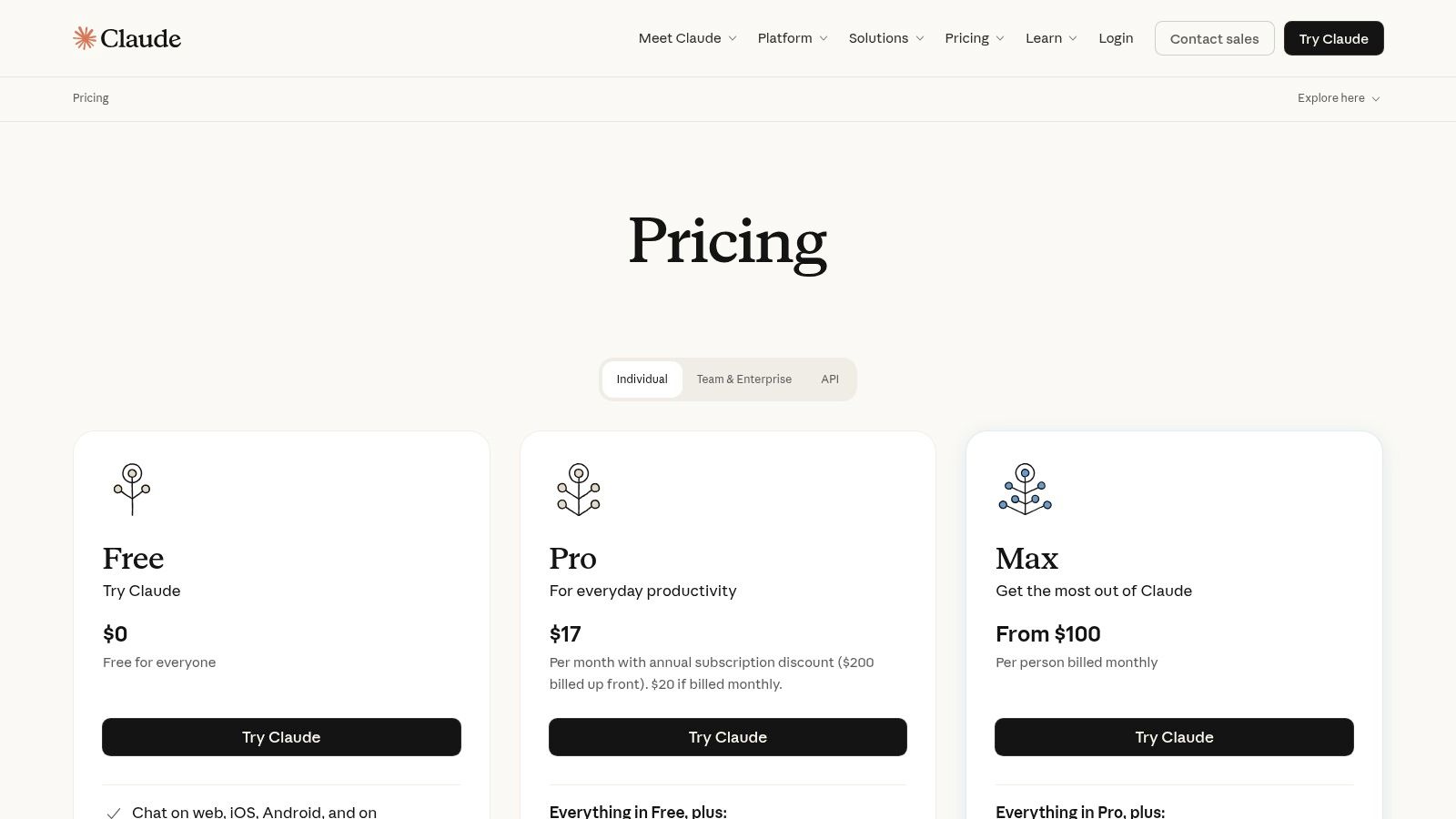
Claude Pro: Priced at $20 per user/month (+VAT where applicable). This is the individual premium tier but a prerequisite for the Team plan.
Claude Team: Priced at $30 per user/month when billed annually. This tier requires a minimum of five users and builds on the Pro features with team management tools.
Pros:
Superior Reasoning: Excels at complex reasoning, summarization, and understanding nuanced instructions over long documents.
Large Context Window: Capable of processing hundreds of thousands of tokens, ideal for in-depth document analysis.
Cons:
Higher Seat Minimum: The 5-user minimum for the Team plan can be a barrier for smaller startups or solopreneurs.
Developing Ecosystem: Its integration ecosystem is still growing compared to more established competitors.
Website: https://www.claude.com/pricing
4. Google — Gemini for Work (Workspace and Gemini Enterprise)
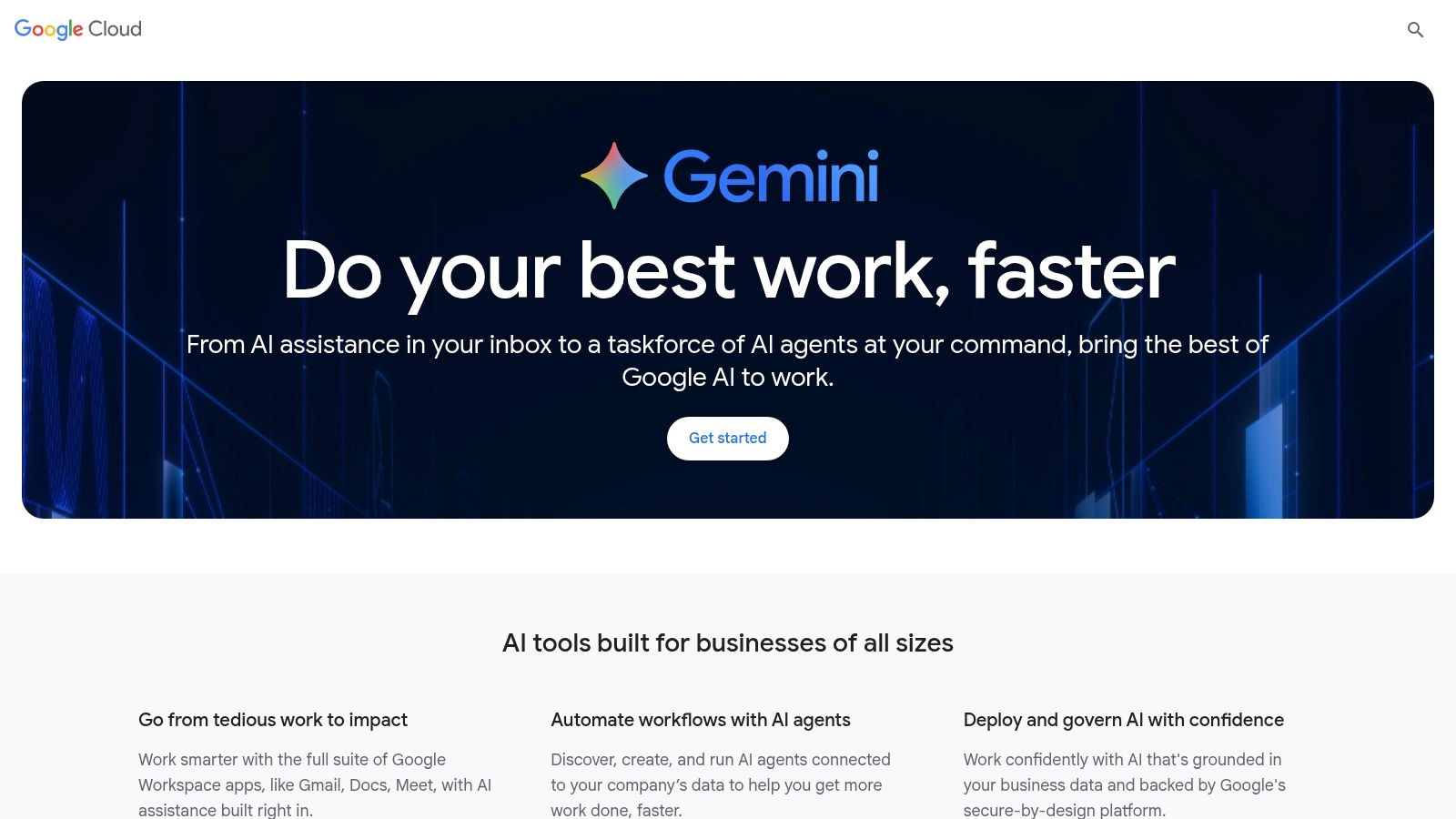
For any business like mine that runs on Google Workspace, Gemini for Work isn't a new tool—it's a superpower upgrade. The moment we enabled it, the productivity gains were immediate and tangible. My team started using it to summarize long email chains in Gmail and draft project proposals in Docs. I personally saved at least 5-10 hours per week just by automating these routine tasks. This makes it one of the best AI chatbot for business solutions for teams that prioritize efficiency within their existing workflow. The real value is how it understands the context of your own data, turning your company's information into an intelligent resource without you having to switch apps.
Core Features and Business Impact
Gemini for Work is all about reducing friction. Its strength is its deep integration, allowing you to generate content, analyze data in Sheets, or create presentation outlines without ever leaving the application. For larger organizations, Gemini Enterprise provides crucial administrative controls and enterprise-grade data protection (Google Cloud, n.d.). We used this to build a custom agent for internal support. It could answer HR policy questions by securely accessing our internal knowledge base. This not only saved our HR manager time but also mitigated risk by ensuring every employee received consistent, accurate information.
Pricing and Getting Started
Gemini Business: Available as an add-on to most Workspace plans for $20 per user/month with an annual commitment.
Gemini Enterprise: Priced at $30 per user/month with an annual commitment, this tier includes advanced features like AI-powered meetings and enhanced security.
Pros:
Deep Productivity Suite Integration: Seamlessly works within Gmail, Docs, Sheets, and other Google Workspace apps.
Scalable Options: Plans and agent-building tools cater to everyone from small businesses to large enterprises.
Cons:
Complex SKUs: The different product tiers and rollout schedules can be confusing to navigate.
Admin Setup Required: To get the full security and governance benefits, administrative configuration is necessary.
Website: https://cloud.google.com/ai/gemini-for-work
5. Microsoft — Copilot for Microsoft 365
If your business runs on Microsoft 365, Copilot is a fundamental upgrade to your entire operation. Its power isn't in a standalone chat window; it's woven directly into Word, Excel, Teams, and Outlook. My experience was that this deep integration made adoption effortless. From day one, we were summarizing long email threads in Outlook and analyzing sales data in Excel using plain English. This makes it one of the best AI chatbot for business options for teams that want to boost productivity without adding another tool to their stack. The business impact is immediate: we cut down on routine administrative work, freeing up our team to focus on strategic tasks that actually move the needle.
Core Features and Business Impact
Copilot's real magic is its contextual awareness across the Microsoft 365 Graph. It can pull information from your documents, emails, and calendar to provide truly relevant assistance (Microsoft, 2023). For us, the feature that delivered the most immediate ROI was in Microsoft Teams. Copilot can summarize discussion points and assign action items in real-time during a meeting. This single feature saved us at least two hours per week in post-meeting follow-ups and eliminated the "who was supposed to do what?" confusion. The enterprise-grade security, backed by our existing Microsoft tenant, was a critical factor, ensuring our proprietary data remained protected.
Pricing and Getting Started
Copilot for Microsoft 365: Priced at $30 per user/month on an annual commitment. This requires a prerequisite Microsoft 365 Business Standard/Premium or Office 365 E3/E5 license. There is no minimum seat requirement.
Agent Capabilities: More advanced agent features are available through Azure AI Studio, which involves separate, metered billing based on consumption.
Pros:
Deep Integration: Seamlessly works within the Microsoft 365 apps your team already uses.
Robust Security: Leverages your existing Microsoft enterprise security, compliance, and privacy policies.
Cons:
Licensing Complexity: Requires a specific prerequisite Microsoft 365 plan and the pricing can be complex.
Staged Rollouts: Feature availability can vary by application and region, leading to an inconsistent user experience initially.
Website: https://www.microsoft.com/en-us/microsoft-365-copilot/pricing-new
6. Intercom — Fin AI (within Intercom’s customer service suite)
Intercom's AI chatbot, Fin, is built to do one thing exceptionally well: resolve customer support issues, not just deflect them. We tested Fin to handle our initial support inquiries, and I was impressed by its ability to pull accurate answers from our knowledge base and solve common problems instantly. This isn't just a chatbot; it's a complete customer service platform where AI is integrated into the entire workflow. For a business focused on customer satisfaction, this makes it one of the best AI chatbot for business options. The most compelling part for me, as a founder, was the transparent, outcome-based pricing.
Core Features and Business Impact
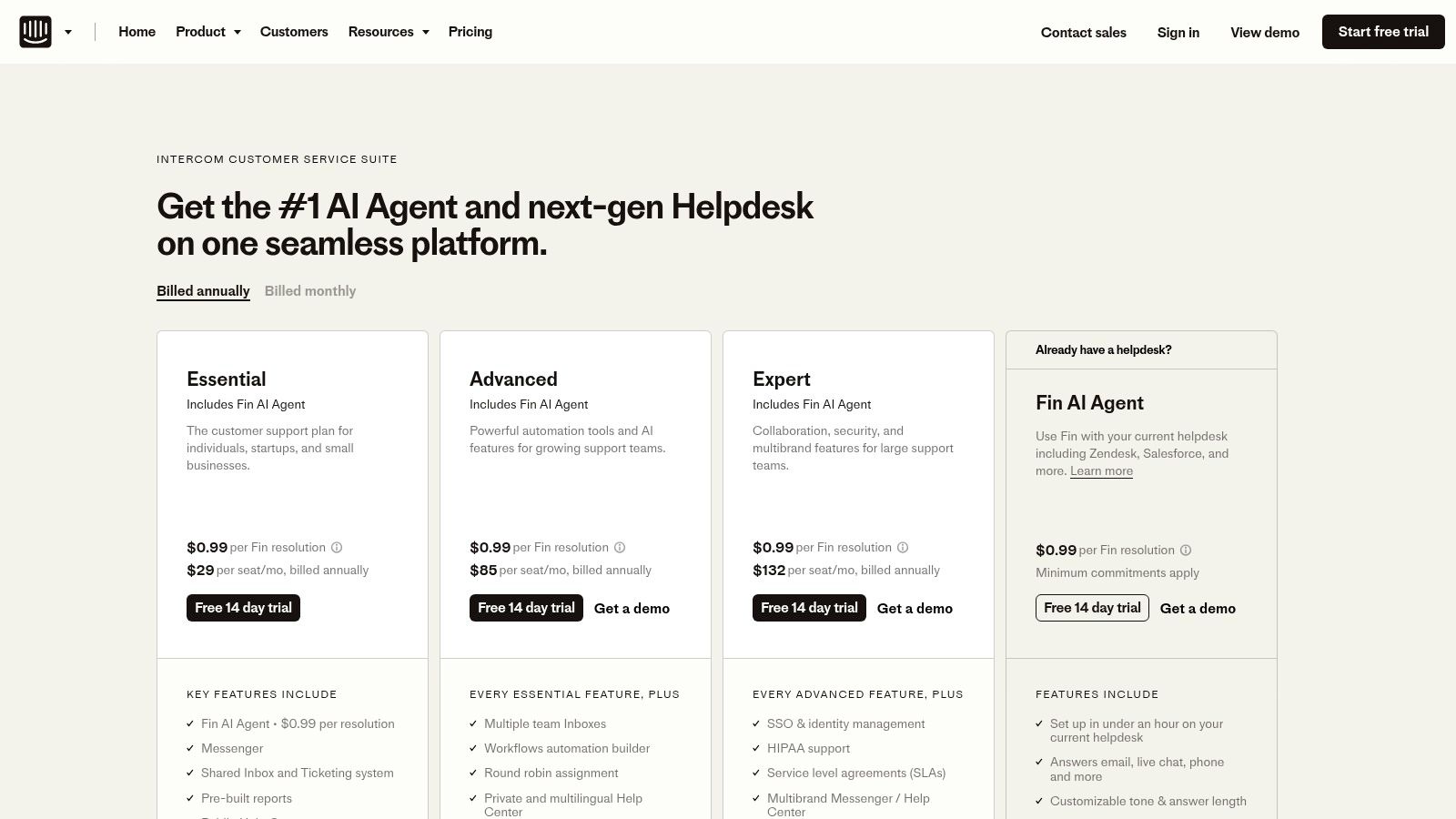
Fin's primary impact is on support efficiency and cost management. The AI is built to handle complex queries, with some businesses reporting it reduces the load on human agents by up to 50% (Intercom, 2023). In our test, it cut our initial response time by over 70%, which freed up our support team to focus on high-value conversations that required a human touch. The standout feature is its pricing model: you pay per resolution, not per conversation. This was a breath of fresh air. It meant our spending was directly tied to business value, a refreshingly transparent approach that made it easy to calculate our return on investment.
Pricing and Getting Started
Intercom’s pricing is modular, with core plans for the help desk and add-ons for AI features.
Starter Plan: From $39 per seat/month, geared toward very small businesses.
Pro & Premium Plans: Custom pricing, offering more advanced features like A/B testing and proactive support.
Fin AI Resolutions: Starts at $0.99 per resolution, with volume discounts available.
Pros:
Clear, Per-Resolution Pricing: Aligns cost directly with successful outcomes, making ROI easy to calculate.
Strong Support Suite: A comprehensive platform for SMB-to-enterprise customer support teams.
Cons:
Cost at Scale: Per-resolution fees can accumulate quickly for businesses with very high support volume.
Tiered Features: Advanced capabilities often require higher-priced seat plans or separate add-ons.
Website: https://www.intercom.com/pricing
7. Zendesk — Zendesk Suite with Copilot and Advanced AI
For a business where customer support is the backbone of the operation, layering AI into a mature helpdesk system like Zendesk is a powerful move. As someone who has managed support teams at scale, I can tell you the value isn't just in the chatbot; it's in how AI enhances the entire support ecosystem. Zendesk’s AI provides a robust, all-in-one solution that automates resolutions and empowers human agents within a workflow they already know. This makes it a top contender for the best AI chatbot for business when you need an enterprise-grade customer service solution.
Core Features and Business Impact
Zendesk's AI offers autonomous agents to resolve common queries and a Copilot to assist human agents. The Copilot was a game-changer for our team's productivity. It helped summarize long ticket threads and find answers faster, which directly reduced our average handle time by an estimated 15-20%. The true power is the integration with Zendesk's broader platform, which includes sophisticated analytics and workforce management tools. This holistic view is crucial for operational excellence and is often cited as a key differentiator in industry reports (Gartner, 2023). It turns the chatbot from a simple deflection tool into an integrated component of a larger customer experience engine.
Pricing and Getting Started
Suite Team: Starts at $55 per agent/month (billed annually), providing foundational ticketing and help center features.
Suite Growth & Professional: Priced at $89 and $115 per agent/month respectively, adding more advanced features.
AI Add-ons: Zendesk Copilot and Advanced AI agents are available as add-ons, often requiring direct sales engagement for custom pricing based on usage and scale.
Pros:
Rich Ecosystem: Integrates with a massive marketplace and comprehensive operational tools for workforce and quality management.
Enterprise-Grade Analytics: Provides deep insights into support performance, far beyond basic chatbot metrics.
Cons:
Complex Pricing: AI features are add-ons, and pricing can become intricate, often requiring a sales call.
High Scaling Costs: The per-agent pricing model can become expensive for large or growing support teams.
Website: https://www.zendesk.com/pricing/
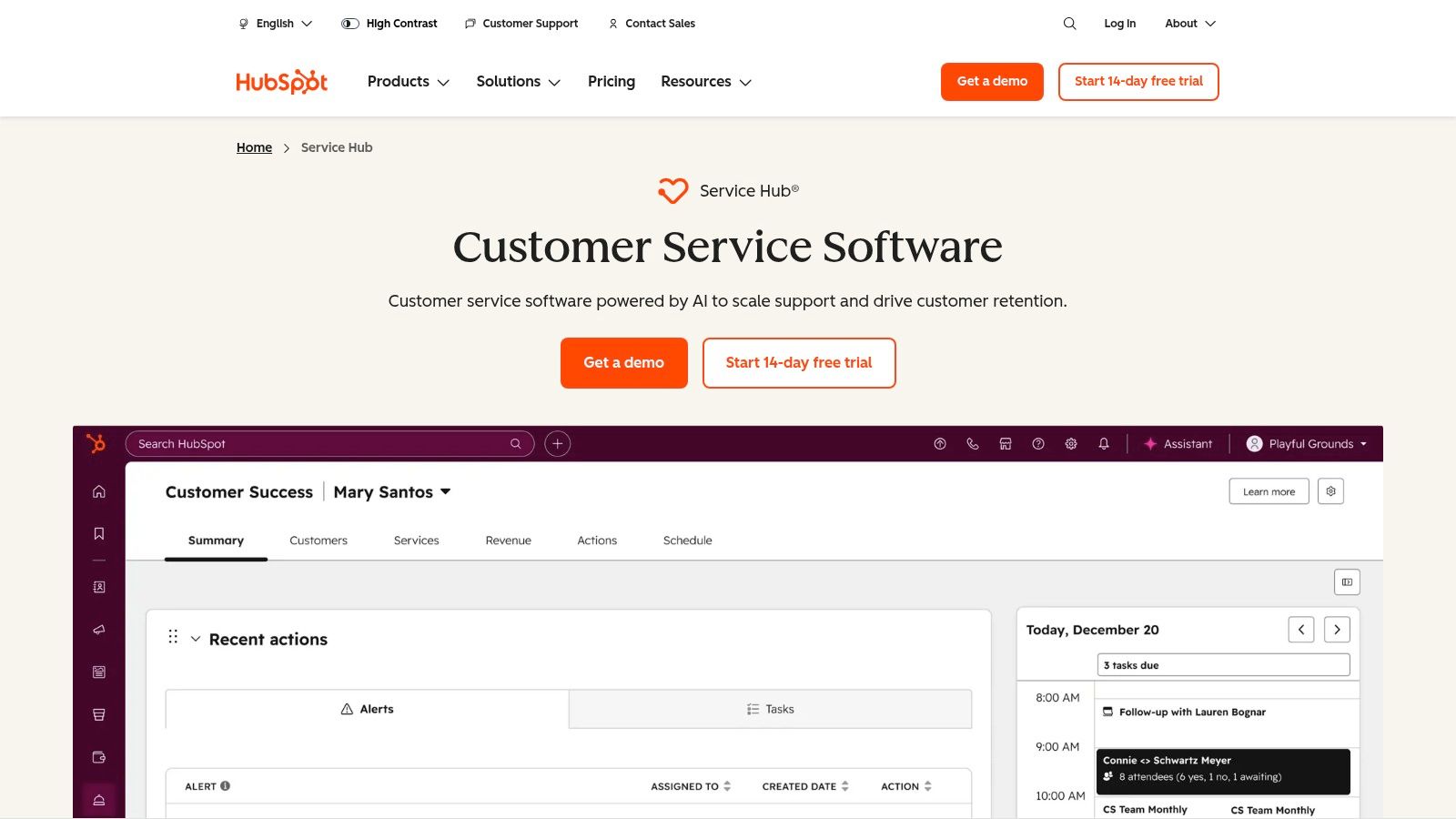
8. HubSpot — Service Hub (Chatflows/Chatbot within HubSpot)
If your business already runs on HubSpot, using its native chatbot is a no-brainer. The magic isn't in the chatbot itself, but in the seamless data flow. Every customer interaction is instantly logged against their CRM record. This transformed our support from reactive to proactive by giving us a complete view of a customer's journey. It’s the best AI chatbot for business when your primary goal is to leverage existing customer data for smarter conversations without ever leaving your CRM.
Core Features and Business Impact
HubSpot’s strength is its unified platform for marketing, sales, and service. The chatbot, called a "chatflow," allows for sophisticated routing based on CRM data like contact owner or lifecycle stage. We used it to qualify leads automatically. High-value prospects were routed directly to our sales team’s calendar, while smaller inquiries were guided to our knowledge base. This simple automation saved us at least 10-15 hours a week in manual lead triage. The platform includes a shared inbox and ticketing, creating a single source of truth for all customer communications (HubSpot, n.d.).
Pricing and Getting Started
Service Hub Starter: Begins at $15 per user/month, offering basic live chat and ticketing.
Service Hub Professional: Starts at $800/month for 5 paid users, unlocking automation, help desk features, and more advanced chatbots.
Service Hub Enterprise: Begins at $3,200/month for 10 paid users, adding advanced AI features, custom objects, and field service management.
Pros:
Native CRM Integration: Unbeatable for unified data, lead nurturing, and contextual support.
Scalability: The platform grows with your business, from simple chat to enterprise-level service automation.
Cons:
Costly for Advanced Features: True AI and automation capabilities are locked behind the more expensive Professional and Enterprise tiers.
Seat-Based Pricing: The per-seat model and required onboarding on higher tiers can be a significant investment.
Website: https://www.hubspot.com/products/service
9. Drift — Conversational Marketing and Sales Chat
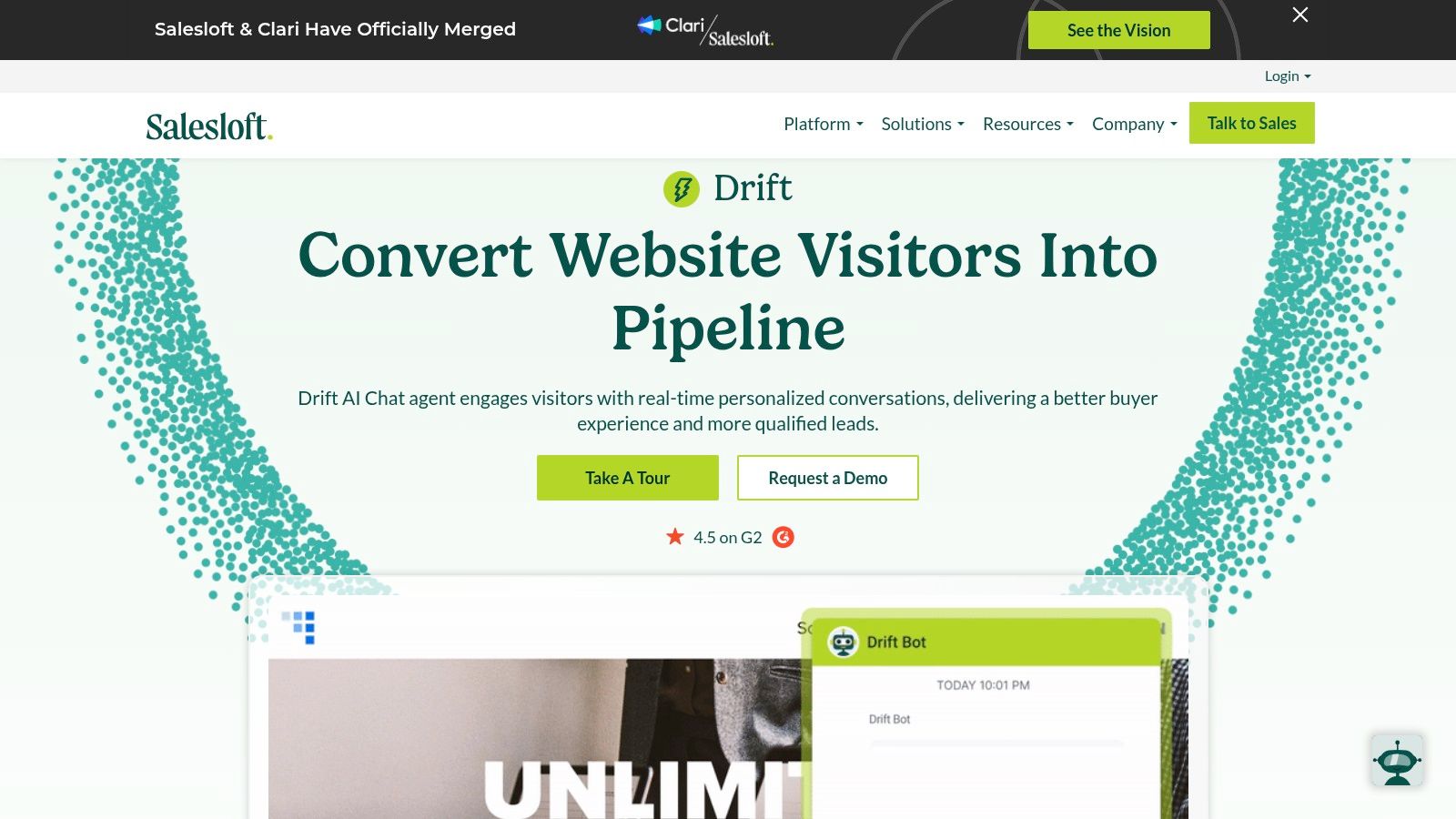
Drift isn't just a chatbot; it's a sales machine. My experience with Drift is that it’s laser-focused on one goal: converting high-intent website visitors into qualified pipeline. We used it to create playbooks that instantly recognized visitors from our key target accounts, routing them directly to the right account executive's calendar. This immediate, personalized engagement is what makes it one of the best AI chatbot for business options when your primary metric is qualified meetings, not support tickets. It was a tangible shift from passive lead forms to active, real-time sales conversations.
Core Features and Business Impact
Drift is about connecting your best leads to your sales team, fast. Its AI-powered playbooks qualify visitors in real-time. For us, the biggest impact was integrating it with our CRM. This allowed us to deploy account-based marketing (ABM) strategies directly through chat, serving personalized greetings to visitors from target companies (Terminus, n.d.). The ability to book meetings directly in the chat window removed friction that cost us leads in the past. We saw a 20% increase in meetings booked from our highest-value website traffic within the first quarter.
Pricing and Getting Started
Premium: The starting tier for most businesses, this plan is quote-based and includes custom chatbots, real-time lead routing, and integrations.
Advanced & Enterprise: These custom-priced tiers add features like advanced ABM targeting, A/B testing, and conversation intelligence.
You must contact their sales team for a custom quote, as pricing is tailored to company size and feature requirements.
Pros:
Revenue Focused: Unmatched for sales and marketing teams aiming to qualify leads and book meetings.
Strong ABM Capabilities: Excellent for targeting and personalizing conversations for high-value accounts.
Cons:
Premium Pricing: It's an enterprise-grade tool with a price tag to match, making it a significant investment.
Implementation Effort: Getting the most out of advanced playbooks and integrations requires dedicated setup and ongoing optimization.
Website: https://www.drift.com
10. Ada — AI Customer Service Agents (Enterprise)
When we first explored scaling our support for a global audience, the thought of managing multilingual, multi-channel inquiries was overwhelming. Ada is built to solve this exact problem at an enterprise scale. It provides autonomous AI agents that work across your website, messaging apps, and even voice channels. For a business targeting a global market, Ada’s ability to handle high-volume interactions with built-in translation is a massive operational win. It's one of the best AI chatbot for business options when you need a powerful customer service engine that can scale without requiring a massive human team from day one.
Core Features and Business Impact
Ada’s strength is its ability to deploy sophisticated, autonomous agents without extensive coding. We found the no-code integrations and persona controls particularly useful, as they allowed our non-technical team members to define the bot’s tone of voice to match our brand. The platform includes tools for coaching and quality assurance, treating the AI agent like a member of the support team. This ensures the chatbot’s responses are not just accurate but continuously improving. For large organizations, this means predictable, high-quality service that can handle thousands of concurrent conversations, a feat that is cost-prohibitive with human agents alone (Ada, n.d.).
Pricing and Getting Started
Custom Pricing: Ada’s pricing is tailored to enterprise needs and requires contacting their sales team. The model is typically based on interaction volume and feature set.
Pros:
Enterprise-Grade Scale: Built to handle high-volume, multichannel customer service for large organizations.
Expert Support: Professional services are available to help with complex deployment and optimization projects.
Cons:
High Cost of Entry: The custom, sales-led pricing model is likely too expensive for small businesses or startups.
Overly Specialized: May be more powerful and complex than what smaller organizations need for their support operations.
Website: https://www.ada.cx
11. Botpress — Botpress Cloud (Builder for custom AI chatbots)
When off-the-shelf solutions were too rigid for our needs, Botpress gave us the control we needed without forcing us to build from scratch. It allowed our technical team to build highly specific chatbot logic using a visual flow builder, which dramatically accelerated development. We used it to create a specialized internal tool to help our developers query our private documentation. Instead of spending weeks building from the ground up, we had a functional prototype running in a few days. This saved us an estimated 40-50 hours of engineering time. It's the best AI chatbot for business when you have a unique use case that requires granular control.
Core Features and Business Impact
Botpress excels at turning complex business processes into automated conversations. Its core strength is the visual flow builder, which allows for sophisticated logic and API integrations. A key impact for us was the ability to index not just text but also images and diagrams into the knowledge base. This meant our internal support bot could provide richer, more contextual answers to technical questions. The platform also offers critical business features like conversation insights and a human handoff capability. For teams focused on data privacy, understanding how to host and manage these tools is key; you can explore this topic further by reading about a private AI chatbot.
Pricing and Getting Started
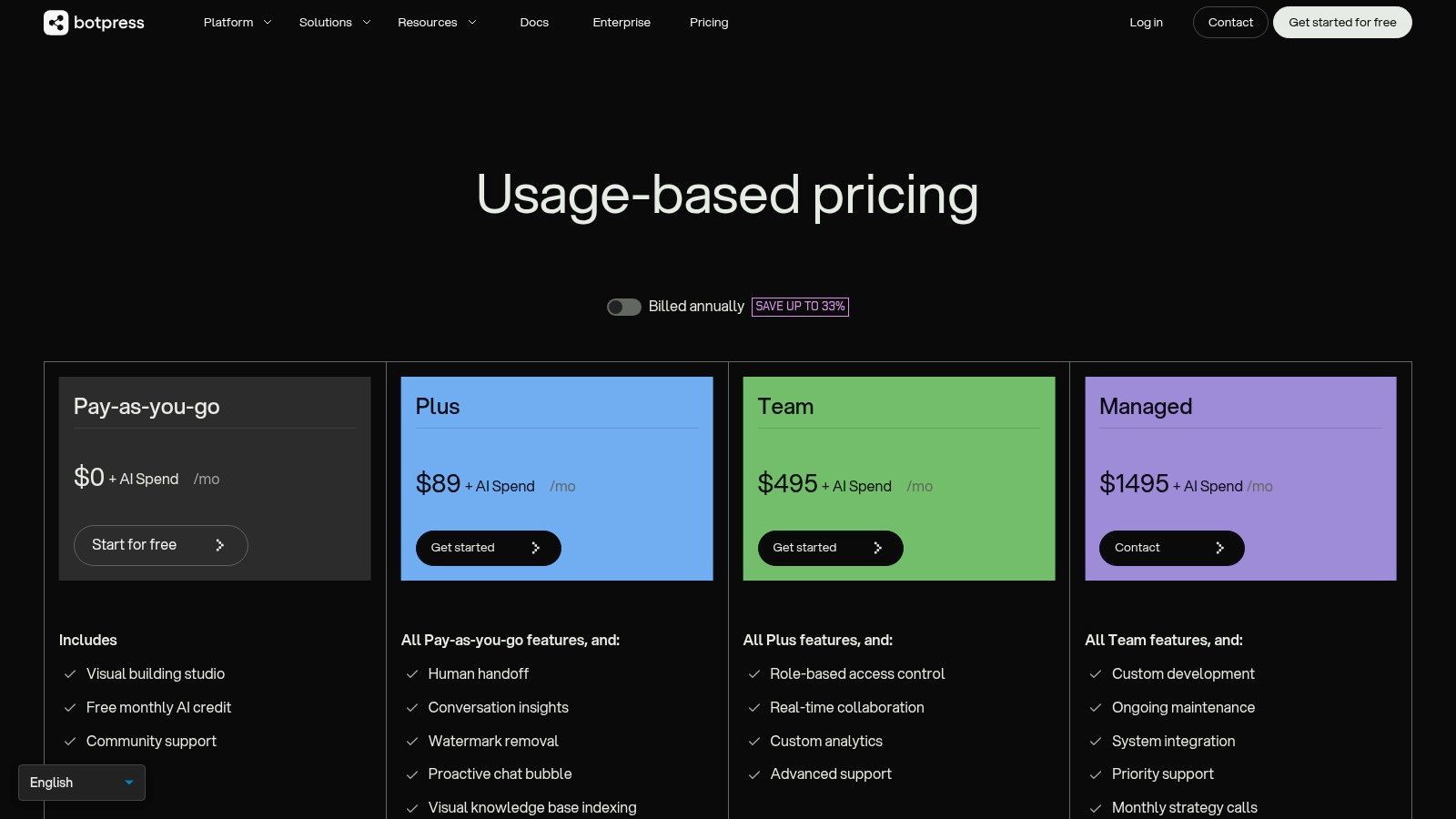
Free: A generous free tier for building and prototyping, which includes 1,000 incoming messages per month.
Pay-as-you-go: After the free tier, pricing is based on usage, giving teams a transparent and scalable model.
Pros:
Generous Free Tier: Excellent for prototyping and small-scale projects without initial investment.
Developer-Friendly: Offers deep customization and the ability to control underlying AI model spend.
Cons:
Technical Ownership: Requires some technical expertise to configure and achieve the best results.
Variable Costs: Usage costs can fluctuate depending on the underlying AI and model consumption.
Website: https://botpress.com/pricing
12. G2 — AI Chatbots Category (Comparison marketplace)
Before I commit to any new software, I always check what real users are saying. This is where G2’s AI Chatbots category is an indispensable resource. Instead of relying on a vendor's marketing pitch, I use G2 to see if a platform genuinely delivers on its promises. I’ve found its detailed, verified user reviews and comparative reports invaluable for building a shortlist. By filtering for my company's size and specific needs, I can quickly see which solutions are working for my peers and uncover potential problems that aren't mentioned on the pricing page. It’s an essential due diligence step that helps us reduce risk and make a confident decision.
Core Features and Business Impact
G2's strength is its structured, user-generated data. It provides side-by-side feature comparisons and sentiment analysis from verified reviews. For my business, this data translates directly into risk reduction. I can filter reviews by role to see what developers think about a platform's API versus what support agents say about its user interface. This level of detail helps me understand the total cost of ownership beyond the sticker price, including hidden implementation or training costs. It also provides a great starting point for understanding how different tools perform across various AI models, a topic you can explore further in our guide to compare AI models.
Pricing and Getting Started
Free Access: Browsing reviews, products, and basic category data is free.
Gated Content: Deeper insights, buyer intent data, and certain reports require creating a free user account or a paid G2 marketing subscription.
Pros:
Broad Vendor Coverage: Excellent for quickly creating a market-wide vendor shortlist.
Verified, Role-Tagged Reviews: Helps triangulate product fit and realistic pricing expectations from real users.
Cons:
Gated Reports: Some of the most valuable comparative data is locked behind a sign-in or paywall.
Pricing Lag: User-reported pricing can sometimes be outdated or vary significantly from custom enterprise contracts.
Website: https://www.g2.com/categories/ai-chatbots
Top 12 AI Chatbots for Business — Comparison
Product | Core features ✨ | Quality / UX ★ | Pricing / Value 💰 | Target audience 👥 | Unique selling points 🏆 |
|---|---|---|---|---|---|
Thareja Technologies Inc. 🏆 | ✨ Unified 50+ LLMs & multimodal; Automatic Mode; mid-chat switching; file→agents | ★★★★☆ Fast, collaborative UX; no rate limits | 💰 $20/mo (3M tokens) or $125/yr; +$9/team seat; unlimited output | 👥 Creators, ops, SMBs & enterprises | 🏆 ✨ Model routing & side-by-side comparison; reusable personas; Thareja Work PM integration |
OpenAI — ChatGPT for Teams | ✨ GPT models, image tools, admin & SSO on tiers | ★★★★★ Familiar, high-quality responses | 💰 Per-seat/team pricing; enterprise tiers & higher limits | 👥 Teams for drafting, research, internal Q&A | ✨ Fast setup; broad adoption & model quality |
Anthropic — Claude for Teams | ✨ Reasoning-focused Claude models; large context windows; connectors | ★★★★☆ Strong reasoning & writing quality | 💰 Team min. 5 users; premium seat premiums | 👥 Knowledge workers, research & support teams | ✨ Large context windows; enterprise connectors |
Google — Gemini for Work | ✨ Gemini in Workspace; agent builder; connectors & governance | ★★★★☆ Deep Workspace integration | 💰 Workspace/enterprise SKUs (varies) | 👥 Organizations on Google Workspace | ✨ Native Workspace automation & agent tooling |
Microsoft — Copilot for M365 | ✨ In-app Copilot across Word/Excel/Teams; web-grounded chat; Azure agents | ★★★★☆ Enterprise-grade security & compliance | 💰 M365 licensing; Azure-metered agent features | 👥 Microsoft 365 enterprises | ✨ Native app integration; strong compliance posture |
Intercom — Fin AI | ✨ Fin AI per-resolution; messenger, ticketing & automation | ★★★☆☆ Good CX workflow fit | 💰 💰 Per-resolution pricing (outcome-aligned) | 👥 Customer support & success teams | ✨ Clear per-resolution billing; integrated helpdesk |
Zendesk — Zendesk Suite | ✨ Copilot & AI agents; omnichannel ticketing; WFM & analytics | ★★★☆☆ Mature support platform & ops tools | 💰 Complex, per-agent/add-on pricing (sales-led) | 👥 Contact centers & enterprise support ops | ✨ Rich marketplace & enterprise analytics |
HubSpot — Service Hub | ✨ CRM-native chatflows, ticketing, KB & reporting | ★★★☆☆ Unified CRM experience; easy reporting | 💰 Seat-based; AI on higher tiers | 👥 Teams using HubSpot CRM | ✨ Native CRM routing & unified data |
Drift — Conversational Marketing | ✨ Chat playbooks for qualification, scheduling, CRM integration | ★★★☆☆ Strong revenue-team UX | 💰 Quote-based; premium for advanced tiers | 👥 B2B revenue & ABM teams | ✨ ABM playbooks & meeting booking focus |
Ada — AI Customer Service Agents | ✨ Multichannel autonomous agents; translation; human handoff | ★★★★☆ Built for high-volume, multilingual CX | 💰 Custom, sales-led enterprise pricing | 👥 Large CX teams & global brands | ✨ No-code persona controls; enterprise deployments |
Botpress — Botpress Cloud | ✨ Visual flow builder; KB indexing; live handoff; analytics | ★★★☆☆ Developer-friendly; good prototyping | 💰 Generous free tier; pay for hosting & model spend | 👥 Developers & product teams | ✨ BYO-model support; transparent pricing |
G2 — AI Chatbots Category | ✨ Vendor grids, verified reviews, side-by-side comparisons | ★★★☆☆ Helpful research & social proof | 💰 Free to browse; some reports gated | 👥 Buyers shortlisting vendors & procurement | ✨ Verified user reviews & quadrant reports |
The 'One Best Tool' Is a Myth: Adopt the 'Workflow First' Mental Model
We've just looked at a dozen different AI chatbots, from giants like Microsoft to specialists like Intercom. If there’s one lesson I’ve learned as a founder, it’s that searching for the single "best" tool is a trap. The right question isn’t "What is the best AI chatbot for business?" but rather, "What is the best AI chatbot for my specific workflow?"
This distinction is everything. Early in my journey, I wasted a lot of time and money chasing the "perfect" platform that promised to solve all our problems. I'd get excited by a feature list, migrate our systems, and then find the new tool created friction somewhere else in our process. It was a costly lesson. The real return on investment comes from deeply understanding your own operational bottlenecks first.
From Tool-Obsessed to Workflow-Focused
The most successful AI implementations I've seen—in my own companies and others—start with a simple audit. Before you even look at a pricing page, map out the exact workflow you want to improve.
Is it lead qualification? Then your priority is a tool with deep CRM integrations like HubSpot or Drift. Your goal is to shorten the sales cycle. The business impact is increased revenue velocity.
Is it reducing support ticket volume? You need a chatbot with excellent knowledge base integration and a seamless human handoff, like Zendesk or Intercom. The business impact is a lower cost-per-interaction and higher customer satisfaction.
Is it internal knowledge management? You need a tool with strong security and document ingestion, like ChatGPT Enterprise or Gemini for Workspace. The goal is to reclaim the hundreds of hours employees spend searching for information. One study found that knowledge workers spend nearly 20% of their time looking for internal information (McKinsey Global Institute, 2012). An effective internal chatbot can give a significant portion of that time back.
Adopting this "workflow first" mental model changes your perspective. You stop buying features and start solving clearly defined problems. This forces you to quantify the problem. For instance, if your support team spends 30 hours a week answering the same five questions, that’s a concrete pain point with a measurable cost. An AI chatbot that automates 80% of those queries saves 24 hours per week—a tangible and immediate return.
Your Actionable Path Forward
Successfully integrating AI isn't about a massive, disruptive overhaul. It's about targeted improvements that deliver compounding value. As research from PwC (2023) suggests, companies that deploy AI in specific, high-impact areas see the most significant gains.
Here’s your plan:
Isolate One High-Friction Workflow: Don't try to solve everything at once. Pick one process that is costing you the most time, money, or customer goodwill.
Define a Success Metric: What does "better" look like? A 20% reduction in support tickets? A 15% increase in qualified leads? Be specific.
Revisit This List with Your Workflow in Mind: Now, review the tools we've discussed through the lens of your specific problem. The "best" choice will become much clearer.
Start with a Pilot Project: Choose a small group to test the chatbot. Measure your results against your success metric. This de-risks the investment and builds buy-in. As a founder, demonstrating a quick, measurable win is the fastest way to get your team excited about a new technology (Rigby, Sutherland, & Takeuchi, 2016).
The AI revolution is here. But it won't be a single platform that transforms your business. It will be a thoughtfully chosen stack of specialized tools, each optimizing a specific part of your operation. The future belongs not to the companies that adopt the most AI, but to those who adopt it most intelligently. Forget the myth of the "one best tool" and embrace the power of a workflow-centric strategy.
Ready to build an AI workflow that’s perfectly tailored to your unique business challenges, not just a generic solution? At Thareja Technologies Inc., we specialize in creating custom AI agents and chatbots that integrate seamlessly into your existing processes to solve your most pressing operational problems. Explore how our bespoke AI solutions can give you a strategic advantage.